About this animation
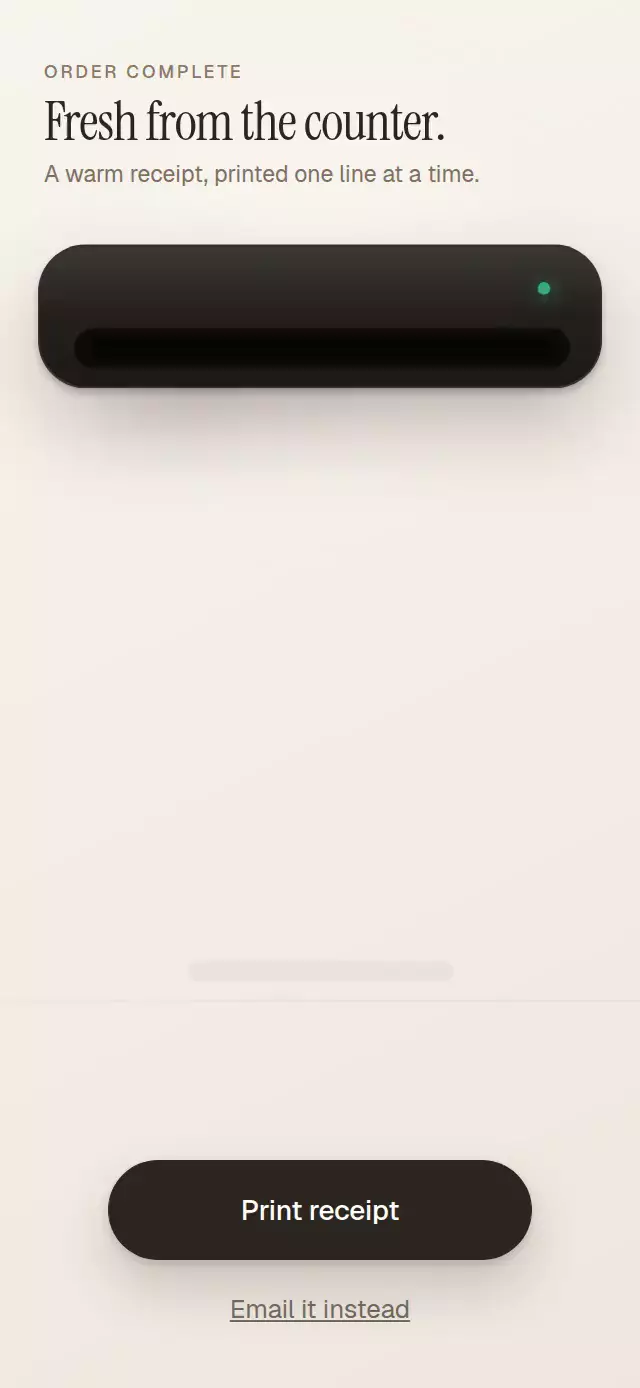
A tactile thermal-printer interaction that feeds a detailed receipt line by line, cuts it with a flash, and lets it settle onto the counter.
Why this one
Most receipt animations are a flat mask with one smooth translation. This version turns the pattern into a believable product moment: the feed advances in 18-point thermal-printer steps, the status light responds to every step, the hanging paper can be flexed, and the cut transitions into a weighted spring fall with a settling shadow. The warm counter scene, textured paper, torn edge, and fully typeset receipt make it ready for a checkout or order-confirmation screen.
How it works
- The component measures its container and derives the printer, 70%-width paper, landing surface, and controls from that layout.
- One continuous Reanimated shared value drives the stepped feed, micro-bounce, printer vibration, LED pulse, paper flex, cut light, fall, shadow, and button feedback.
- The visible feed is quantized into approximately 18-point advances every 90 ms, while the paper viewport naturally reveals each line as it clears the slot.
- A pan interrupts the hanging state and bends the receipt up to eight degrees; release springs back and resumes the cut sequence.
- The final cut is a light contained inside the printer slot, followed by a spring fall and a shadow that spreads as the paper reaches the counter.
Install
npx expo install @shopify/react-native-skia expo-linear-gradient react-native-gesture-handler react-native-reanimated react-native-workletsIcons: Lucide flame (ISC).
Usage
import PrintingReceipt from './PrintingReceipt';

export function OrderCompleteScreen() {
  return <PrintingReceipt />;
}
Customize the content, palette, typography, and actions:
import { useRef } from 'react';
import PrintingReceipt, { type PrintingReceiptRef } from './PrintingReceipt';

export function OrderCompleteScreen() {
  const printerRef = useRef<PrintingReceiptRef>(null);

  return (
    <PrintingReceipt
      ref={printerRef}
      storeName="Juniper Cafe"
      address="42 Cedar Avenue"
      items={[
        { name: 'Cold brew', price: '$4.50' },
        { name: 'Almond croissant', price: '$5.00' },
      ]}
      subtotal="$9.50"
      tip="$1.90"
      total="$11.40"
      accentColor="#34D399"
      onEmailPress={() => sendReceiptEmail()}
      onPrintComplete={() => trackReceiptPrinted()}
    />
  );
}
The forwarded ref exposes print() and reset().
Props
| Prop | Type | Default | Description |
|---|---|---|---|
eyebrow | string | 'ORDER COMPLETE' | Small heading above the scene title. |
title | string | 'Fresh from the counter.' | Product-screen title. |
subtitle | string | 'A warm receipt, printed one line at a time.' | Supporting product-screen copy. |
storeName | string | 'Corner Cafe' | Store name printed at the top. |
address | string | '18 Market Street' | Store address line. |
date | string | '10/10/2026 · 9:41 AM' | Date and time line. |
items | ReceiptItem[] | Three sample items | Receipt order lines. |
subtotal | string | '$17.50' | Preformatted subtotal. |
tip | string | '$3.50' | Preformatted tip. |
total | string | '$21.00' | Preformatted total. |
printLabel | string | 'Print receipt' | Primary action label. |
emailLabel | string | 'Email it instead' | Secondary action label. |
thankYouLabel | string | 'Thank you!' | Closing message below the barcode. |
backgroundColor | string | '#F3EEE6' | Screen background color. |
printerColor | string | '#1E1B18' | Printer body color. |
paperColor | string | '#FFFDF8' | Receipt paper color. |
inkColor | string | '#2B2620' | Receipt ink and primary button color. |
accentColor | string | '#34D399' | Status LED and cutter light color. |
fontFamily | string | System font | Interface font. |
mediumFontFamily | string | System font | Font for totals and actions. |
monoFontFamily | string | System font | Font for receipt details. |
displayFontFamily | string | System font | Font for the screen title. |
onPrintComplete | () => void | — | Called after the receipt settles. |
onEmailPress | () => void | — | Called when the secondary action is pressed. |
receiptAccessibilityLabel | string | 'Printed receipt' | Screen-reader label for the paper. |
style | StyleProp<ViewStyle> | — | Full scene container style. |
testID | string | — | Test identifier for the scene. |
Compatibility
- Expo SDK 57
- React Native 0.86
- Reanimated 4.5 and Worklets 0.10
- iOS: supported, not yet verified on a device
- Android: supported, not yet verified on a device
- Web: supported, not yet verified
- Works in Expo Go because its native dependencies are included in the SDK
Accessibility
Both actions expose button roles and customizable labels. The receipt exposes an accessible activate action as a touch alternative to dragging. With reduced motion enabled, the component presents the fully printed final state immediately, with no feed, cutter flash, vibration, or fall.