About this animation
Related guides
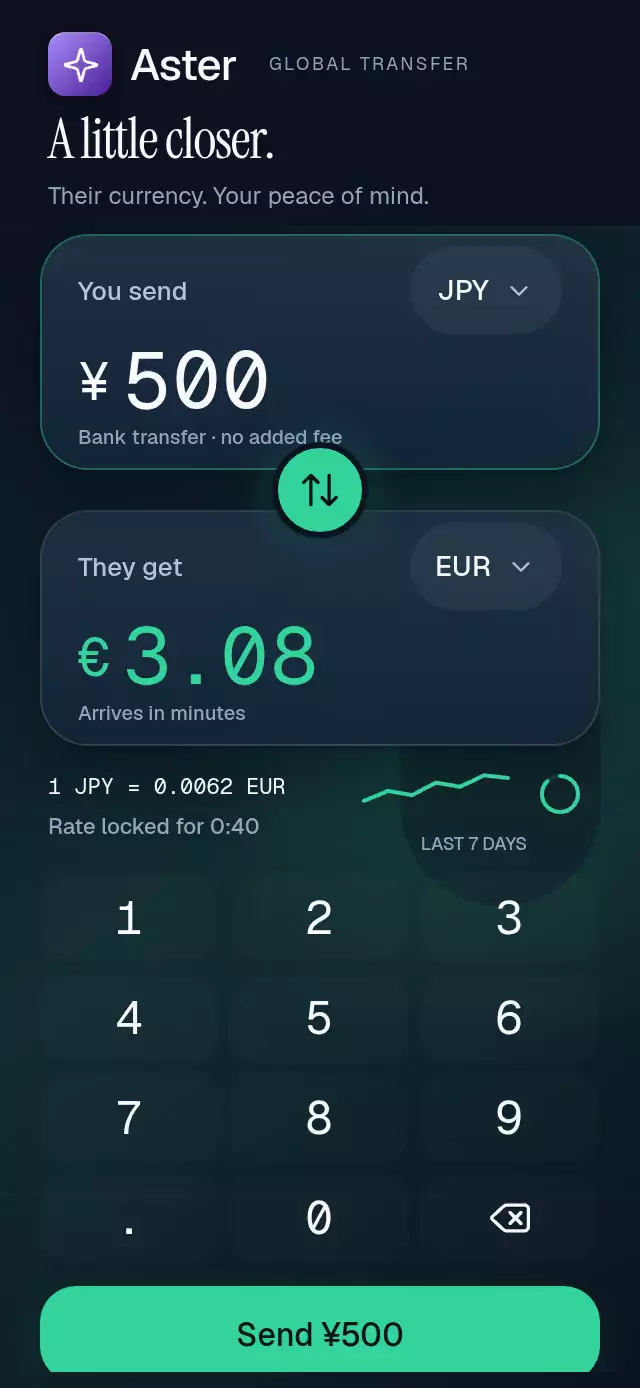
A money keypad with rolling digits and an amount-to-avatar flight, with configurable palette, recipient details, fonts, and quick amounts.
Why this one
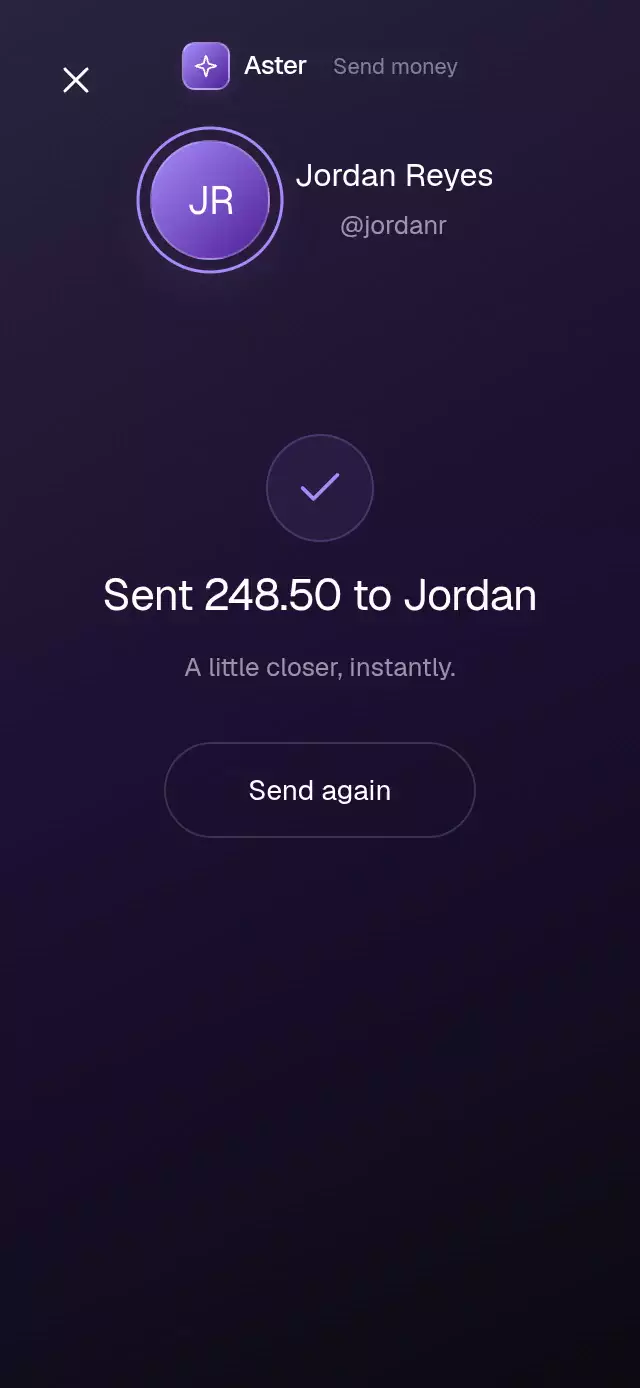
Long amounts stay centered and fit the available width instead of clipping. New digits rise into place, existing digits move with springs, and thousands separators expand visually. Balance errors have a short three-cycle shake and color feedback. Sending turns the amount into a personal confirmation with a drawn ring and check.
How it works
- Validate the amount as text, retaining a decimal point and trailing zeros. Accept at most six integer digits and two decimal places, and remove leading zeros.
- Measure a glyph using
onLayoutat 76 pt. Derive the formatted amount's width from the monospaced cells and currency prefix. - Animate individual cell positions to keep the whole amount centered. Spring the measured scale between 76 and 40 pt; inserted commas expand horizontally. New characters enter from 14 pt below with a 4 pt blur where the platform supports text filters.
- Replace a preset amount with a synchronized rolling entrance. Digit updates and their animation start together in a layout effect.
- Derive the avatar flight, continuous ring stroke, check stroke, and confirmation from one UI-thread progress value. A completed animation calls
onSendon the JS thread. - Hold Delete to repeat every 70 ms until the amount reaches zero. Closing or resetting cancels the repeat timer.
Install
npx expo install react-native-reanimated react-native-worklets expo-linear-gradient expo-blur @shopify/react-native-skiaCopy this folder without demo/. Set up Reanimated and Skia in the host application. On web, load CanvasKit before importing this component (for example, a lazy component inside Skia's WithSkiaWeb). Native supports direct imports. Fonts are supplied by the host; monospaced fonts give accurate tabular measurements.
Usage
import { AmountEntryKeypad } from './amount-entry-keypad';

export default function TransferScreen() {
  return (
    <AmountEntryKeypad
      recipientName="Recipient"
      recipientHandle="@recipient"
      initials="RE"
      balance={4218.4}
      onSend={(amount, note) => handleConfirmation(amount, note)}
    />
  );
}<AmountEntryKeypad
gradientColors={['#A78BFA', '#4C1D95']}
backgroundColor="#0B0B10"
fontFamily="YourInterfaceFont"
monoFontFamily="YourMonoFont"
quickAmounts={[25, 75, 150]}
springDamping={24}
springStiffness={340}
/>onSend reports completion of a local visual confirmation. Integrate payment authorization and processing in your host application; this component does not transfer money.
Props
| Prop | Type | Default | Purpose |
|---|---|---|---|
colorScheme | 'light' | 'dark' | 'auto' | 'dark' | Complete light/dark material; auto follows the system. |
palette | Partial<AmountEntryKeypadPalette> | Selected preset | Override background, ink, muted, currency, border, control, controlHighlight, accent, accentBorder, successBorder, successSurface, onAccent, accentOutline, avatarOutline, and error colors. |
| recipientName | string | Recipient | Display name |
| recipientShortName | string | First word of name | Confirmation name |
| recipientHandle | string | @recipient | Account handle |
| initials | string | RE | Recipient avatar initials |
| balance | number | 4218.4 | Available dollar balance |
| initialAmount | string | 0 | Valid initial amount |
| quickAmounts | number[] | [20, 50, 100] | First three preset chips |
| gradientColors | readonly [string, string] | Violet pair | Avatar and button colors |
| backgroundColor | string | Selected preset (#0B0B10 in dark) | Override the palette background. |
| fontFamily | string | System | Interface font |
| monoFontFamily | string | System | Amount font; use a monospaced font |
| springDamping | number | 58 | Amount damping. Values below the damping needed for ζ ≥ 0.8 are raised to that minimum. |
| springStiffness | number | 320 | Amount stiffness |
| onSend | (amount: number, note: string) => void | — | Local completion callback |
| onAmountChange | (amount: string) => void | — | Valid edit callback |
| onClose | () => void | — | Close callback |
| style | StyleProp<ViewStyle> | — | Container override |
| testID | string | — | Container identifier |
sendAgainLabel | string | 'Send again' | Label for starting another payment. |
sendLabel | string | 'Send' | Label for the send action. |
recipientName | string | 'Recipient' | Recipient's display name. |
recipientShortName | string | undefined | Short name used in the confirmation. Defaults to the first name. |
recipientHandle | string | '@recipient' | Recipient's account handle. |
initials | string | 'RE' | Avatar initials. |
balance | number | 4218.4 | Available balance in dollars. |
initialAmount | string | '0' | Initial amount, with up to two decimal places. |
quickAmounts | number[] | [20, 50, 100] | Preset amounts. |
gradientColors | readonly [string, string] | ['#A78BFA', '#4C1D95'] | Gradient colors. |
backgroundColor | string | Selected preset | Override the palette background. |
fontFamily | string | undefined | Interface font; falls back to the system font. |
monoFontFamily | string | undefined | Monospaced amount font; falls back to the system font. |
springDamping | number | 58 | Amount spring damping. |
springStiffness | number | 320 | Amount spring stiffness. |
onSend | (amount: number, note: string) => void | undefined | Called after the local confirmation animation; does not execute a payment. |
onAmountChange | (amount: string) => void | undefined | Called whenever a valid edit changes the amount. |
onClose | () => void | undefined | Called when Close is pressed. |
style | StyleProp<ViewStyle> | undefined | Outer container style. |
testID | string | undefined | Outer container test identifier. |
successMessage | string | 'A little closer, instantly.' | Supporting copy below the payment confirmation. |
notePlaceholder | string | Add a note | Note input placeholder and empty-note action copy. |
balanceLabel | string | Balance | Available-balance caption prefix. |
insufficientBalanceLabel | string | Not enough balance | Copy shown when the amount exceeds the balance. |
formatSentMessage | (amount: string, recipient: string) => string | Sent $<amount> to <recipient> | Formats the confirmation heading; amount is already formatted with two decimal places. |
AmountEntryKeypadRef exposes typeKey(key), setAmount(text), send(), and reset(). typeKey accepts digits, ., or delete. Preset replacements animate as rolls. Input is ignored during sending and after confirmation; reset restores entry.
Compatibility
Built for Expo SDK 58, React Native 0.88.0, Reanimated 4.7.1, worklets 0.13.0, and Skia 2.14.0. Uses installed Expo Go modules. Text blur uses a style filter with platform-dependent support; the opacity and spring entrance remain available everywhere. Glass chips use Expo BlurView with a translucent gradient fallback on Android.
The component measures its own container, hides the unmeasured first frame, and uses a compact layout below 760 pt high. The demo targets 390×844 and 320×694. Autoplay enters 248.50 at 180 ms intervals starting at 540 ms and sends at 3.5 seconds (3.4 seconds after each loop begins). The first three seconds show digit insertion and measured resizing; the confirmation follows at the specified Send time. Loops every 6.2 seconds.
Accessibility
All controls have button roles and descriptive labels, with at least 44 pt targets. The amount is announced as one value, and balance/confirmation changes use polite live regions. Zero disables Send. Reduced motion removes digit displacement, blur, shake, flight, and sparkles; error feedback remains visible in color and text. Entry and confirmation use short fades instead. Every action is available by touch without gestures.
Icons: Lucide (ISC). Paths are copied from the repository kit. The demo uses the kit's fictional Aster identity and host-loaded Geist/Geist Mono fonts.
Spring damping floors use Reanimated 4.7.1’s default mass of 4 when the configuration does not set a mass. Stiffness and mass remain unchanged.
Complete themes
Use colorScheme="light" with a light background; the default dark preset preserves the original appearance. backgroundColor overrides the preset background, and palette merges over the chosen preset. Ink applies to digits, recipient, keypad, chips, note input, and confirmation; muted applies to captions and placeholders. onAccent colors text on the avatar and send gradients, which remain configurable with gradientColors.
<AmountEntryKeypad
  colorScheme="light"
  backgroundColor="#FFFFFF"
  palette={{ ink: '#17131F', muted: '#625C70', border: '#29203326' }}
/>