About this component
Related guides
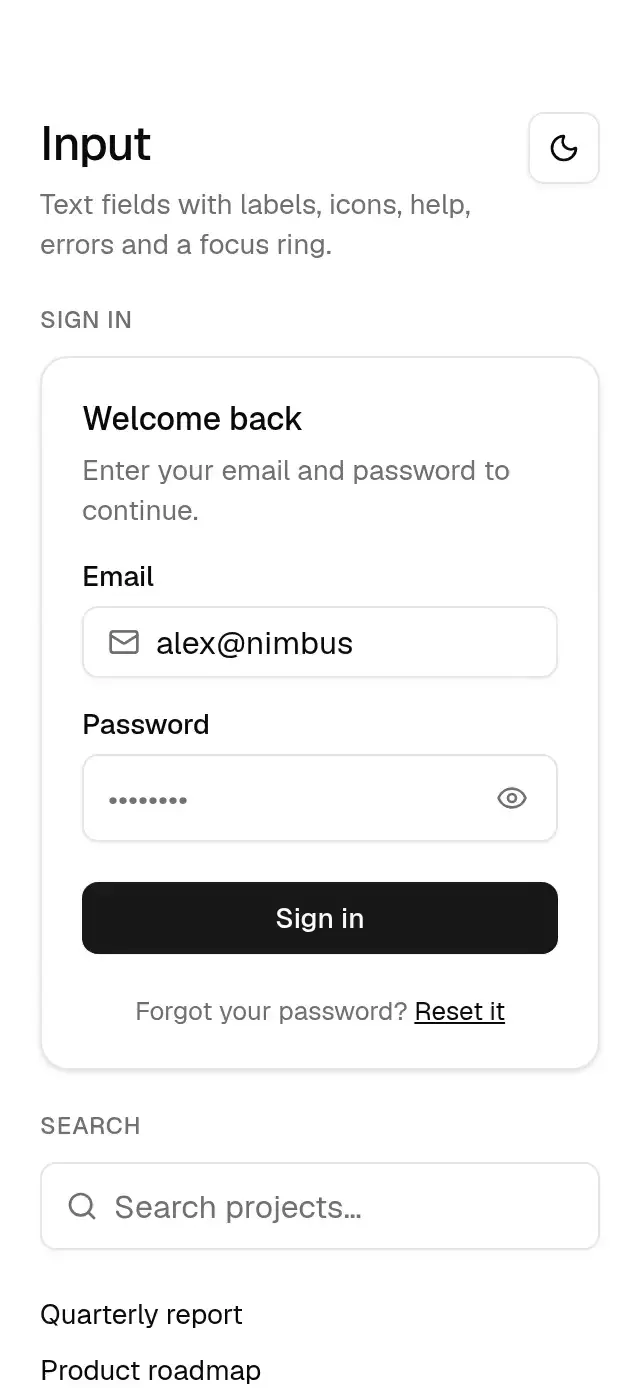
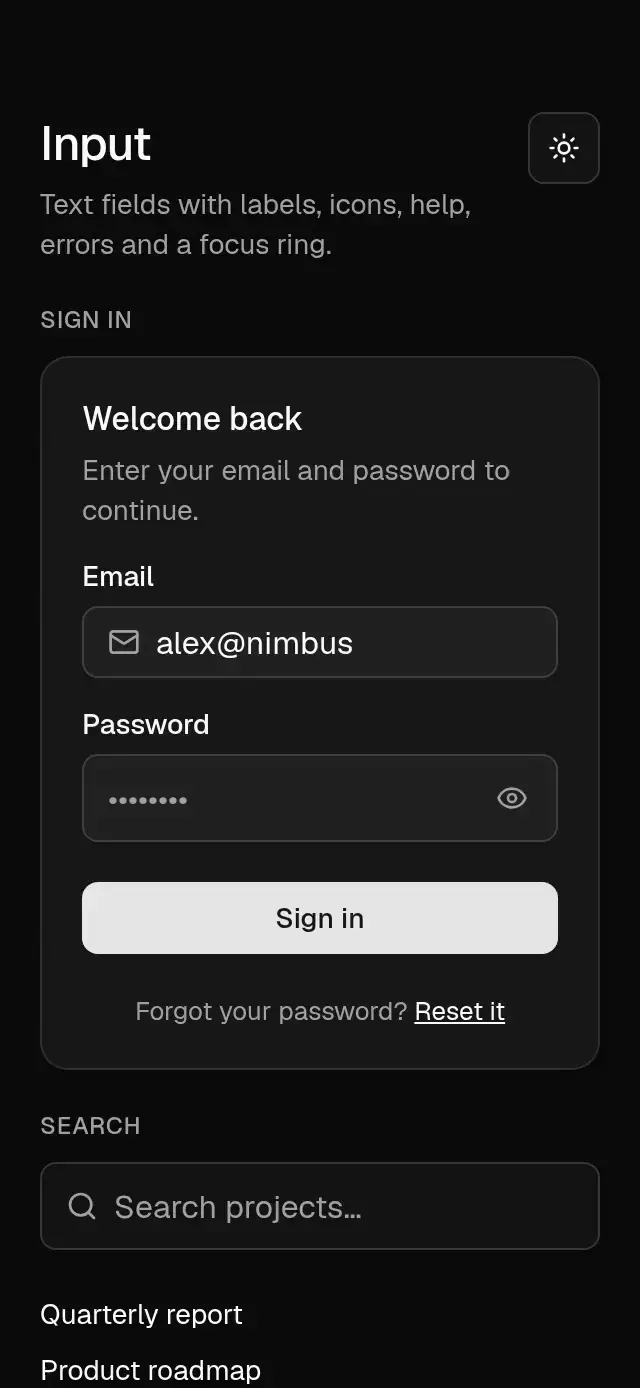
A text field with a fading focus ring, animated password reveal and clear controls, auto-growing multiline text, and configurable labels, icons, validation, and theme.
How it works
- The field is 36 pt tall, 1 px border,
shadow-xs, transparent fill in light mode andinput/30in dark. - Focus animates the border to the ring color and fades in a 3 px ring just outside it (200 ms, color curve).
errorswaps the helper text for a destructive message and turns border and ring red.leadingandtrailingslots sit inside the field. Built-in reveal and clear controls use 44 pt targets; fields with these controls are 44 pt tall.- Password glyphs exit to scale 0.5 in 150 ms and enter with a 400/29/1 spring. The clear glyph uses the same spring to enter and a 150 ms exit.
- Multiline fields start at 64 pt, grow to
maxHeight(160 pt by default), then scroll. Their padding is 8 pt vertically and 12 pt horizontally.
Install
npx nativeanimation add base-inputThe CLI also copies base-theme and base-button (used by the demo). Dependencies, if you copy by hand:
npx expo install lucide-react-native react-native-svg react-native-gesture-handler react-native-reanimated react-native-workletsUsage
import { BaseInput } from './base-input';

<BaseInput label="Email" placeholder="you@example.com" value={email} onChangeText={setEmail} />
Password, search, and comments:
import { Search } from 'lucide-react-native';

<BaseInput
  label="Password"
  secureTextEntry
  revealable
  value={password}
  onChangeText={setPassword}
  inputProps={{ autoComplete: 'password', autoCapitalize: 'none' }}
  error={tooShort ? 'Use at least 8 characters.' : undefined}
/>
<BaseInput
  accessibilityLabel="Search projects"
  placeholder="Search projects…"
  leading={<Search size={16} color={theme.colors.mutedForeground} />}
  clearable
  value={query}
  onChangeText={setQuery}
  onClear={resetFilters}
/>
<BaseInput
  label="Comments"
  multiline
  maxHeight={160}
  value={comment}
  onChangeText={setComment}
  helperText="Share a little detail with your team."
/>
Existing inputProps.secureTextEntry and inputProps.multiline remain supported. Direct props win when supplied. Password reveal is single-line only; if both reveal and clear are requested, reveal takes priority. Uncontrolled fields support defaultValue and the built-in clear action.
Wrap your app in BaseThemeProvider (from base-theme) to choose light/dark and an accent; without it, pieces use the light neutral theme. Every piece also takes a theme prop that wins over the provider.
Props
| Prop | Type | Default | Description |
|---|---|---|---|
label | string | — | Label above the field. |
value / defaultValue | string | — | Controlled or initial text. |
onChangeText | (text: string) => void | — | Called as the user types. |
placeholder | string | — | Hint shown when empty. |
helperText | string | — | Help below the field. |
error | string | — | Error message; replaces the help and turns the field red. |
leading / trailing | ReactNode | — | Elements inside the field. |
disabled | boolean | false | Dims the field and blocks editing. |
inputProps | TextInputProps | — | Any other TextInput prop (keyboard type, autocomplete, secure entry…). |
accessibilityLabel | string | label | Screen reader name. |
theme | BaseTheme | provider | Overrides the theme from BaseThemeProvider. |
testID | string | — | Identifier on TextInput; built-in actions append -reveal or -clear. |
multiline | boolean | false | Auto-growing textarea with top-aligned text. |
maxHeight | number | 160 | Textarea height limit; values below 64 are clamped to 64. |
secureTextEntry | boolean | false | Masks single-line text; also supported through inputProps. |
revealable | boolean | false | Adds a password visibility toggle to secure fields. |
clearable | boolean | false | Shows an animated clear control when text is nonempty. |
onClear | () => void | — | Called after onChangeText with an empty string. |
showPasswordLabel / hidePasswordLabel | string | Show password / Hide password | Accessible reveal button labels. |
clearLabel | string | Clear search | Accessible clear button label. |
Compatibility
Expo SDK 58 · React Native 0.88 · Reanimated 4.7 · react-native-worklets 0.13. Runs on iOS, Android and web, in Expo Go
and in development builds. Part of Native Animation Base, a free family that shares one theme: install
base-theme once (the CLI does it for you) and every Base piece picks it up.
Accessibility
The field is named by its label or accessibilityLabel. Built-in controls expose Show password/Hide password and Clear search labels, support screen reader activation and Enter/Space, and reserve a 48 dp target on Android. Empty clear controls are hidden from accessibility. With Reduce Motion on, focus and glyph changes are immediate without scale or displacement. Free forever. MIT.
Touch targets
Native fields and built-in actions reserve targets at least 48 dp tall on Android and 44 pt tall on iOS. Built-in actions are also 48 dp wide on Android and 44 pt wide on iOS. On web, plain fields are 36 px tall; fields with built-in actions and those actions are 44 px tall. Keep native fields at least 48 dp wide on Android or 44 pt wide on iOS. Stacked field centers must leave at least 48 dp on Android or 44 pt on iOS, plus room for labels and messages. Do not overlap targets with negative margins.
Part of a shared foundation
Use it in a screen
Compose Base Input with other Base components and a single shared theme. Ask your agent to read each API, then connect real navigation, state, and callbacks.
Go further.
Base covers the everyday. Choose a more expressive interaction when your app calls for it.
Vertical Range Window ↗
A vertical range control with independent handles and a draggable interval band, with configurable bounds, palette, and fonts.
Another way to solve this task · $9Document Corner Capture ↗
A document review tool with draggable corners and an image loupe, with configurable image, labels, palette, and fonts.
Source code
Loading public source…