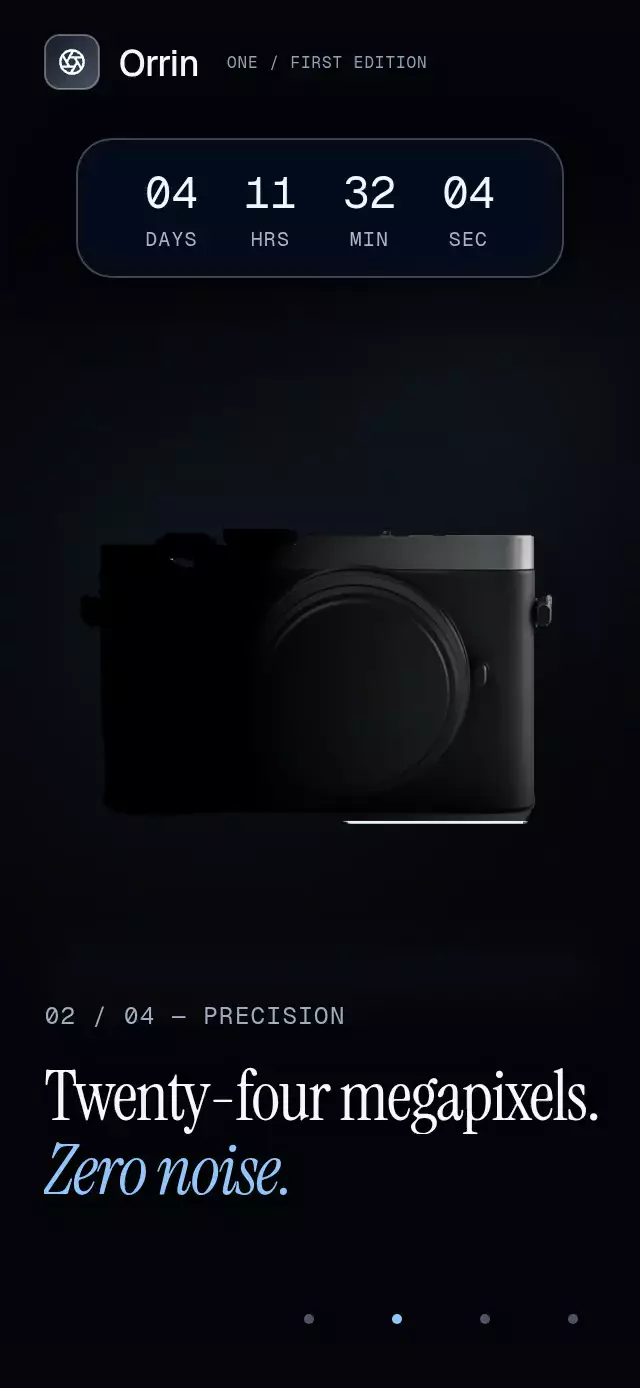
About this animation
A scroll-driven recipe with orbiting ingredients that drop into a cup, with configurable ingredients, cup image, accent color, and fonts.
Why this one
A typical ingredient list shows four disconnected photos. This component builds the recipe in front of the reader: a tilted orbit adds depth, each ingredient follows an arc into the cup, and ripples mark each addition while the photographed coffee retains its natural reflections. The supplied demo uses the fictional Ember & Oat brand, a warm chapter mesh, and local transparent artwork.
How it works
- Measure the container with
onLayout. The scene remains hidden until it has a usable size. - An animated scroll handler turns
scrollY / heightinto one continuous chapter progress from 0 to 4. Programmatic controls animate the actual scroll position, so manual scrolling and presentations use the same recipe. - Derive each ingredient's tilted elliptical orbit, depth scale, draw order, presentation pose, and falling arc from that progress. Smoothstep transitions leave room for resting poses.
- Fade incoming chapter backgrounds over the earlier layers. Separate headline entrance and exit windows prevent overlapping chapter titles.
- Preserve the photographed liquid and draw only expanding elliptical ripples and three drifting steam paths in a single Skia effects canvas. A small opening bean drop demonstrates the splash early in the presentation.
- Keep the final action inside the scroll content. Native platforms can snap to chapter offsets; web remains freely scrollable. The demo's timer calls
goToevery 2.6 seconds, fades to black at the end, and stops on interaction.
Install
npx expo install react-native-reanimated react-native-worklets expo-image expo-linear-gradient expo-blur @shopify/react-native-skiaUse your Expo SDK's compatible package versions. For web, load CanvasKit before mounting the component (for example, Skia's WithSkiaWeb with a lazy component import). The catalog must register this demo with its withSkia loader. It must not import the demo statically before CanvasKit is ready.
Usage
import { IngredientOrbitScroll, type IngredientChapter } from './ingredient-orbit-scroll';

const ingredients: [IngredientChapter, IngredientChapter, IngredientChapter, IngredientChapter] = [
  { name: 'Beans', title: 'Roasted 14 minutes.', subtitle: 'A careful finish.', facts: ['COLOMBIA', '410°F', '94%'], image: require('./beans.png'), backgroundColor: '#3B2418', accentColor: '#FDBA74', textColor: '#FFF4E7' },
  { name: 'Cacao', title: 'A single estate.', subtitle: 'A quiet accent.', facts: ['ECUADOR', 'CACAO', '3%'], image: require('./cacao.png'), backgroundColor: '#4B2D20', accentColor: '#FDBA74', textColor: '#FFF4E7' },
  { name: 'Orange', title: 'Peel, never juice.', subtitle: 'Bright and balanced.', facts: ['CALIFORNIA', 'DRIED', '2%'], image: require('./orange.png'), backgroundColor: '#9A3412', accentColor: '#FFD4A8', textColor: '#FFF4E7' },
  { name: 'Vanilla', title: 'Folded in last.', subtitle: 'Ready for your cup.', facts: ['MADAGASCAR', 'VANILLA', '1%'], image: require('./vanilla.png'), backgroundColor: '#F3E8D2', accentColor: '#9A3412', textColor: '#3B2418' },
];

export function RecipeScreen() {
  return <IngredientOrbitScroll ingredients={ingredients} cupImage={require('./cup.png')} onCtaPress={() => openCheckout()} />;
}
Customize proportions and motion without changing the recipe:
<IngredientOrbitScroll
  ref={recipeRef}
  ingredients={ingredients}
  cupImage={cup}
  cupWidthRatio={0.5}
  orbitRadiusRatio={0.34}
  orbitSpeed={4}
  accentColor="#C2410C"
  ctaLabel="Build your blend"
  titleFontFamily="YourEditorialFont"
  italicFontFamily="YourEditorialItalic"
  monoFontFamily="YourMonoFont"
  onCtaPress={openCheckout}
/>
// recipeRef.current?.goTo(2, 800);
The crop values are normalized bounds in a square source PNG: { x, y, width, height }. They reposition the original image without editing the asset. Supply tightly framed transparent images, or describe their bounds. The cup's visible coffee surface should sit near 50% of its visible width and 26% of its visible height. Portrait cacao and vanilla assets receive angled poses to keep the headline clear.
Props
| Prop | Type | Default | Purpose |
|---|---|---|---|
ingredients | Four IngredientChapter values | Required | Names, two-line copy, three facts, local images, crops, and chapter colors |
cupImage / cupCrop | Image source / normalized bounds | Required / full image | Cup artwork and framing |
header | ReactNode | None | Upper-left brand content; keep the upper-right viewer control clear |
introTitle / introSubtitle | string | Four things. / One cup. | Opening headline |
introFacts | Three strings | 4 ingredients / 1 blend / 100% crafted | Opening fact card |
storyLabel | string | Inside the blend | Accessible story name |
backgroundColor / accentColor | string | #F6F1EA / #EA580C | Opening mesh and button colors |
cupWidthRatio | number | 0.46 | Cup width relative to the container |
orbitRadiusRatio | number | 0.38 | Ellipse horizontal radius |
orbitSpeed | number | 6 | Ambient degrees per second |
snapToChapters | boolean | true | Chapter snapping on native only |
fontFamily | string | System | Interface and button font |
titleFontFamily / italicFontFamily | string | System | Editorial headline fonts |
monoFontFamily | string | System | Counters and fact figures |
ctaLabel | string | Order the blend | Final button label and accessible name |
onCtaPress | callback | None | Final action |
onChapterChange | callback(index) | None | Nearest chapter, delivered to JS with scheduleOnRN |
onInteraction | callback | None | Touch, wheel, or navigation interaction |
style / testID | View style / string | None | Container overrides and test hooks |
Ref methods: goTo(chapter, durationMs = 800), stop(), reset(), and fade(toBlack). Autoplay belongs to the demo; the component has no URL or timer dependencies.
Compatibility
Built for Expo SDK 58, React Native 0.88.0, Reanimated 4.7.1, Worklets 0.13.0, and Skia 2.14.0. Uses only already-installed Expo Go modules. Supports iOS, Android, and web. Android glass uses BlurTargetView and dimezisBlurViewSdk31Plus; older Android versions receive a translucent fallback.
Accessibility
Every chapter has a semantic header in the scroll content, including its recipe facts. The duplicate animated headline is hidden from screen readers. Each chapter has a 44 pt next button, providing a tap alternative to scrolling. The final button has a role, label, and an independent 0.97 press spring. Reduced motion freezes the orbit, removes steam, ripples, zoom, and parallax, and switches chapter content with 200 ms fades. Touch or wheel interaction stops the demo's autoplay until it is remounted.
Icons: Lucide (ISC). The demo brand glyph and chapter chevron are copied from the repository kit.