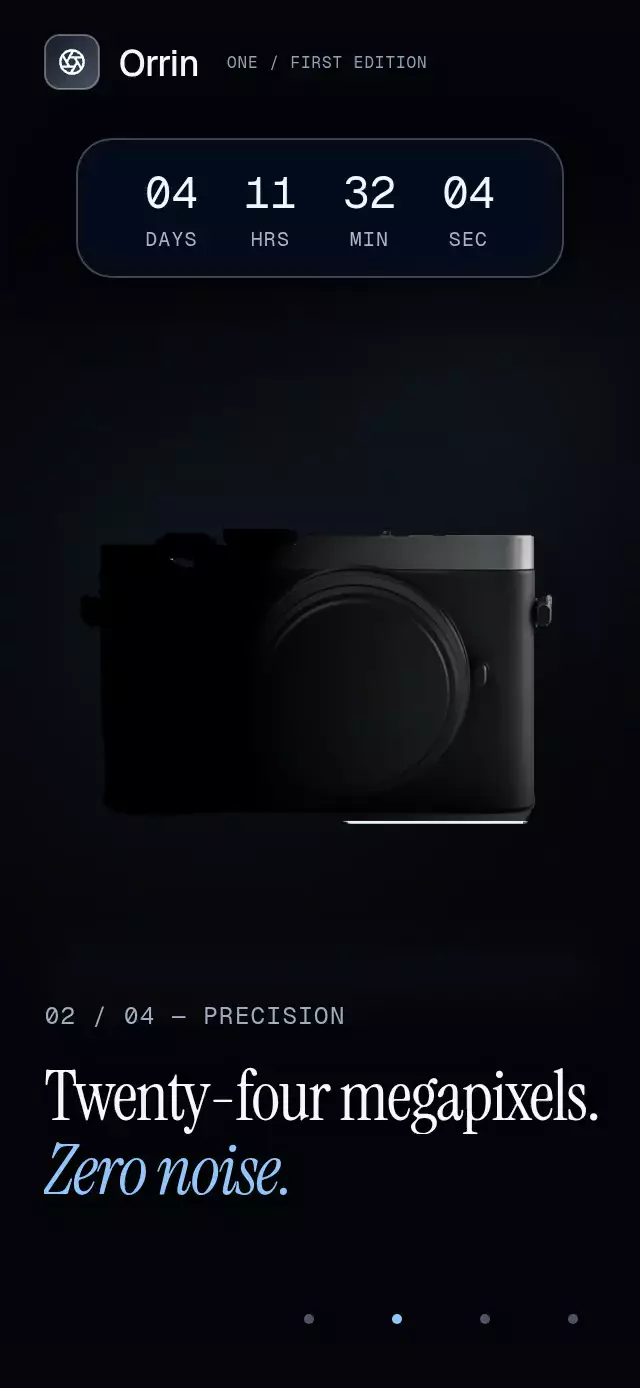
About this animation
A scroll-driven product story with changing poses and callouts, with configurable product image, chapters, fonts, and text color.
How it works
- A single scroll offset is the only source of truth. The chapter index, the progress within the chapter and every animated value derive from it on the UI thread.
- The product interpolates between the
pose(position, scale, rotation) of consecutive chapters, so it glides from one composition to the next. - Each chapter's background color, photo and accent color fade in over the previous ones, stacked, with a slight parallax.
- Drifting motes and speed streaks are drawn with Skia. The streaks grow with scroll velocity.
- With
snapToChapters, the scroll settles on a chapter boundary when the finger lifts.onChapterChangefires only when the chapter changes, not on every frame.
Install
npx expo install @shopify/react-native-skia expo-image expo-linear-gradient react-native-reanimated react-native-workletsOn web, CanvasKit must finish loading before this component mounts. Call LoadSkiaWeb in your web entry point, then render the application:
import { LoadSkiaWeb } from '@shopify/react-native-skia/lib/module/web';

LoadSkiaWeb().then(() => {
  root.render(<App />);
});
Usage
import ScrollStoryProduct, { type ScrollStoryChapter } from './scroll-story-product';

const chapters: ScrollStoryChapter[] = [
  {
    eyebrow: 'Meet Nimbus',
    title: 'Quiet power.',
    titleAccent: 'Everywhere.',
    backgroundColor: '#0B0F14',
    accentColor: '#7CC4FF',
    pose: { scale: 1 },
    grounded: true,
  },
  {
    title: 'Every detail,',
    titleAccent: 'considered.',
    body: 'Machined aluminum, 40-hour battery.',
    backgroundColor: '#14100B',
    accentColor: '#FFB86B',
    pose: { x: 0.18, scale: 1.4, rotate: -8 },
    callouts: [{ x: 0.62, y: 0.42, label: 'Aluminum shell', side: 'right' }],
  },
];

export function ProductStory() {
  return (
    <ScrollStoryProduct
      product={require('./assets/product.png')}
      productAspectRatio={0.8}
      productAccessibilityLabel="Nimbus headphones"
      chapters={chapters}
      cta={{ label: 'Pre-order — $249', caption: 'Ships in November' }}
    />
  );
}
Props
| Prop | Type | Default | Description |
|---|---|---|---|
product | ImageSource | number | Required | Transparent cutout of the product. |
productAspectRatio | number | Required | Width / height of the product image. |
productAccessibilityLabel | string | 'Product' | Label for the product image. |
chapters | ScrollStoryChapter[] | Required | One entry per chapter (see below). |
cta | { label: string; caption?: string; onPress?: () => void } | undefined | Call to action pinned to the last chapter. |
titleFontFamily | string | undefined | Headline font. |
accentFontFamily | string | undefined | Font for titleAccent (an italic display face works well). |
fontFamily | string | undefined | Font family for interface text. |
numberFontFamily | string | undefined | Font for the chapter counter ("01 / 05"); a monospace face keeps it steady. |
textColor | string | '#F5F3EF' | Text color. |
snapToChapters | boolean | true | Snap to chapter boundaries when the finger lifts. |
onChapterChange | (index: number) => void | undefined | Called when the visible chapter changes. |
style | StyleProp<ViewStyle> | undefined | Style applied to the outer container. |
duration | number | 1500 | Product entrance duration in milliseconds. Spring physics and reduced-motion timing are unchanged. |
testID | string | undefined | Root ID; ${testID}-scroll, ${testID}-chapter-${index} (zero-based), and ${testID}-cta identify controls. Suffix IDs are omitted when testID is absent. |
ScrollStoryChapter
| Field | Type | Description |
|---|---|---|
eyebrow | string | Small label above the headline. |
title | string | First headline line. |
titleAccent | string | Second headline line, in the accent font and color. |
body | string | Supporting paragraph. |
backgroundColor | string | Chapter background color. |
backgroundImage | ImageSource | number | Full-bleed scene that dissolves in over the previous chapter. |
accentColor | string | Accent for this chapter. |
backdropWord | string | Oversized word drifting behind the product. |
pose | { x?, y?, scale?, rotate? } | Where the product rests. x and y are fractions of width and height from the center; rotate is in degrees. |
callouts | { x, y, label, side? }[] | Labels anchored at fractions of the screen, pointing left or right. |
grounded | boolean | Show the soft floor shadow under the product. |
Compatibility
- Expo SDK 58
- React Native 0.88
- Reanimated 4.7
- React Native Worklets 0.13
- React Native Skia 2.14
- iOS, Android and web: supported
- Works in Expo Go because Skia, Reanimated, and Worklets are included in the SDK
Accessibility
- Each chapter is one accessible element whose label combines its eyebrow, title and body. The product image has its own label and the call to action is a button.
- With Reduce Motion on, the motes and the product's idle bob and sway are off, and snapping is not animated.