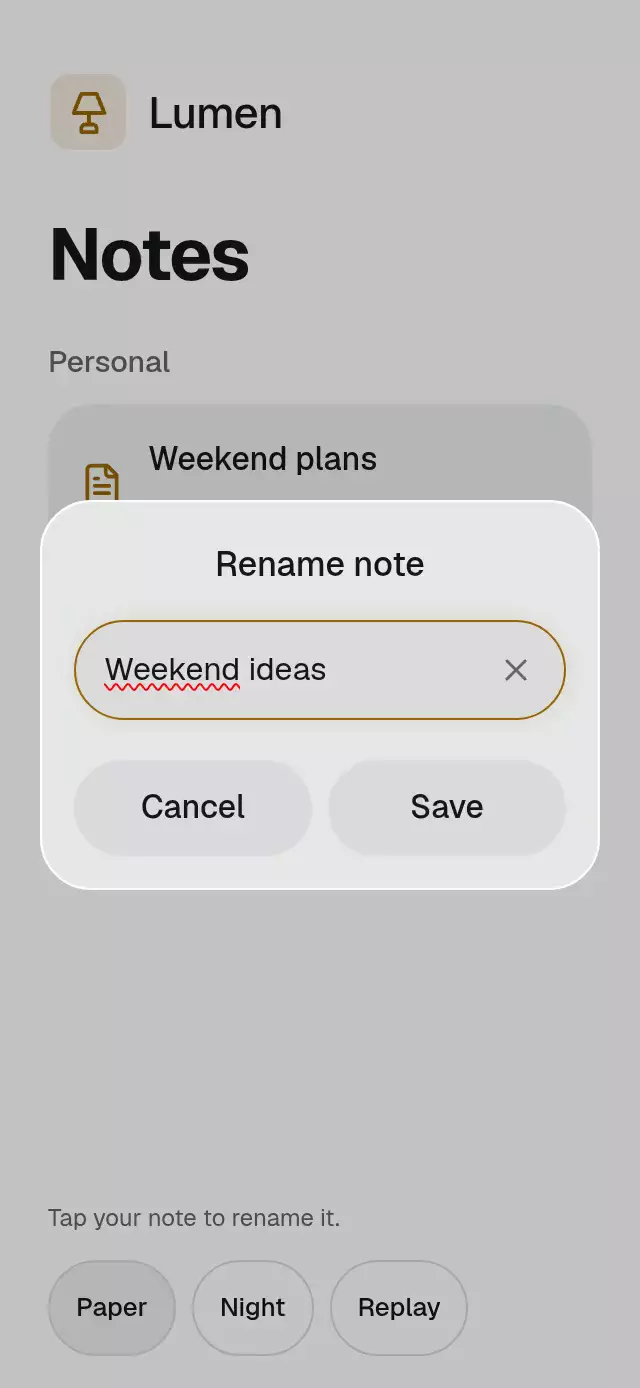
About this animation
Related guides
A chat that anchors new messages above a growing composer, with configurable messages, labels, palette, and fonts.
Why this one
Keyboard movement, multiline growth, and incoming pages share one anchor policy. Opening a keyboard does not imply a request to jump to the bottom. Readers get an explicit Latest messages action when the tail changes. The demo distinguishes an abstract keyboard preview from the real input.
How it works
- A chronological
FlatListvirtualizes stable message IDs; cell layout records each message's content position. - Scrolling within 48 pt of the bottom enables anchoring. Elsewhere, the first visible ID and its signed viewport offset are retained.
- Content and viewport layout updates restore that offset on web, or scroll to the bottom while anchored. Native
maintainVisibleContentPositionpreserves the history position without adding a competing JS scroll correction. No inverted list or second keyboard translation is used. - An inaccessible text measurement layer measures the controlled draft at the input width, including wrapping and trailing newlines. Composer height changes over 180 ms with
(0.23, 1, 0.32, 1)and caps at four lines (fewer when the host slot cannot fit four); longer drafts remain editable through input scrolling. - Native mode uses
KeyboardAvoidingView(paddingon iOS,heighton Android). Web uses the available host viewport and a normal focused input. The host owns safe areas and native vertical offset. - Preview mode animates an abstract, letter-free three-row keyboard using a separate visual height. It disables native soft-keyboard presentation and never adds a simulated inset to native avoidance.
Install
Copy this folder without demo/ into your Expo project. No Keyboard Controller dependency is needed.
npx expo install react-native-reanimated react-native-worklets @shopify/react-native-skia expo-linear-gradientExact catalog versions: Reanimated 4.7.1, Skia 2.14.0, expo-linear-gradient ~58.0.3. Keep the SDK-compatible worklets peer dependency (0.13.0 in this project). Follow your Expo/Reanimated setup. The demo additionally uses expo-blur ~58.0.5, and imports the host's font names.
Icons use Skia: initialize CanvasKit on web before importing/mounting the piece, using the host's Skia loading boundary. The catalog integration needs withSkia when registered.
Usage
const chat = useRef<KeyboardAnchoredChatRef>(null);
const [draft, setDraft] = useState('');
const [messages, setMessages] = useState<ChatMessage[]>([]);

<KeyboardAnchoredChat
  ref={chat}
  messages={messages}
  value={draft}
  onChangeText={setDraft}
  onSend={text => {
    setMessages(current => [...current, {
      id: createStableId(), text, direction: 'outgoing', timestampLabel: '2:00 PM',
    }]);
    setDraft('');
  }}
  accessibilityLabel="Conversation"
  labels={{
    placeholder: 'Write a message', send: 'Send', latest: 'Latest messages',
    dismiss: 'Dismiss keyboard', empty: 'Start a conversation.',
    loadingEarlier: 'Load earlier messages', messageSent: 'Message sent',
  }}
/>
createStableId belongs to your host. Put the component inside a bounded flex container; its root is flex: 1. For custom styling:
<KeyboardAnchoredChat
  {...chatProps}
  keyboardMode="preview"
  previewKeyboardHeight={132}
  maxComposerLines={4}
  colorScheme="dark"
  motionScale={0.8}
  fontFamily={yourBodyFont}
  titleFontFamily={yourHeaderFont}
  monoFontFamily={yourTimestampFont}
  onAnchorChange={saveReaderPosition}
  onLoadEarlier={fetchEarlierPage}
  loadingEarlier={fetching}
  style={{ borderRadius: 24 }}
/>
Props
| Prop | Type | Default | Purpose |
|---|---|---|---|
messages | ChatMessage[] | required | Chronological stable IDs, text, incoming/outgoing direction, host-formatted timestamp label. Duplicate or empty IDs are omitted. |
value | string | required | Controlled draft; never cleared internally. |
onChangeText | (value: string) => void | required | One draft update request per input event. |
onSend | (text: string) => void | required | One trimmed nonempty send request per activation. Host clears draft and changes messages. |
onLoadEarlier | () => void | omitted | Enables the earlier-page action. |
loadingEarlier | boolean | false | Disables earlier-page requests while busy. |
keyboardMode | 'native' | 'preview' | 'native' | Real avoidance vs abstract simulation. Native on web is normal input behavior. |
previewKeyboardHeight | number | 0 | Clamped to 0–240 and available component height. Ignored in native mode. |
keyboardVerticalOffset | number | 0 | Host native avoidance offset, finite 0–2000. |
maxComposerLines | number | 4 | Rounded and clamped to 1–4; longer drafts scroll internally. |
onAnchorChange | ({atLatest, firstVisibleId?}) => void | omitted | JS reader position callback. No message mutation. |
labels | ChatLabels | required | Every component control, status, placeholder, and announcement string. See below. |
colorScheme | 'light' | 'dark' | 'auto' | 'auto' | Full theme, including controls and messages. |
palette | ChatPalette | theme palette | Complete background, surface, text, muted, border, accent, onAccent, success, error colors. Success/error tokens are reserved; there is no local network result state. |
fontFamily | string | system | Body/input font. |
titleFontFamily | string | body | Header font. |
monoFontFamily | string | body | Timestamp font. |
style | StyleProp<ViewStyle> | omitted | Container override; no safe-area padding is added. |
testID | string | 'keyboard-anchored-chat' | Stable root and control ID prefix. |
accessibilityLabel | string | required | Conversation header/name. Empty content removes the title. |
motionScale | number | 1 | Finite 0–1.5; zero disables travel and preserves semantics. |
All seven label keys are required. Demo values: placeholder: “Write a message”; send: “Send”; latest: “Latest messages”; dismiss: “Dismiss keyboard”; empty: “Start a conversation.”; loadingEarlier: “Load earlier messages”; messageSent: “Message sent”. Empty empty-state, earlier-page, or latest copy removes the corresponding content without reserving space. Keep names for interactive actions nonempty.
Ref and controlled ownership
| Method | Behavior |
|---|---|
focus() | Focuses the input. Only native mode may open a soft keyboard. |
dismissKeyboard() | Blurs input and dismisses the native keyboard; does not change preview height. |
scrollToLatest() | Explicitly pins to the tail and clears the pending notice. |
reset() | Clears visual focus/reader position by dismissing and returning to latest. No send, draft update, earlier fetch, or message mutation. |
There is no uncontrolled mode. Ref methods cannot override draft, messages, or preview height. Host code filters obsolete responses by request/message IDs before updating props. Preserve existing IDs and chronological order when prepending. Deleting the currently anchored message cannot preserve that ID; replace/reset the conversation explicitly in the host. Timestamp formatting and any network errors belong to the host.
States and transitions
| State | Trigger | Result |
|---|---|---|
| Anchored | Distance to bottom ≤48 pt | Height/content changes keep the tail 12 pt above the composer. |
| Reading history | User scrolls beyond 48 pt | Save first visible ID and offset. Resize/keyboard/prepend restore it. |
| Pending tail | Tail ID changes while reading | Show Latest messages, with no forced descent. |
| Return to latest | Latest action or ref method | Pin, clear pending notice, reveal tail. |
| Draft growth | Controlled text wraps | Measure, animate 180 ms, correct list layout. |
| Sending | Nonempty send activation | Call business callback immediately, announce once on native. No animation completion triggers business work. |
| Earlier loading | Host sets loadingEarlier | Earlier action disabled until host clears busy state. |
| Empty | No valid IDs | Accessible empty label; composer remains usable. |
Demo and motion
Nimbus is demo-only kit branding. Night/Paper recolor the entire surface. The demo has no outer scroll container: only history and the multiline input can scroll. Compact layouts omit decorative heading/brand before reducing history. Text scaling remains enabled. Bottom controls remain in flow and all targets are at least 48 pt. At large text sizes the mode controls stack vertically.
Replay demonstrates a simulated keyboard. Timeline: 0–500 ms rest; 500–900 opening; 900–1100 draft; 1100–1540 three-line growth plus keyboard rise and a focus-edge stroke traveling 80 pt over 320 ms; 1900 send; 2350 incoming reply; 3200 close; 4400 reset; 5000 next cycle. Autoplay never focuses the input. Real pointer/touch activity cancels every outstanding timer; Replay starts a fresh sequence. The mode selector offers “Live keyboard” and “Preview”; theme action switches “Paper”/“Night” without overlapping labels.
Reduced motion removes edge travel and height interpolation, keeping state updates and actions. Buttons use an interruptible mass-1 spring to 0.97 on press-in, with no travel when reduced motion is enabled. There is no permanent ambient animation or spinner.
Compatibility
Designed for Expo 58 / RN 0.88.0 / React 19.2.3 / Reanimated 4.7.1. Existing Expo Go modules suffice. iOS uses interactive list keyboard dismissal. Android supports drag dismissal and an explicit dismiss button; continuous interactive dismissal is not claimed. Do not add a second keyboard translation or automatic keyboard inset on top of avoidance. Confirm your host's Android resize configuration with its window insets.
Accessibility
Web uses a flexible host viewport, real input focus, and explicit blur; browser virtual-keyboard viewport behavior is browser/host dependent. Android's demo control band uses an opaque surface fallback; iOS/web add a radius-clipped BlurView at intensity 45. Decorative content is inaccessible. No per-letter or per-height announcements occur. Only a send request announces messageSent on native. Buttons expose roles, names, selected/disabled state; history has selectable full messages. Empty/loading copy stays in normal flow.
Implementation notes
no upper-right action (56 pt is reserved); no external ScrollView; responsive flex history; 300×400 and landscape omit decoration and clamp preview height; no simultaneous state labels; BlurView and every control wrapper have their own radius/overflow; no digit rollers; no business callback on animation completion. Full message data remains scrollable. The edge/growth moment starts at 1100 ms.
Icons: Lucide (ISC), exact paths copied from the internal kit. No reference images, external branding, proprietary fonts, or network assets ship in this folder.