About this animation
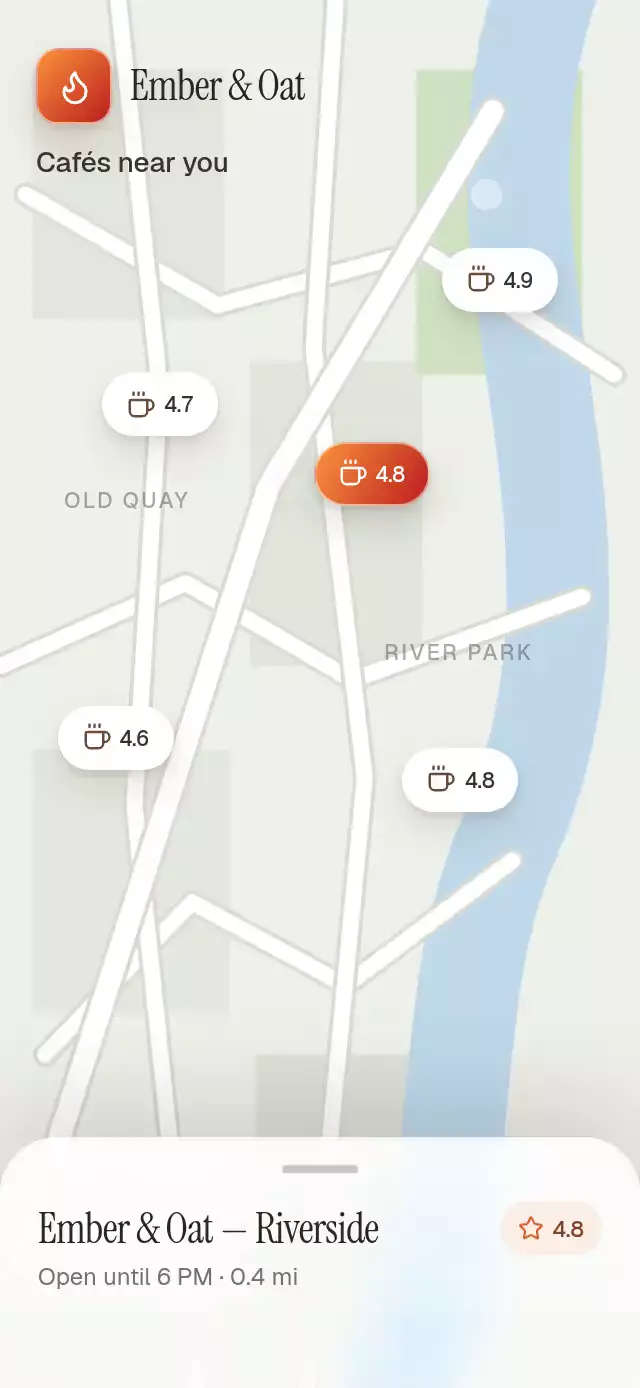
A ride picker with a search-to-results reveal and expanding sheet, with configurable ride options, map image, colors, and font.
How it works
The map stays active while the sheet searches, so the loading state feels like a real pickup flow. Route drawing, moving cars, the indeterminate progress line, and the cascade from skeletons to ride choices make the wait part of the interaction.
- Measure the container width and map viewport with
onLayout. Apply the same centered cover transform to the artwork, route vertices, and vehicle lanes. search()resets the route and reveal progress, starts the indeterminate progress line, and schedules the choices aftersearchDurationMs(2200 ms by default).- Reveal ride artwork and replace skeleton copy with the supplied names, ETAs, and prices. Selecting a row updates local selection and calls
onSelect; confirming callsonConfirmwith the selected ID. - A pan on the sheet header updates its shared progress directly. Release springs to the collapsed or expanded height; the ref exposes the same destinations through
expand()andcollapse().
Install
Copy the files listed in piece.json without demo/. Install the component dependencies:
npx expo install @shopify/react-native-skia expo-image react-native-gesture-handler react-native-reanimated react-native-workletsThe host must provide GestureHandlerRootView. On web, initialize Skia CanvasKit before mounting the component and serve canvaskit.wasm.
Usage
import { useRef } from 'react';
import { Button, View } from 'react-native';
import {
  RideOptionsLoading,
  type RideOptionsLoadingRef,
} from './ride-options-loading';

export function Pickup({ bookRide }: { bookRide: (id: string) => void }) {
  const ride = useRef<RideOptionsLoadingRef>(null);
  return (
    <View style={{ flex: 1 }}>
      <RideOptionsLoading
        ref={ride}
        mapImage={require('./assets/city-map.jpg')}
        mapCarImage={require('./assets/car-top.webp')}
        optionImages={{
          go: require('./assets/car-go.webp'),
          comfort: require('./assets/car-comfort.webp'),
          xl: require('./assets/car-xl.webp'),
        }}
        onConfirm={bookRide}
      />
      <Button title="Search rides" onPress={() => ride.current?.search()} />
    </View>
  );
}
Customize the search and use the ref from host event handlers:
<RideOptionsLoading
  ref={ride}
  origin="Maple Ave"
  destination="Harbor Gate"
  searchDurationMs={3000}
  labels={{ title: 'Checking nearby rides', refresh: 'Search again' }}
  colors={{ accent: '#176B58' }}
  onConfirm={bookRide}
/>
// Other host actions can call ride.current?.select('comfort'), expand(), or collapse().
Props
| Prop | Type | Default | Purpose |
|---|---|---|---|
mapImage | ImageProps['source'] | undefined | Map artwork with centered cover cropping |
mapCarImage | ImageProps['source'] | undefined | Transparent overhead car facing up |
optionImages | Partial<Record<RideOption['kind'], ImageProps['source']>> | undefined | Transparent side profiles facing right |
origin, destination | string | Hollis Ave, Pier 9 | Map labels |
options | RideOption[] | Go, Comfort, XL | Available rides and prices |
labels | RideOptionsLoadingProps['labels'] | undefined | Optional title, choose, refresh, and minutes; minutes is not rendered. Fallbacks: Finding your ride, Choose [ride name], Refresh search. The loaded title is fixed as Choose your ride. |
colors | RideOptionsLoadingProps['colors'] | Light map palette | Override map, road, park, water, sheet, accent, skeleton, and text. |
searchDurationMs | number | 2200 | Search duration |
fontFamily | string | System font | Font family for the sheet title |
onSelect, onConfirm | (id: string) => void | — | Ride selection and confirmation callbacks |
autoplay | boolean | false | Run the demo sequence |
style | StyleProp<ViewStyle> | undefined | Container styling. |
testID | string | undefined | Root test identifier. |
The ref exposes search(), select(id), expand(), and collapse(). Place inside GestureHandlerRootView.
Artwork is supplied by the host; the component never imports demo assets. The included demo map is 1360 × 1180. Route vertices and traffic lanes are measured in that artwork's coordinate system and use the same centered cover transform as the image, including in short containers. Replacing the map with another street layout also requires adjusting ROUTE and TRAFFIC. Six overhead cars move on straight lanes; the pickup car reaches the origin when choices arrive. Side profiles share bottom alignment, a tinted skeleton, and a 420 ms color reveal (220 ms with reduced motion).
Dependencies: React Native Gesture Handler, Reanimated, Expo Image, and React Native Skia. Supply your own images when copying the component; the demo assets are excluded from piece.json.files.
Compatibility
Targets Expo SDK 58, React Native 0.88.0, Reanimated 4.7.1 with Worklets 0.13.0, Gesture Handler 3.3, Expo Image 58.0.17, and Skia 2.14.0. Supports iOS, Android, and web using Expo Go's bundled native modules, with the CanvasKit setup above for web. The component imports no catalog or theme code; supply map and vehicle images through props.
Accessibility
Ride rows expose button roles, name-and-price labels, and selected state. Confirm is labeled Choose [ride name]; refresh uses labels.refresh or Refresh search. The decorative Back control has a button role and Back label but no press handler or navigation callback. Sheet expansion is available through the ref; the header pan has no accessibility action.
Reduced Motion stops ambient traffic and shortens route drawing to 220 ms and vehicle reveal to 220 ms. The pickup car still moves during the reveal. Search progress continues at a 1000 ms duration, skeleton shimmer continues, and sheet expansion still uses a spring. The component has no internal safe-area inset; the host owns insets and keyboard behavior.