About this animation
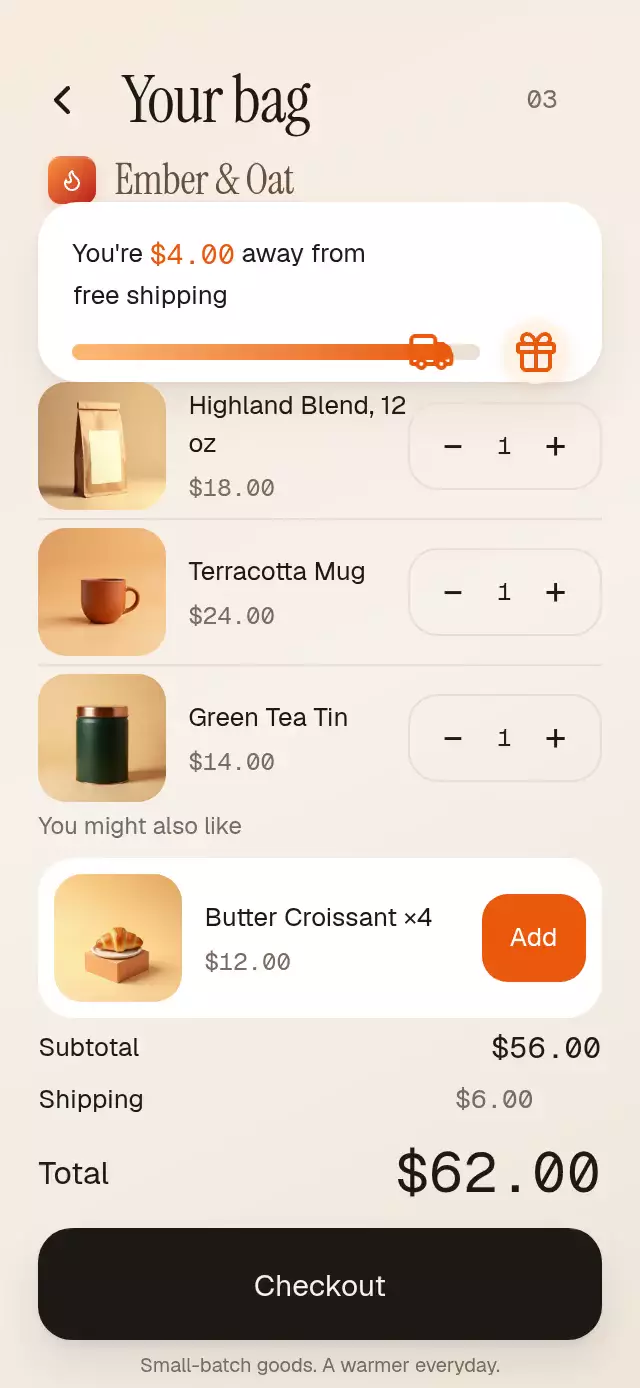
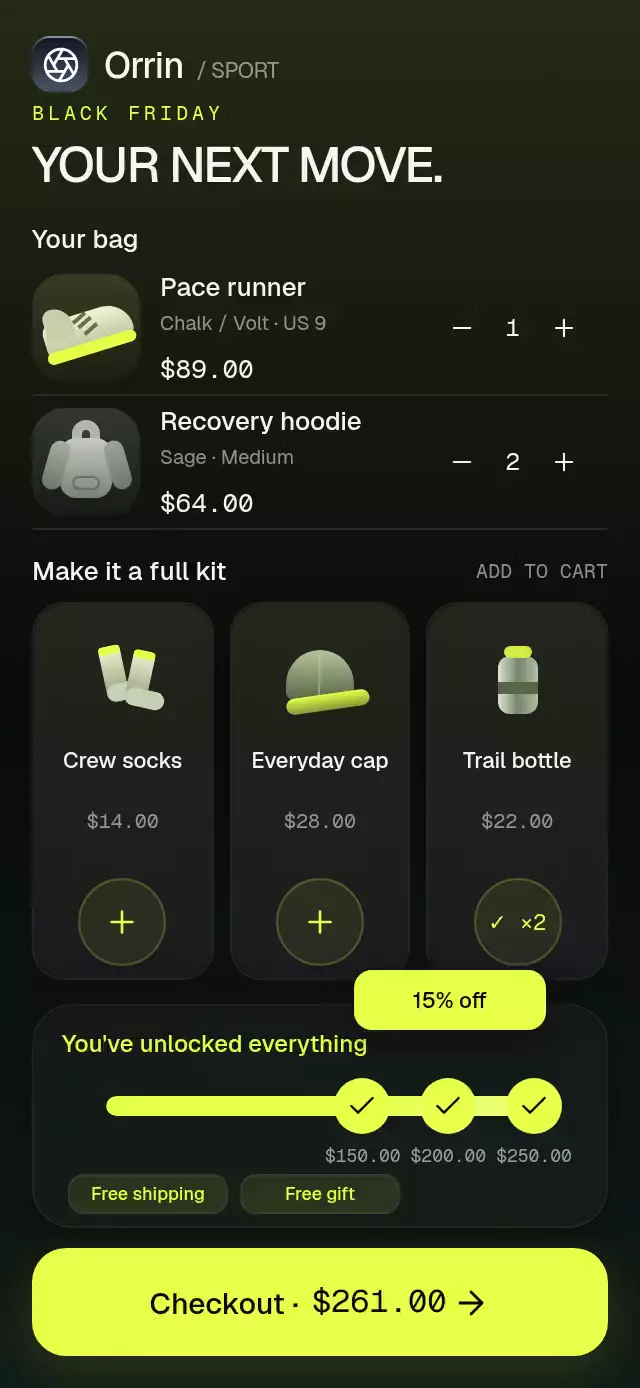
A cart reward bar with rolling amounts and tier celebrations, with configurable milestones, labels, colors, and fonts.
Why this one
The next reward is expressed in money. Each earned tier gets a check, pulse, eight sparks, a wave, and a peeling sticker that settles into the earned-rewards row. Removing items fades the reward back to locked. Re-earning it celebrates again.
How it works
- Pass the cart subtotal before discounts. Positive, unique milestones are sorted by amount.
- One UI-thread
fillvalue springs towardtotal / lastMilestonewith damping 18, stiffness 160, and explicit mass 1. The rendered fill stays inside the track during overshoot. - Each node watches that progress and its eligibility. A threshold can celebrate only while the actual subtotal qualifies, so spring overshoot cannot award an unearned tier.
- Crossings enter a queue with at least 260 ms between celebrations. Stale celebrations are discarded if an item is removed. Mounting with an already-qualified total displays existing rewards without announcements or callbacks.
- Each sticker springs up, stays for 1,600 ms, then shrinks toward its pill. A clipped reflection runs inside the fill every 2,400 ms. Completing the last tier changes the fill to solid accent.
- Currency characters animate only when they change and finish at their exact baseline. React updates occur on cart changes and reward events, never every animation frame.
Install
npx expo install expo-blur expo-image expo-linear-gradient react-native-reanimated react-native-workletsUse the Reanimated/Worklets configuration recommended for your Expo SDK. No images, fonts, icons package, or network requests are required. Icons: Lucide (ISC); the included paths are rendered as inline SVG by expo-image.
Usage
import { SavingsMilestoneBar } from './savings-milestone-bar';

<SavingsMilestoneBar total={32} />
Place it above your checkout button. The host owns screen positioning, safe-area padding, and cart calculations. The card fills its container width and has a 112-point minimum height. Content may grow with larger text or custom copy.
import { useRef } from 'react';
import { View } from 'react-native';
import { BlurTargetView } from 'expo-blur';
import { SavingsMilestoneBar } from './savings-milestone-bar';

function CartRewards({ subtotal }: { subtotal: number }) {
  const background = useRef<View>(null);
  return (
    <View>
      <BlurTargetView ref={background} style={{ position: 'absolute', inset: 0 }}>
        {/* Your background artwork. */}
      </BlurTargetView>
      <SavingsMilestoneBar
        total={subtotal}
        blurTarget={background}
        milestones={[
          { amount: 50, label: 'Free shipping', icon: 'truck' },
          { amount: 100, label: 'Bonus gift', icon: 'gift' },
          { amount: 150, label: '15% off', icon: 'percent' },
        ]}
        fontFamily="Geist_500Medium"
        monoFontFamily="GeistMono_400Regular"
        labels={{ add: 'Add {amount} for {reward}' }}
        springDamping={22}
        shimmerDuration={2800}
        onMilestone={(reward) => saveEarnedReward(reward.amount)}
      />
    </View>
  );
}
saveEarnedReward represents your own application callback. Load custom fonts in the host; omitting the font props uses the system font.
For Android glass, the supplied BlurTargetView must cover the bar's bounds. Android 12+ uses the efficient native blur; older Android versions use a translucent fallback. Without blurTarget, Android also uses the fallback. For a light theme, set blurTint="systemThinMaterialLight" and override the complete palette, including text, muted, track, onAccent, pill, and shadow.
Props
| Prop | Type | Default | Purpose |
|---|---|---|---|
total | number | Required | Pre-discount cart subtotal; invalid/negative values become zero. |
milestones | readonly SavingsMilestone[] | $50 / $100 / $150 | Amount, label, and truck, gift, or percent icon. Invalid and duplicate amounts are ignored. |
currency | string | USD | ISO currency used with the US locale. Invalid currency codes fall back to USD. |
formatAmount | (amount: number) => string | US currency formatter | All currency formatting. |
onMilestone | (reward, sortedIndex) => void | — | Called when a reward celebration starts. Fires again after relocking and re-earning. |
colors | Partial<SavingsMilestoneColors> | Dark volt palette | Surface, border, text, muted, track, accent, success, onAccent, pill, shine, shadow. |
labels | Partial<SavingsMilestoneLabels> | English copy | add, unlocked, allUnlocked, progress, empty. Messages interpolate {amount} and {reward}. |
fontFamily / monoFontFamily | string | System | Host-loaded interface and amount fonts. |
height | number | 112 | Minimum card height; not a fixed clipping height. |
nodeSize | number | 28 | Node diameter, minimum 20. |
trackHeight | number | 10 | Track thickness, minimum 2. |
contentScale | number | 1 | Spacing and text scale, minimum 0.7. |
springDamping / springStiffness | number | 18 / 160 | Interruptible fill physics, with mass 1. |
shimmerDuration | number | 2400 | Reflection period, minimum 600 ms. |
stickerDuration | number | 1600 | Sticker hold after entry, in milliseconds. |
blurTarget | RefObject<View | null> | — | Android background target. |
blurTint | Light/dark material tint | systemThinMaterialDark | Glass appearance. |
style | StyleProp<ViewStyle> | — | Container style. |
testID | string | savings-milestone-bar | Root ID; tiers append -tier-N. |
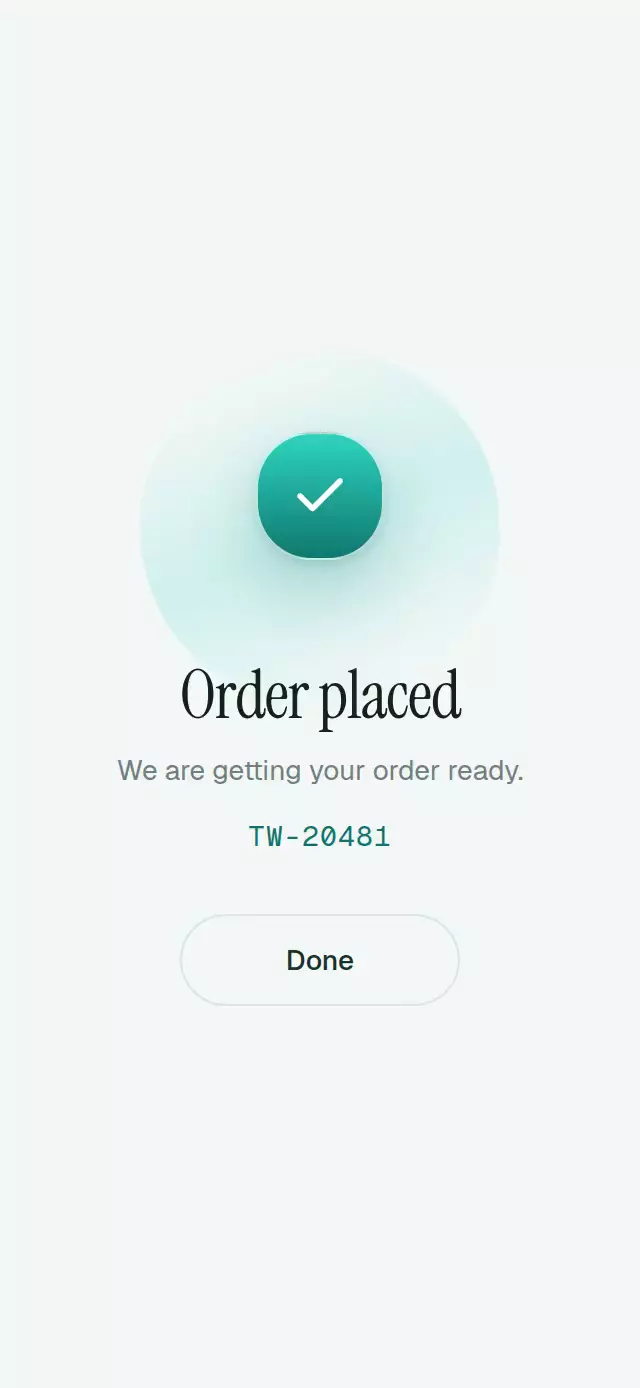
Use three well-spaced tiers for the default compact design. For many tiers, small gaps, or long labels, provide a larger container or smaller content scale. The demo provides three extras, quantity controls with 48-point targets, light/dark palettes, and a repeating autoplay. Any cart interaction pauses autoplay so manual changes remain under the user's control. Checkout only confirms this demo state; it does not process payments.
Accessibility
The whole reward display has the progressbar role and exposes its minimum, maximum, current amount, next reward, and earned rewards as accessible text. Every upward crossing announces the configurable unlock message. Decorative rolling characters and SVG icons are hidden from assistive technology. With reduced motion, the fill, checks, pills, and rolling copy fade in 200 ms; there are no pulses, waves, flying stickers, sparks, or repeating reflections. The component has no controls and does not take focus away from the cart.
Compatibility
Targets Expo SDK 58, React Native 0.88.0, Reanimated 4.7.1, and Worklets 0.13.0. Uses Expo Go modules with no custom native dependency. Supports iOS, Android, and web. Physical-device frame rate, large accessibility text, and RTL layout require host-app validation.