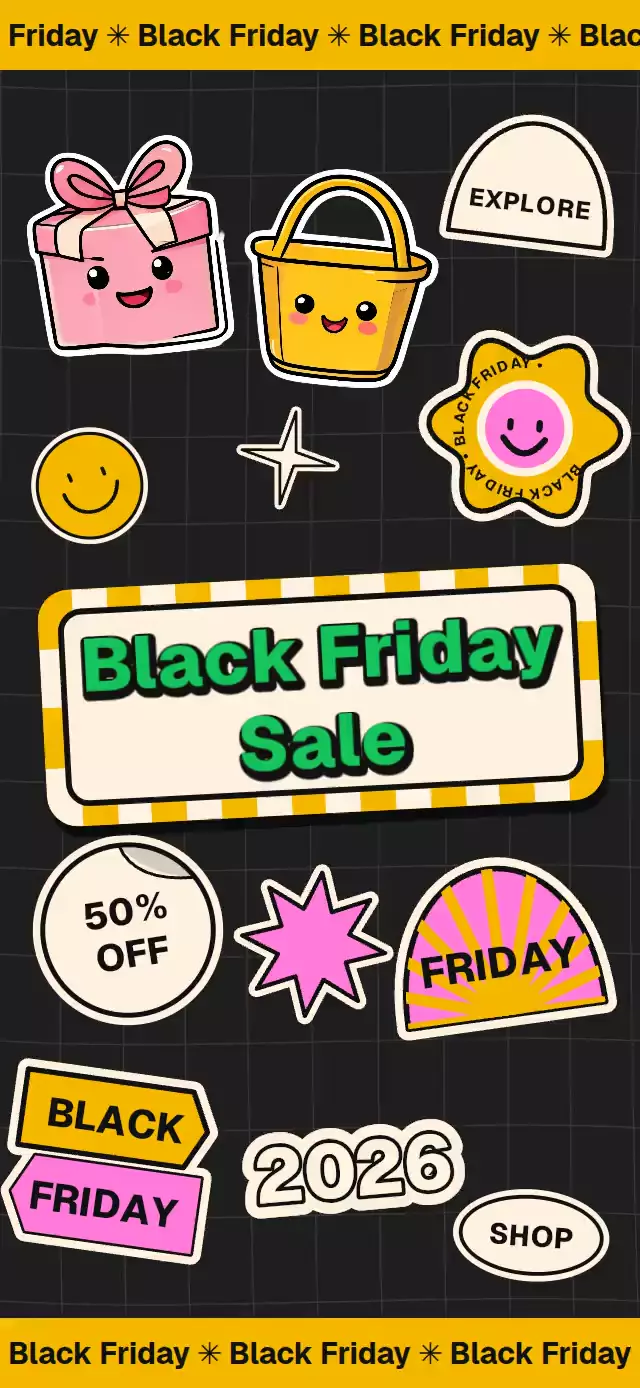
About this animation
A sale poster with draggable stickers and moving marquees, with configurable stickers, copy, colors, and fonts.
Why this one
Campaign boards are usually flattened artwork. Here every sticker can lift, move, and land independently. Copy, images, and the complete palette are configurable.
How it works
- One Skia canvas draws the grid and all sticker artwork, avoiding one WebGL context per sticker.
- Transparent gesture targets track each sticker's normalized position. Pan and tap gestures drive the same lift values used by the imperative controls.
- Entry springs land stickers in a fixed staggered order. The headline arrives last, above the artwork.
- A shared clock moves the marquees, circular flower lettering, discount curl, and pink burst without React renders per frame.
shuffle()mirrors the arrangement within its artwork bands;replay()restores the original composition. User contact callsonInteractionso hosts can stop automatic playback.
Install
npx expo install @shopify/react-native-skia react-native-gesture-handler react-native-reanimated react-native-workletsWrap your app in GestureHandlerRootView. On web, initialize Skia's CanvasKit before importing the component, following Skia's Expo setup. Supply a local bold font asset through titleFont for the canvas lettering.
Usage
import { useRef } from 'react';
import { StickerSaleBoard, type StickerSaleBoardRef } from './StickerSaleBoard';

export function SaleScreen() {
  const board = useRef<StickerSaleBoardRef>(null);
  return (
    <StickerSaleBoard
      ref={board}
      title={'Black Friday\nSale'}
      titleFont={require('./assets/bold.ttf')}
      giftImage={require('./assets/gift.webp')}
      basketImage={require('./assets/basket.webp')}
    />
  );
}
The two image stickers are optional and remain empty when their image props are omitted. Images and fonts belong to the host app; the component imports no demo assets. Extra image stickers use stickers={[{ id, image, x, y, rotation, size }]}. Coordinates and size are normalized fractions of the board; rotation is in degrees. Image stickers are capped at 174 points to keep the supplied artwork crisp on tablets, including the entry and lift scales. Use source images at least 3× their maximum animated display size.
Use colors={{ pink: '#EF8CCF', green: '#159B60' }} to customize the palette and labels={{ shop: 'BROWSE' }} to customize sticker copy (the year itself uses the separate year prop).
Props
| Prop | Type | Default | Description |
|---|---|---|---|
title | string | Black Friday\nSale | Center headline, separated by newlines. |
marqueeText | string | Black Friday | Repeating marquee text. |
giftImage, basketImage | ImageSourcePropType | — | Host-supplied sticker images. |
stickers | ExtraSticker[] | [] | Extra image stickers. Keep IDs unique and the array identity stable. |
year | string | 2026 | Balloon-number label. |
labels | Partial<StickerLabels> | Sale copy | Discount, arrow, flower, shop, explore, and accessible instructions. |
colors | Partial<StickerSaleBoardColors> | Retro palette | Background, marquee, cream, pink, yellow, green, and ink. |
onStickerMove | (id, x, y) => void | — | Called on the React Native thread after a user drop. |
onTitlePress | () => void | — | Optional headline action. |
onInteraction | () => void | — | User contact; use to stop autoplay. |
fontFamily | string | System | Marquee font family loaded by the host. |
titleFontFamily | string | System | Native headline fallback font family. |
titleFont | DataSourceParam | — | Local bold font asset for all canvas lettering. Required for sticker lettering. |
style | StyleProp<ViewStyle> | — | Container style. |
testID | string | sticker-sale-board | Root ID; gesture targets append their sticker IDs. |
Ref methods
replay(): restore the arrangement and replay staggered landings.shuffle(): move stickers to a mirrored arrangement with lift and landing.moveSticker(id, x, y): lift, move over one second, and land at normalized coordinates.
Compatibility
Expo SDK 58, React Native 0.88, Reanimated 4.7, Skia 2.14. Uses modules included with Expo Go. The host supplies safe-area padding; the component fills its assigned container. Artwork sizes are capped by available height for compact and landscape containers.
Accessibility
Sticker targets are at least 48 points and expose descriptive labels. A tap lifts a sticker without moving it. Dragging uses Gesture Handler on native and web. Reduced motion removes the animated grid, rotations, pulse, lift, and staggered flight; entry uses a short fade. The headline exposes a button role only when it has an action. This poster's canvas lettering does not follow system font scaling; hosts should provide accessible campaign information in their surrounding screen.