About this animation
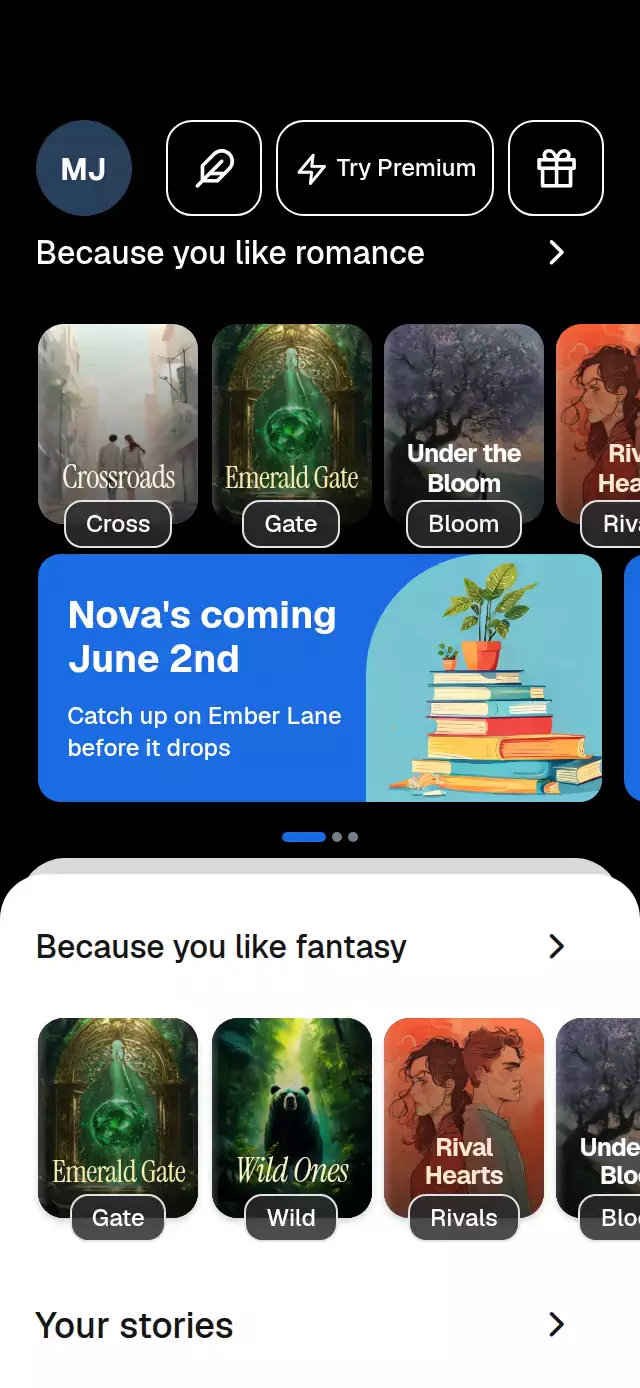
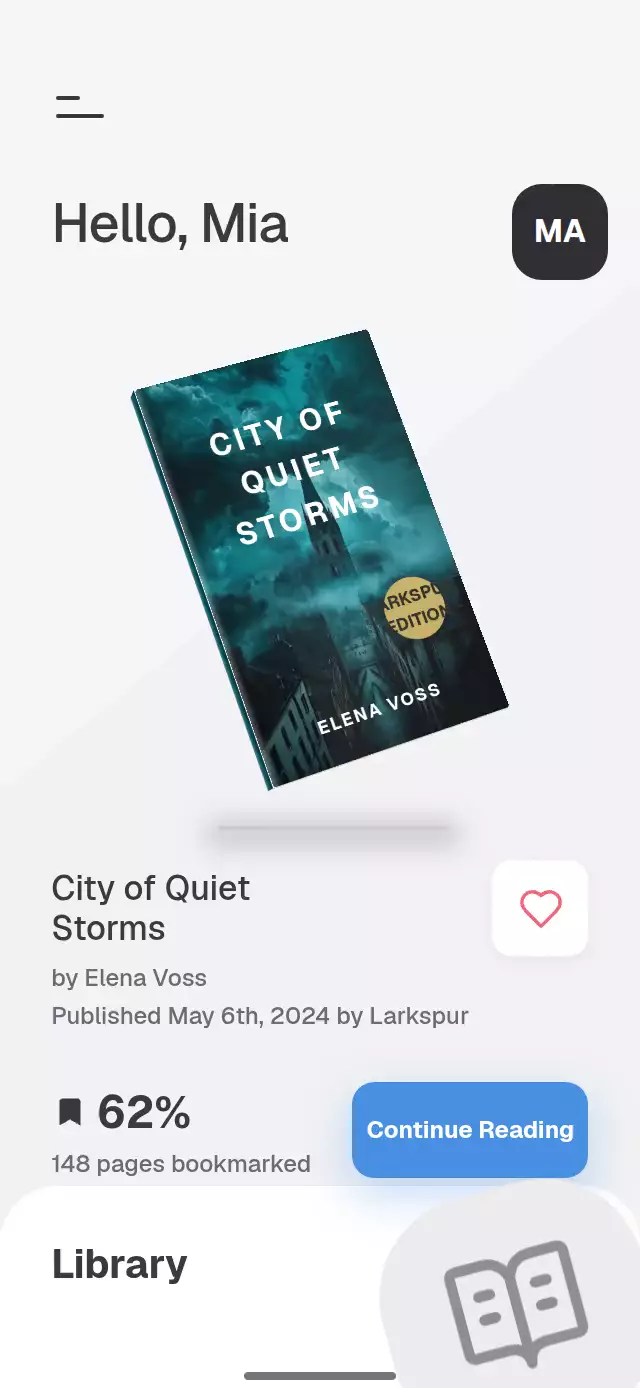
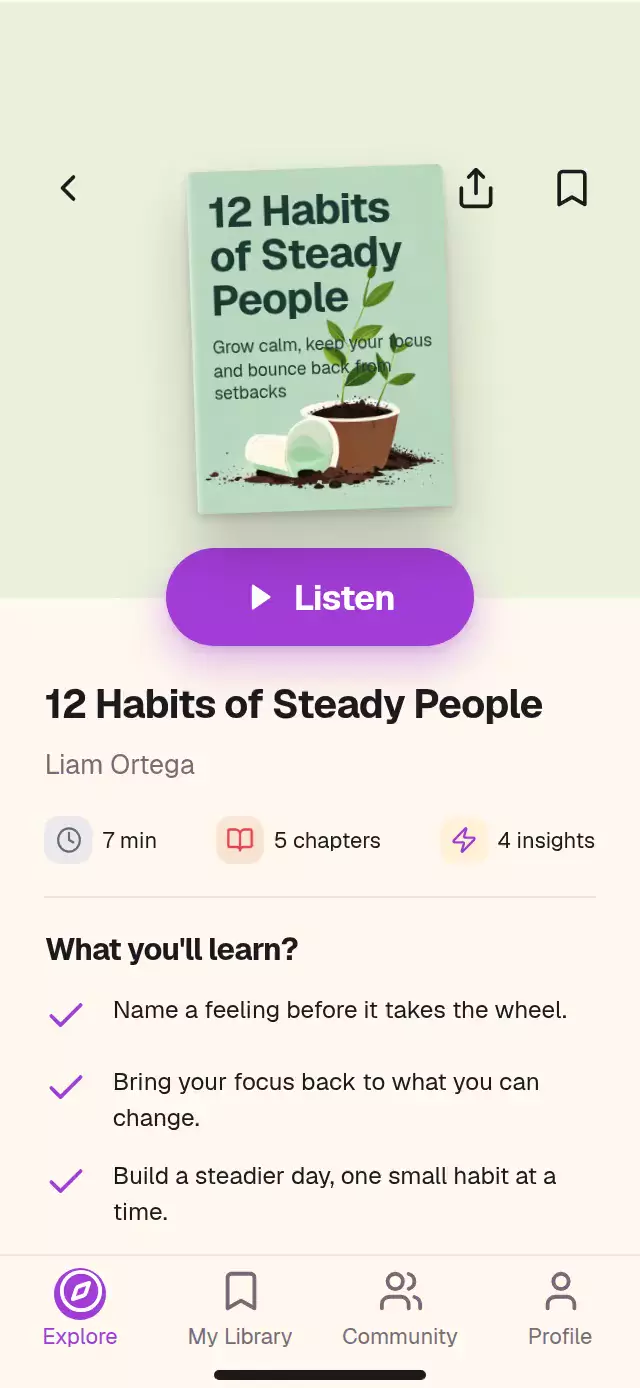
A circular book shelf with cover-to-player transitions and configurable book data, colors, and fonts.
How it works
- Covers fade out before the cyclic seam (
min(3, count / 2 - 0.5)), including after returning from the player. Each shelf owns one continuous shared rotation. Modular distance determines every cover's circular position, scale, tilt, opacity, and stacking order. - A horizontal pan converts 21% of the container width into one book. Decay preserves the release velocity; a spring attracts the wheel to the nearest index. Tapping a neighboring cover advances the same rotation.
- Title and author layers roll and fade directly from the wheel position, including while the finger moves.
- Opening keeps the actual cover mounted. Its existing geometry interpolates into the player rectangle while the blurred backdrop fades in and controls rise in sequence. A downward pull follows the finger and shrinks the cover before dismissing.
- Playback animates a visual chapter timeline; the play symbol crossfades through a quarter turn. The tab's continuous Skia ring animates whole-book completion when a book opens. No audio is loaded or played.
Install
npx expo install react-native-reanimated react-native-worklets react-native-gesture-handler expo-image expo-linear-gradient @shopify/react-native-skiaCopy this folder, excluding demo/, into your app. Keep the app under GestureHandlerRootView. Load your fonts in the host. On web, load CanvasKit before importing this component (for example with Skia's WithSkiaWeb lazy loader); it draws one small progress-ring canvas.
Usage
import { ArcBookShelf, type ArcBook } from './arc-book-shelf';

const readBooks: ArcBook[] = [
  {
    id: 'wave',
    title: 'Ride the Wave',
    author: 'Cole Bennett',
    cover: require('./covers/wave.jpg'),
    titleColor: '#10252F',
    badge: 'read',
  },
];

export function Library() {
  return (
    <ArcBookShelf
      readBooks={readBooks}
      unreadBooks={[]}
      onOpenBook={(id) => recordOpen(id)}
    />
  );
}
Customization and programmatic control:
const shelf = useRef<ArcBookShelfHandle>(null);
const insets = useSafeAreaInsets();

<ArcBookShelf
  ref={shelf}
  readBooks={readBooks}
  unreadBooks={unreadBooks}
  nowPlaying={chapterMetadata}
  colors={{ accent: '#E4BB61', activeCell: '#393322' }}
  labels={{ library: 'Your collection', newBadge: 'New' }}
  fontFamily="YourInterfaceFont"
  titleFontFamily="YourHeadingFont"
  monoFontFamily="YourNumberFont"
  topInset={insets.top}
  bottomInset={insets.bottom}
  onInteraction={stopHostAutoplay}
/>

shelf.current?.spin('read', 1);
shelf.current?.focus('unread', 0);
shelf.current?.openPlayer();
shelf.current?.togglePlay();
shelf.current?.closePlayer();
Import ArcBookShelfHandle from the same folder. Insets belong to the host: pass actual safe-area values for a full-screen presentation, or zero when the parent already applies them. The layout measures its container, caps its width at 430 points, and uses a smaller composition without the swipe hint below 500 points tall.
Props
| Prop | Type | Default | Purpose |
|---|---|---|---|
readBooks, unreadBooks | ArcBook[] | Required | Unique IDs within each shelf; caller-owned cover sources and typography |
readCount, unreadCount | number | Array lengths | Editorial library counts |
nowPlaying | ArcNowPlaying | Generic chapter | Chapter labels, titles, elapsed/duration in seconds, book completion 0–1 |
initialRead, initialUnread | number | 0 | Initial cyclic positions |
labels | Partial<ArcBookShelfLabels> | English library copy | All interface and accessibility copy; templates accept documented placeholders |
colors | Partial<ArcBookShelfColors> | Measured charcoal/yellow palette | All surfaces, text, material, ribbon and controls |
colorScheme | 'light' | 'dark' | 'auto' | 'dark' | Complete light/dark palettes or device preference |
fontFamily, titleFontFamily, monoFontFamily | string | System/inherited | Fonts loaded by the host |
topInset, bottomInset | number | 0 | Actual safe-area insets |
motion | 'auto' | 'reduced' | 'auto' | System preference or explicit reduced motion |
onFocusBook | (shelf, id) => void | — | Rounded focus changes, including during a drag |
onOpenBook, onBookmark | (id) => void | — | Open/bookmark actions |
onPlayToggle | (playing) => void | — | Visual playback toggles |
onClosePlayer | () => void | — | Player dismissal |
onTabPress | (index) => void | — | Five tab actions; index 2 also opens the current book |
onSearch | () => void | — | Host-owned search action |
onInteraction | () => void | — | Physical input, for canceling host autoplay |
autoplay | boolean | false | Carries demo state; timeline lives in the demo |
style, testID, accessibilityLabel | Container props | ID: arc-book-shelf | Integration and automation |
ArcBook exposes optional tint (ambient light), coverBackground (paper color around the illustration), titleColor, titleAlign, and badge: 'read' | 'new'. Headings use a uniform 0.14 × cover-width scale, 1.1 line height, and 12% margins. Extra-long words fall back to a smaller size to preserve whole words. Legacy titleSize and titleTop are deprecated and ignored. Artwork is contained below the reserved heading region rather than under the text. Read checks sit in the lower-right corner and dim on neighboring books; new labels occupy the upper-right corner. The same spine, paper edges, and heading layout travel into the player. Cover badges fade away in the player.
The handle exposes spin(shelf, delta), focus(shelf, index), openPlayer(), closePlayer(), and togglePlay(). Opening uses the last shelf moved through these controls or tapped. Ambient light crossfades over 300 ms when focus changes. Shelf material can be customized with shelf, shelfBottom, shelfEdge, and shelfHighlight. The demo repeats six local 768×1024 covers with twelve unique IDs per wheel; the component contains no asset imports.
Stable IDs: root, -read-arc, -unread-arc, -read-center, -unread-center, -player, -play, -back, and -tab-0 through -tab-4. Center IDs track the rounded focused book.
Compatibility
Designed for Expo SDK 58, React 19, React Native 0.88, Reanimated 4.7.1, Worklets 0.13.0, Gesture Handler 3.3, and Skia 2.14.0. Targets iOS, Android, and web. Uses Expo Go's bundled modules; no extra native dependency is required. Book depth uses gradients, paper edges, and directional shadows; chapter neighbors fade beneath edge gradients. The center tab shows only a three-point progress ring and a monospaced percentage.
Accessibility
Shelves expose adjustable values with increment, decrement, and activate actions. Neighbor taps offer an alternative to swiping; buttons also support standard keyboard activation. Player controls expose button labels and selected states. Reduced motion removes tilt, glow, inertia, and chapter parallax; opening uses a two-phase 220 ms crossfade of the same cover. Text respects host font scaling. Large font settings and assistive-technology traversal should be included in your app's device QA.
Why this one
The circle is the interaction model, rather than decoration around a flat carousel. Depth and text follow the finger continuously, and opening preserves the physical identity of the selected book. The consumer can replace every cover, color, font, and interface label without editing animation code.
Icons: Lucide (ISC). Demo artwork was generated for Native Animation. Host fonts and cover artwork remain caller-owned.