About this animation
A book-cover vortex that settles into a library dashboard, with configurable books, labels, colors, and fonts.
How it works
- Four edge-cropped hero covers frame eighteen progressively smaller books around a deep spiral. One UI-thread clock drives an outer orbit of at least 90 seconds and a six-second, ±1% radial breath. Distant books retain their atmospheric veil, scaled shadows and inward rim light.
- Dragging applies depth-based parallax capped at 8 points in total (about 7.66 horizontally and 2.30 vertically). Release uses a spring (damping 28, stiffness 220, mass 1, overshoot clamped). The turquoise nucleus retains its resting light; transition opacity never exceeds 0.55 and its radius never exceeds 1.15 times its resting radius. There is no separate flash.
- One transition action starts a reversible UI clock and a shared-cover spring explicitly. Both screen trees stay mounted throughout. Up to three nearly upright tunnel layers carry the recommendations directly into the row, using damping 28, stiffness 220, mass 1 and overshoot clamping, starting after 140 ms and traveling for about 573 ms. Shared layers render above both screens. Their angle reaches 0° within a maximum change of 25°; no cover flips or exposes a mirrored face. Other covers fade and shrink to 0.94 of their resting size over 300 ms, retreating only 6% toward the center. With very low cover counts, recommendations without a suitable tunnel layer fade in at their Home position.
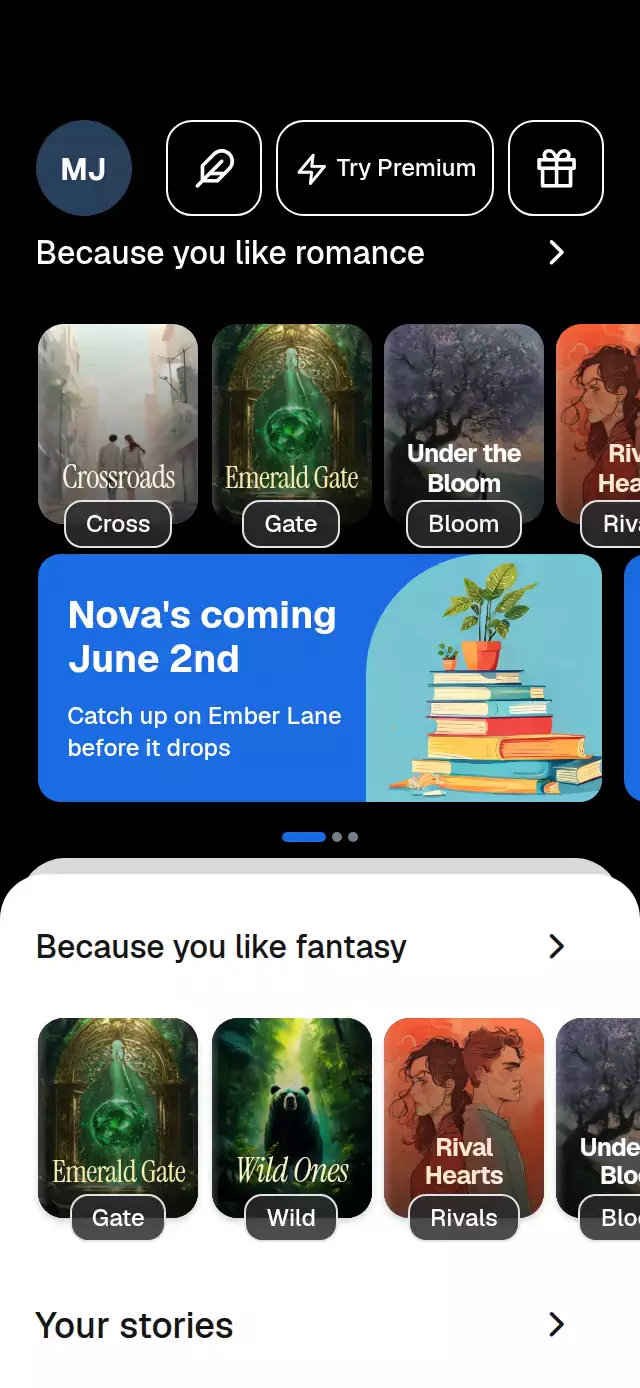
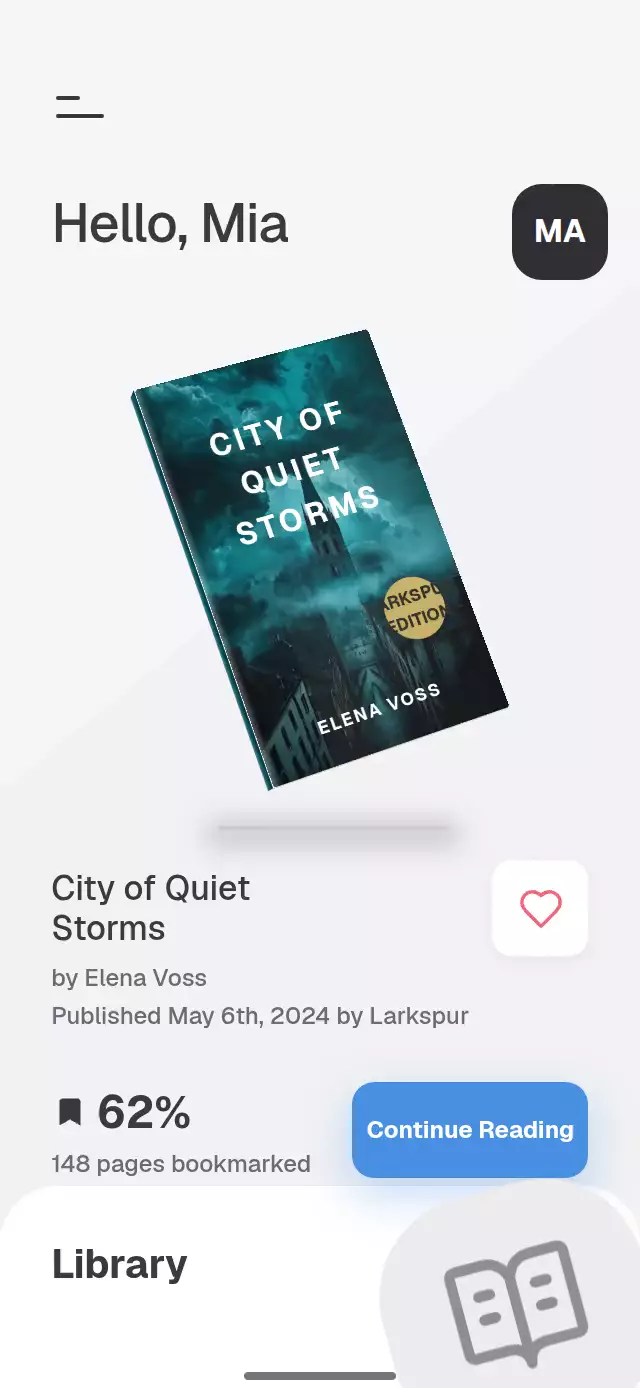
- The Home appears concurrently: header, categories, recommendation heading and dock fade in with a 12-point rise over 260 ms, staggered by 40 ms per block. The default UI timeline lasts 800 ms (configurable within 700–900 ms); the cover spring settles at about 713 ms by default. The welcome text, button and tunnel fade over 300 ms while Home enters. Selecting a tab stretches its active dot during travel.
- The recommendation layer follows the row's horizontal scroll and the Home's vertical scroll. Short containers scroll the Home while the tab bar stays above the host's bottom inset.
Install
npx expo install expo-blur expo-image expo-linear-gradient react-native-gesture-handler react-native-reanimated react-native-workletsCopy this folder without demo/. Configure Reanimated and Gesture Handler in your host and wrap your screen in GestureHandlerRootView. Load your fonts before rendering. No assets are imported by the component.
Usage
import { useRef } from 'react';
import BookVortexWelcome, {
  type BookVortexWelcomeHandle,
  type VortexBook,
} from './book-vortex-welcome';

const books: VortexBook[] = [
  {
    id: 'night',
    title: 'A Quiet Night',
    author: 'Alex Vale',
    cover: require('./assets/night.jpg'),
    titleColor: '#FFE2A8',
    titleFont: 'serif',
  },
];

export function LibraryWelcome() {
  const library = useRef<BookVortexWelcomeHandle>(null);
  return (
    <BookVortexWelcome
      ref={library}
      books={books}
      forYou={['night']}
      onOpenBook={(id) => openBook(id)}
    />
  );
}
openBook is your application's navigation callback. Navigation stays in the host.
For a different mood or a smaller rendering budget:
<BookVortexWelcome
  books={books}
  vortexCount={16}
  orbitDuration={120}
  enterDuration={800}
  colorScheme="light"
  colors={{ glow: '#8BCAC4', selected: '#9CDDD2' }}
  labels={{ welcome: 'Welcome\nto your reading room!' }}
  categories={['Mystery', 'Fantasy', 'Poetry', 'History']}
  fontFamily="YourInterfaceRegular"
  titleFontFamily="YourInterfaceMedium"
  serifFontFamily="YourPosterSerif"
  heavyFontFamily="YourPosterHeavy"
  bottomInset={insets.bottom}
  topInset={insets.top}
/>
Pass the real safe-area values from your screen. This full-screen composition does not read or add platform insets itself. Its center column is capped at 430×932 points and centered in larger containers. The Home intentionally scrolls vertically in short containers; category rows and recommendations scroll horizontally without indicators.
Props
| Prop | Type | Default | Purpose |
|---|---|---|---|
books | VortexBook[] | Required | Artwork, title, author, poster color/font, optional title size/alignment |
forYou | string[] | First three IDs | Up to three recommended books |
categories | string[] | Seven reading genres | Two scrolling category rows |
vortexCount | number | 22 | Cover count, clamped to 3–22; use 16 for lower GPU budgets |
labels | Partial<VortexLabels> | Generic reading copy | All interface and accessibility copy; openBook supports {title} |
colors | Partial<VortexColors> | Teal palette | Every surface, border, ink, glow and cover shading token, including coreLight, depthShade, and rimLight |
colorScheme | 'light' | 'dark' | 'auto' | 'dark' | Complete light/dark theme or host system theme |
initialScreen | 'welcome' | 'home' | 'welcome' | Initial settled screen |
fontFamily | string | System font | Interface/body font |
titleFontFamily | string | fontFamily | Medium heading/button font |
serifFontFamily, heavyFontFamily | string | System font | Poster typography, selected by each book |
monoFontFamily | string | Unset | Reserved host typography convention; no monospaced copy is drawn |
bottomInset, topInset | number | 0 | Host-owned safe areas |
motion | 'system' | 'full' | 'reduced' | 'system' | Ambient animation or deterministic reduced-motion poses |
orbitDuration | number | 90 | Outer revolution in seconds, minimum 90 |
enterDuration | number | 800 | UI timeline in milliseconds, clamped to 700–900; flight uses its physical spring |
autoplay | boolean | Unset | Demo metadata; timers live in the demo |
onGetStarted | () => void | Unset | Home requested |
onOpenBook | (id: string) => void | Unset | Recommendation pressed |
onCategoryChange, onTabPress | (index: number) => void | Unset | Selection actions |
onSearch | (query: string) => void | Unset | Search submitted |
onNotifications, onSeeAll | () => void | Unset | Header/section actions |
onInteraction | () => void | Unset | Real touch; stop host autoplay here |
style | StyleProp<ViewStyle> | Fill parent | Root layout override |
testID | string | 'book-vortex-welcome' | Root and control prefix |
accessibilityLabel | string | 'Book discovery' | Root label |
Ref methods: getStarted(), reset(), selectCategory(index), and setParallax(x) (normalized −1…1). The demo calls these same methods and cancels its timers after a real touch. Changing initialScreen after mounting does not navigate.
Compatibility
Expo SDK 58, React Native 0.88, React 19, Reanimated 4.7, Worklets 0.13 and Gesture Handler 3.3. Designed for iOS, Android and web, including Expo Go with the matching SDK. Android blur uses a BlurTargetView and dimezisBlurViewSdk31Plus; older platforms retain the tinted glass surface. Icons are local SVG data sources rendered by expo-image. No Skia or extra icon dependency is required.
Accessibility
Buttons have accessible labels, 48-point minimum targets and press feedback. Categories expose selection; tabs expose their active state. Search supports submit from the keyboard. Native system font scaling remains enabled. Cover artwork is decorative; the aligned recommendation buttons announce book titles. Hidden screens are removed from the accessibility tree.
One persistent poster title uses word-aware sizing, with Instrument Serif for literary covers and heavy uppercase type for thrillers. The same artwork and title stay on each shared cover from departure through landing; the Home row renders only its aligned hit targets, without a second cover or title crossfade. Headline lines fade in through a slight blur on Android/web and a fading text glow on iOS. The glass button receives a clipped light sweep every three seconds.
Reduced motion freezes the vortex and parallax, disables breathing and arrow movement, and replaces the shared-cover flight with a 200 ms fade through a midpoint. Category and tab selection become immediate. Set motion="reduced" and autoplay={false} for deterministic bank checkpoints.
Why this one
The onboarding artwork becomes the next screen's content: recommendations travel from the same tunnel layers into the Home. The transition can reverse from its current progress through reset().
Demo artwork is original, supplied locally at 768×1024 and cropped with contentFit="cover" to the taller reference-style book frames, with fictional titles and authors painted in code. Icons: Lucide (ISC); the license is included. Fonts belong to the host application.