About this animation
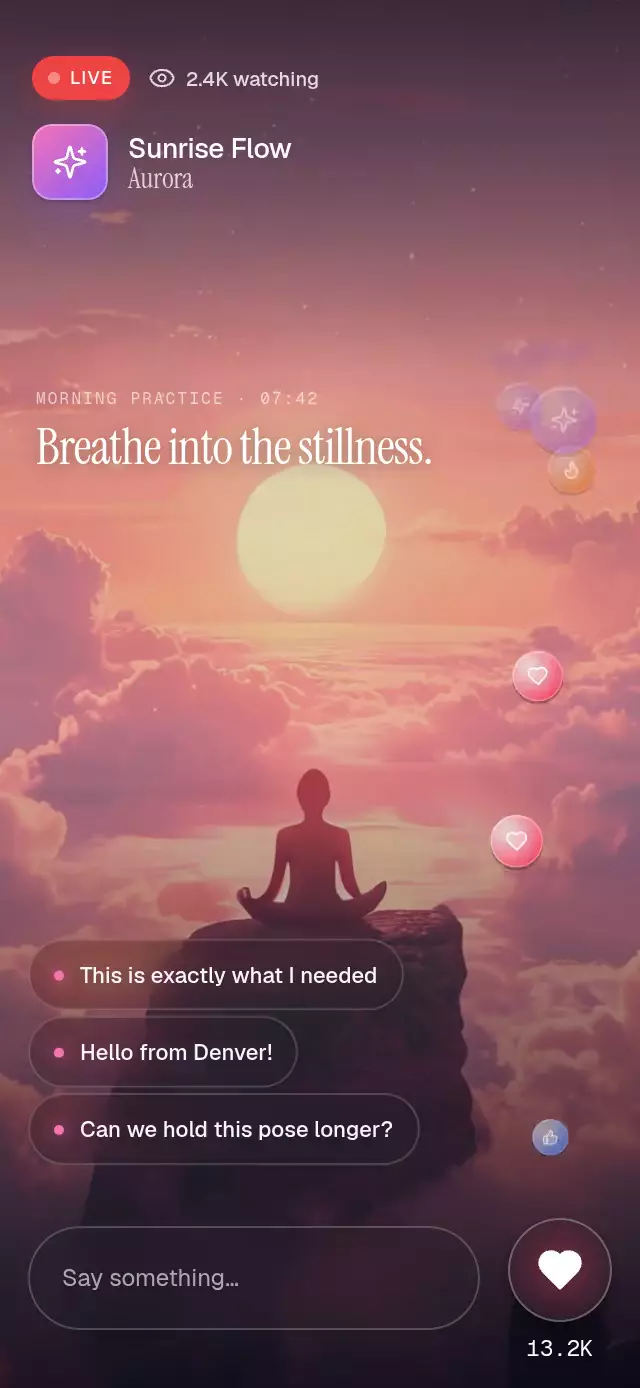
A live reaction stream with press-and-hold input and a rolling total, with configurable count, emission rate, reaction colors, and font.
How it works
- A single Reanimated frame clock drives the normalized progress of every reaction.
- Forty Skia particle slots stay mounted; launching a reaction only updates the next slot's start time, icon, duration, amplitude, and phase.
- Each slot derives a sine-wave flight, a
0.4 → 1.1 → 0.9scale keyframe, rotation, and final-third fade from that clock. - Tapping launches one heart. Holding for 260 ms starts an interruptible stream at the configured rate and releasing stops it immediately.
- Ambient reactions reuse the same pool at 70% scale, while local reactions pop the glass control and roll the total.
Why this one
Most floating-reaction examples mount a new component for every tap and are limited to one emoji. This version keeps a fixed pool, mixes four coherent Lucide reactions, supports ambient audience activity, uses a real glass control, and includes reduced-motion behavior without changing the public API.
Icons: Lucide (ISC).
Install
npx expo install @shopify/react-native-skia expo-blur react-native-reanimated react-native-workletsUsage
import { FloatingHeartsStream } from './FloatingHeartsStream';

export function Reactions() {
  return <FloatingHeartsStream style={{ height: 420, width: 88 }} />;
}
Use the ref and personality knobs for a launch moment:
import { useEffect, useRef } from 'react';
import {
  FloatingHeartsStream,
  type FloatingHeartsStreamRef,
} from './FloatingHeartsStream';

export function Reactions() {
  const ref = useRef<FloatingHeartsStreamRef>(null);

  useEffect(() => {
    const timer = setTimeout(() => ref.current?.burst(18), 350);
    return () => clearTimeout(timer);
  }, []);

  return (
    <FloatingHeartsStream
      ref={ref}
      ambientRate={1.4}
      holdRate={8}
      minDurationMs={2200}
      maxDurationMs={3200}
      reactionColors={{ heart: '#FB7185', sparkles: '#C084FC' }}
      style={{ height: 440, width: 96 }}
    />
  );
}
For Android blur, wrap the background in BlurTargetView and pass its ref through blurTarget.
Props
| Name | Type | Default | Description |
|---|---|---|---|
initialCount | number | 12800 | Initial reaction total. |
countStep | number | 17 | Amount added by each local reaction. |
holdRate | number | 8 | Local reactions emitted per second while held. |
ambientRate | number | 1.1 | Smaller audience reactions per second; zero disables them. |
minDurationMs | number | 2200 | Shortest particle flight. |
maxDurationMs | number | 3200 | Longest particle flight. |
reactionColors | Partial<Record<FloatingReactionType, string>> | Lucide reaction palette | Overrides reaction colors. |
monoFontFamily | string | System | Typeface for the rolling total. |
blurTarget | RefObject<View | null> | undefined | Android background target used by BlurView. |
onReaction | (count, type) => void | undefined | Called after a local reaction changes the total. |
accessibilityLabel | string | "Send a reaction" | Screen-reader label for the control. |
style | StyleProp<ViewStyle> | undefined | Style for the full reaction column. |
testID | string | undefined | Test identifier for the root. |
The ref exposes sendReaction(type?), burst(count?), and resetCount(count?).
Compatibility
- Expo SDK 58
- React Native 0.88.0
- Reanimated 4.7.1
- React Native Skia 2.14.0
- iOS, Android, and web: supported
- Expo Go compatible because all native dependencies are included in SDK 58
Accessibility
The 56-point hit target exposes a button role, an action hint, and a customizable label. With Reduce Motion enabled, a reaction fades in place instead of traveling, hold no longer creates a rapid stream, the pop uses a short fade timing, and imperative bursts collapse to one icon. A tap always remains available as the alternative to holding.