About this animation
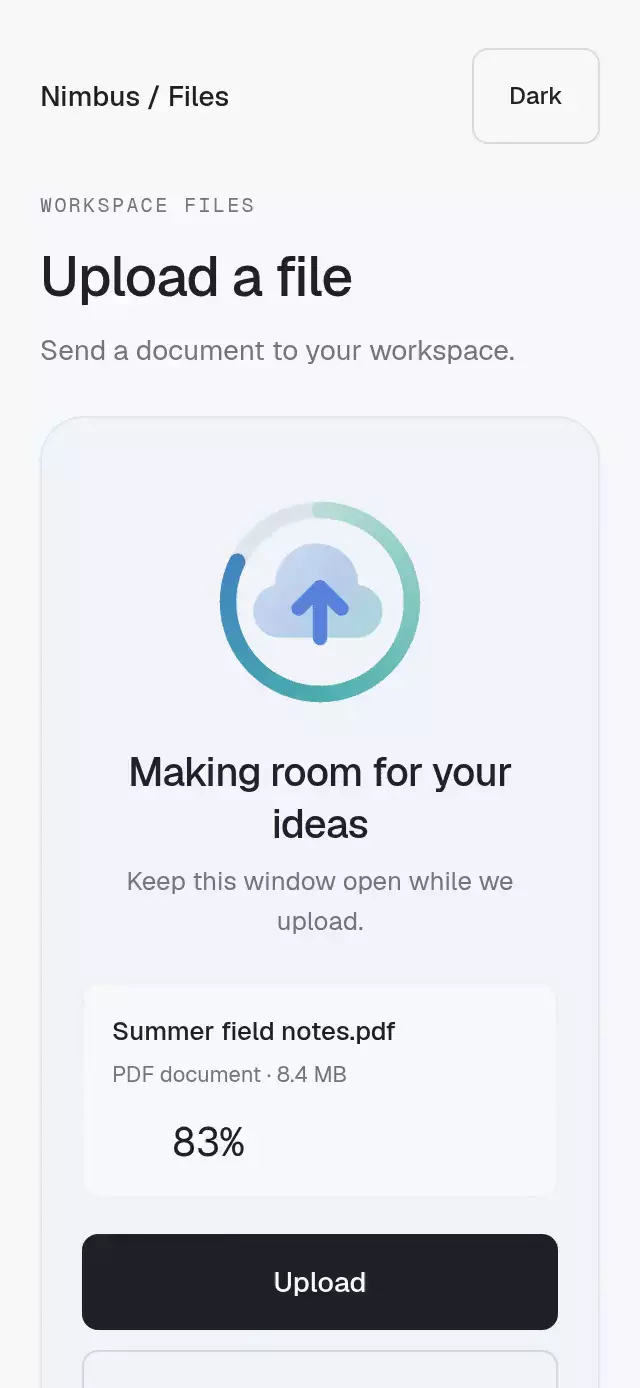
An upload-state animation with continuous progress and success or error reveals, with configurable labels, size, font, and accent preset.
How it works
- Eighteen local JSON assets share the same original geometry and four markers:
idle[0, 120),progress[120, 181),success[181, 253),error[253, 325). - Skia's Skottie renderer seeks fractional frames. One authoritative shared frame drives the scene; React does not redraw the artwork on each frame.
- Idle uses
useFrameCallback. Uploading maps your progress directly to the linear progress segment, easing a jump to its new pose over 250 ms. - Success/error play once at 60 fps and hold their final pose. Completion calls
onAnimationEndon the JS thread. Interrupted playback cancels its callback. - State changes jump to the destination marker before any interpolation. A 140 ms crossfade draws outgoing cached Skottie animations at fixed numeric frames. Interruptions flatten the current blend into frozen poses; negligible weights are pruned and at most sixteen poses are retained. No pictures are created or disposed. Progress smoothing stays inside its own marker.
- A lazy module cache owns at most eighteen Skottie animations, one per appearance/palette, across component mounts. They remain alive for the module lifetime so pending Skia draws never reference disposed WASM objects.
- Reduced motion removes loops, smoothing, and crossfades. Uploading still shows its real progress; terminal states show their final pose immediately.
Install
Copy this entire folder, including assets/, into your project. The demo is
optional and is not imported by the component.
npx expo install @shopify/react-native-skia react-native-reanimated react-native-workletsVersions used: Skia 2.14.0, Reanimated 4.7.1, Worklets 0.13.0, Expo SDK 58,
React Native 0.88.0, React 19.2.3. Let expo install resolve your SDK's versions.
The demo uses Geist and Geist Mono fonts, which must be loaded by the host. The component defaults to
system typography and has no font-loading requirement.
For web, initialize CanvasKit before importing this component:
import { LoadSkiaWeb } from '@shopify/react-native-skia/lib/module/web';

await LoadSkiaWeb({ locateFile: () => '/canvaskit.wasm' });
const { LottieUploadState } = await import('./lottie-upload-state');
Serve the matching Skia/CanvasKit canvaskit.wasm locally. Do not import this
web initialization into the native entry point. See the Skia web setup.
Usage
Use the network operation as the source of truth. A progress of 1 does not
imply success: set state="success" only after the server confirms the upload.
import { LottieUploadState } from './lottie-upload-state';

<LottieUploadState
  state={uploadStatus}
  progress={bytesSent / totalBytes}
  accessibilityLabel="Document upload"
  style={{ flex: 0 }}
/>
Shared values work without rendering React for each network update:
const progress = useSharedValue(0);
// In your upload listener: progress.set(bytesSent / totalBytes).

<LottieUploadState
  state={uploadStatus}
  progress={progress}
  appearance="prism"
  theme="dark"
  accent="mint"
  size={200}
  showText
  fontFamily="YourInterfaceFont"
  texts={{ success: 'Saved to your workspace', error: 'Connection lost. Retry.' }}
  onAnimationEnd={(state) => {
    if (state === 'success') finishUploadUI();
  }}
  style={{ flex: 0 }}
/>
To retry, reset progress to 0 and set state="uploading". To cancel, set
state="idle". To replay a terminal animation, leave that state before entering
it again. Unmounting cancels playback and pending completion notifications.
Changing a callback does not restart playback; changing a palette preserves
the frame and remaining playback with a crossfade, without duplicating completion. Regressing progress is supported.
Props
| Prop | Type | Default | Purpose |
|---|---|---|---|
state | 'idle' | 'uploading' | 'success' | 'error' | Required | Controlled operation state. |
progress | number | SharedValue<number> | 0 | Clamped 0–1. NaN/infinity become 0. |
theme | 'light' | 'dark' | 'light' | Complete bundled palette. |
appearance | 'soft' | 'prism' | 'prism' | Artwork family; may change during playback. |
accent | 'violet' | 'coral' | 'mint' | 'amber' | Omitted | Prism uses the approved original palette without an accent; Soft uses violet. Optional accents change the Prism arrow. |
size | number | 256 | Preferred square artwork size, limited by the parent. |
texts | Partial<Record<UploadState, string>> | Generic captions | Visible and accessible state text. |
accessibilityLabel | string | 'File upload' | Progressbar name. |
showText | boolean | false | Show a caption below the artwork. |
fontFamily | string | System | Caption font. |
smoothingDuration | number | 250 | Milliseconds for progress updates. |
transitionDuration | number | 140 | Milliseconds for pose crossfades; 0 disables them. |
onAnimationEnd | (state: 'success' | 'error') => void | — | Once per completed terminal playback. |
style | StyleProp<ViewStyle> | — | Container style; override flex when embedding. |
testID | string | 'lottie-upload-state' | Root ID; artwork adds -progress. |
The host owns safe areas. The component adds none. The demo scrolls at small
heights, keeps controls at least 48 pt tall, and limits its content to 440 pt on
tablets. Text wraps and respects font scaling. Its autoplay prop is supplied by
the host's ?autoplay=1 integration, and cycles through successful and failed
uploads with retry. It simulates a network operation; it does not upload a file.
Compatibility
The standalone JSON gate uses CanvasKit/Skottie 0.41.0 and lottie-web 5.13.0 in Chromium. All variants must pass both engines (eight Soft, ten Prism), the 50 KB factory budget, marker ordering/non-overlap, idle pose/velocity seam, and twelve stable final frames in both terminal segments.
The runtime uses Skottie in React Native Skia, not lottie-react-native or lottie-web. There is no remote JSON request and no extra native dependency. Expo Go includes Skia in SDK 58.
Accessibility
The scene is a named progressbar, reports busy while uploading, and exposes the real percentage, throttled to four JS accessibility updates per second for shared progress. Completion and failure announce their configurable captions on native; web has a polite live region. The canvas is decorative to assistive technology. Reduced motion shows static representative poses with no autonomous looping. The demo suspends autoplay in reduced motion; its buttons remain usable.
The source scene and token manifest live in the private authoring workspace
(lottie/pieces/upload-state/ and lottie/pieces/upload-state-prism/). No stock art, logos, proprietary fonts, or
third-party animation files are incorporated in the delivered JSON.
Prism preserves the approved 24-unit SVG geometry, duotone gradients, a 16-segment mint-to-blue progress ring, jade success and coral error disks, drawn check with traveling specular light, eight rays, and a restrained shake. The geometry has uniform transparent padding for the factory safe-area contract. The check starts drawing while the result disk enters, without an empty-disk beat. The demo uses Geist, the sketch's light/dark surfaces, restrained buttons, and a Soft/Prism selector. The default swatch restores the original colors.
The marker durations include final holds. Both families share the same marker
ranges, so appearance changes preserve time and pose. The correction-1 safeguards
remain: active frames cannot cross segment boundaries, animations are cached by
variant and never disposed while a canvas can paint them, and reduced motion
uses static poses. Web runtime evidence lives under the factory's
dist/upload-state/runtime-prism/ and runtime-soft/ directories.