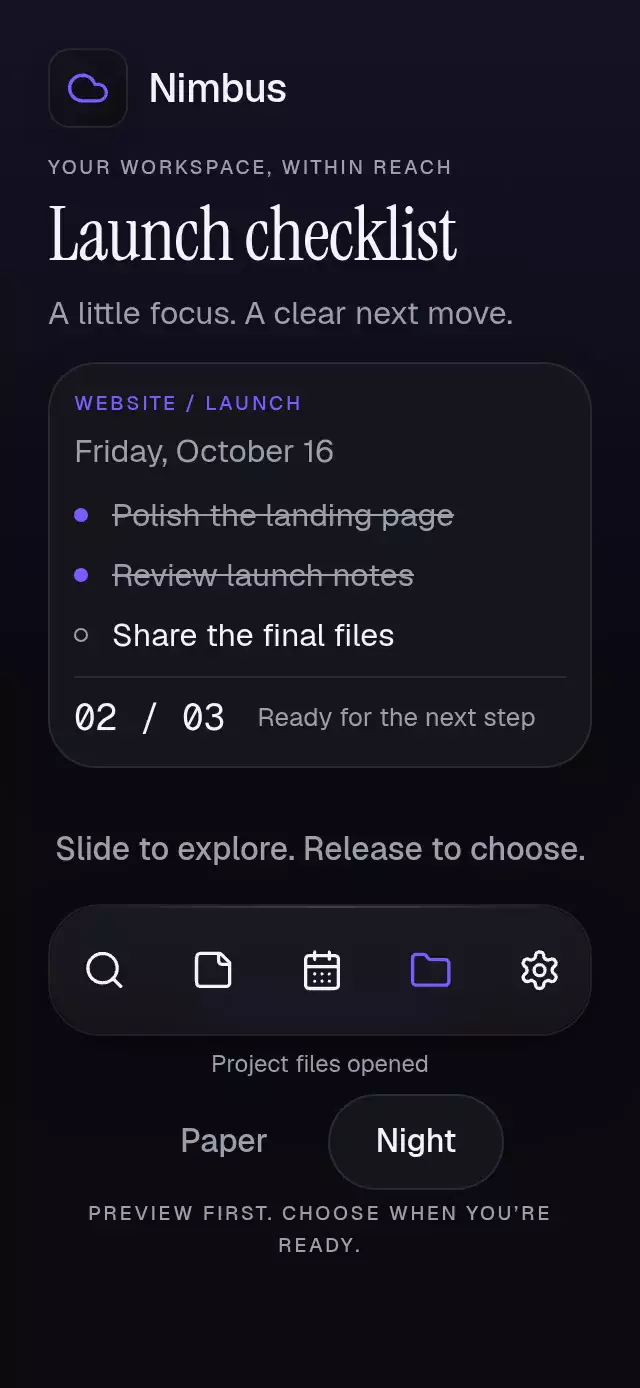
About this animation
A bottom sheet with an internal page stack and remembered scroll positions, with configurable pages, labels, palette, and fonts.
How it works
- The host is measured with
onLayout. A singlesheetProgressdrives the scrim, background recession, and sheet entrance. The sheet never extends beyond its host. - A separate
pageProgressdrives the incoming page (18% of host width), outgoing page (6%), sequential text fade, and interpolation between measured content heights. All pages use their measured content heights, capped at 88% of the host. A page fades out completely before its neighbor starts fading in, so titles and body text never overlap, including during interrupted gestures. - Visited pages stay mounted while open. Their scrollers keep their native offsets; the coordinator also stores offsets by page ID and restores them when a parent becomes current.
- A logical back pan activates after 12 points horizontally and fails after 8 vertically. A drag previews the previous page without changing the path. Only a completed back gesture commits navigation.
- A vertical pan is restricted to the header or a child scroller already at its top when the gesture starts. Competing pans cancel only their own interaction. Gesture Handler taps remain available alongside the pans.
- Closing removes the overlay and clears scroll memory. Reopening starts at the root. Token checks invalidate stale animation completions after reset or unmount.
Install
Copy this folder without demo/ into your app, then install SDK-compatible dependencies:
npx expo install expo-blur expo-linear-gradient react-native-gesture-handler react-native-reanimated react-native-workletsUse a GestureHandlerRootView at your application root and configure Reanimated for your Expo SDK. This component also provides a local gesture root. No Router dependency is needed: app navigation remains with your host/Expo Router.
The demo additionally uses the already installed Skia, safe-area-context, and the catalog's font assets. These are not dependencies of the delivered component. Icons: Lucide (ISC), copied from the repository kit; Nimbus uses the kit's cloud glyph. No raster assets (density/budget: N/A).
Usage
import { useRef } from 'react';
import { ScrollView, Text, View } from 'react-native';
import { GestureDetector } from 'react-native-gesture-handler';
import NestedSheetFlow, {
  type NestedSheetFlowHandle,
  type NestedSheetFlowContext,
} from './nested-sheet-flow';

function Content({ context }: { context: NestedSheetFlowContext }) {
  const { scrollRef, scrollGesture, initialScrollOffset, onContentScroll,
    onContentSizeChange } = context;
  return (
    <GestureDetector gesture={scrollGesture}>
      <ScrollView
        ref={scrollRef}
        contentOffset={{ x: 0, y: initialScrollOffset }}
        onScroll={(event) => onContentScroll(event.nativeEvent.contentOffset.y)}
        scrollEventThrottle={16}
        onContentSizeChange={onContentSizeChange}
        bounces={false}
      >
        <Text>Page content goes here.</Text>
      </ScrollView>
    </GestureDetector>
  );
}

export function Example() {
  const sheet = useRef<NestedSheetFlowHandle>(null);
  return (
    <View style={{ flex: 1 }}>
      <NestedSheetFlow
        ref={sheet}
        defaultOpen
        rootPageId="people"
        pages={[{ id: 'people', title: 'People', renderContent: (context) =>
          <Content context={context} /> }]}
      />
    </View>
  );
}
A controlled configuration with knobs:
<NestedSheetFlow
  open={visible}
  onOpenChange={setVisible}
  pages={pages}
  rootPageId="people"
  colorScheme="dark"
  maxHeightFraction={0.8}
  palette={{ accent: '#B5A4FF', onAccent: '#151720' }}
  motion={{ durationScale: 0.8, glowOpacity: 0.2 }}
  labels={{ back: 'Back', close: 'Close', sheet: 'Access', empty: 'No pages' }}
  onPathChange={(path) => saveCurrentPath(path)}
  returnFocusRef={triggerRef}
/>
Scroll protocol
Short pages can render a plain View and report its measured height through context.onContentSizeChange. The included demo uses this approach for every page, with no internal scrolling. Longer pages supply one vertical scroller. Attach context.scrollRef and wrap the scroller itself in GestureDetector using context.scrollGesture. Forward its scroll offset and content size as in the example; do not add another nested vertical scrolling host. Preserve the page's React key. initialScrollOffset is in logical points, not pixels. onContentScroll is also exposed on the public handle for adapters that dispatch events outside renderContent.
The supplied gesture relation allows the sheet's directional pans to recognize alongside the child scroll. If the child starts away from zero, its entire downward gesture stays with scrolling; reaching zero mid-gesture does not dismiss the sheet. Use bounces={false} for unambiguous top-edge handling. The page's own content controls must use GH taps when under the sheet's pan (see the included SheetButton). Host controls outside the sheet can use normal buttons.
The component owns the sheet/header and the host owns insets, trigger, and page content. The demo applies safe areas once and keeps theme/replay controls outside the modal host. In small embedded hosts, custom long content should use the scroll bridge above. On tablets, the sheet width is capped at 560 points. Long titles grow in flow; custom scrollable body content remains accessible.
Props
| Prop | Default | Purpose |
|---|---|---|
pages | required | Readonly { id, title, renderContent(context) }[] |
rootPageId | required | Initial route; falls back to first valid page |
open / defaultOpen | uncontrolled / false | Controlled or initial visibility |
onOpenChange | — | One callback per distinct visibility request |
onPathChange | — | Confirmed path, including the root on open/reset |
dismissOnBackdrop | true | Allow backdrop dismissal |
maxHeightFraction | 0.88 | Finite fraction, clamped to 0.3–0.88 |
labels | Back / Close / Sheet / No pages | Structural copy and accessible labels |
children | — | Context that recedes under the sheet |
returnFocusRef | — | Trigger view to focus after closing |
disabled | false | Blocks taps, gestures, and handle actions except reset |
colorScheme | auto | Paper, Night, or system |
palette | complete scheme palette | Partial semantic overrides |
fontFamily / titleFontFamily / monoFontFamily | system | Body, title, and counter fonts |
motion | { durationScale: 1, glowOpacity: 0.25 } | Response 0.5–2, glow 0–0.3 |
style | — | Last root style; root starts with flex: 1 |
testID | nested-sheet-flow | Root; -back, -close, -page-{id} suffixes |
accessibilityLabel | — | Host accessible name |
Palette tokens: background, surface, elevated, text, muted, border, accent, onAccent, accentSoft, glow, success, error, scrim, track, focus, highlight, and shadow.
Handle: open(), push(pageId), back(), close(), reset(), and onContentScroll(pageId, offsetY). Push while closed, unknown IDs, repeated IDs in the current path, and back at root are ignored. Duplicate page definitions keep the first occurrence; empty IDs are ignored. Empty pages render the supplied empty label. Nonfinite offsets/sizes are ignored; nonfinite knobs use their defaults. With controlled open, methods request a change and wait for the host to update the prop. reset() preserves visibility and returns to root, including when disabled.
Compatibility
Targets Expo SDK 58, React 19.2, React Native 0.88.0, Gesture Handler 3.3, Reanimated 4.7.1, Worklets 0.13.0, expo-blur 58.0.5, and expo-linear-gradient 58.0.3. Uses the New Architecture and modules included in Expo Go. Native focus uses sendAccessibilityEvent; browser focus/keyboard handling lives in a web-only module.
Android glass samples a BlurTargetView using dimezisBlurViewSdk31Plus; older Android and Reduce Transparency use a solid legible header. Wrappers and the blur carry matching radii.
Accessibility
All essential actions have labeled 48-point minimum controls. The heading receives focus without a browser outline and one title announcement after a confirmed page transition; the optional trigger ref restores focus after dismissal. Escape and Android Back go back before closing. Web Tab stays within the sheet. Inactive pages and background content are removed from the screen-reader tree while the modal is open.
Reduced motion uses immediate state changes, with no spring, parallax, or automatic demo loop; a live preference change completes an in-flight gesture at the valid route. Reduce Transparency replaces the header blur with its solid palette surface. Copy, fonts, and both full palettes are configurable. The demo shows a textual Selected state as well as an accent band. Layout uses logical starts and reverses horizontal navigation under RTL.
Why this one
Navigation and dismissal share one modal surface. Returning to a parent reveals its own scroll position and height, without creating another overlay or replacing the host's app navigation. The demo's thin hierarchy rail and selected-permission band provide orientation while the header and background retain continuity.