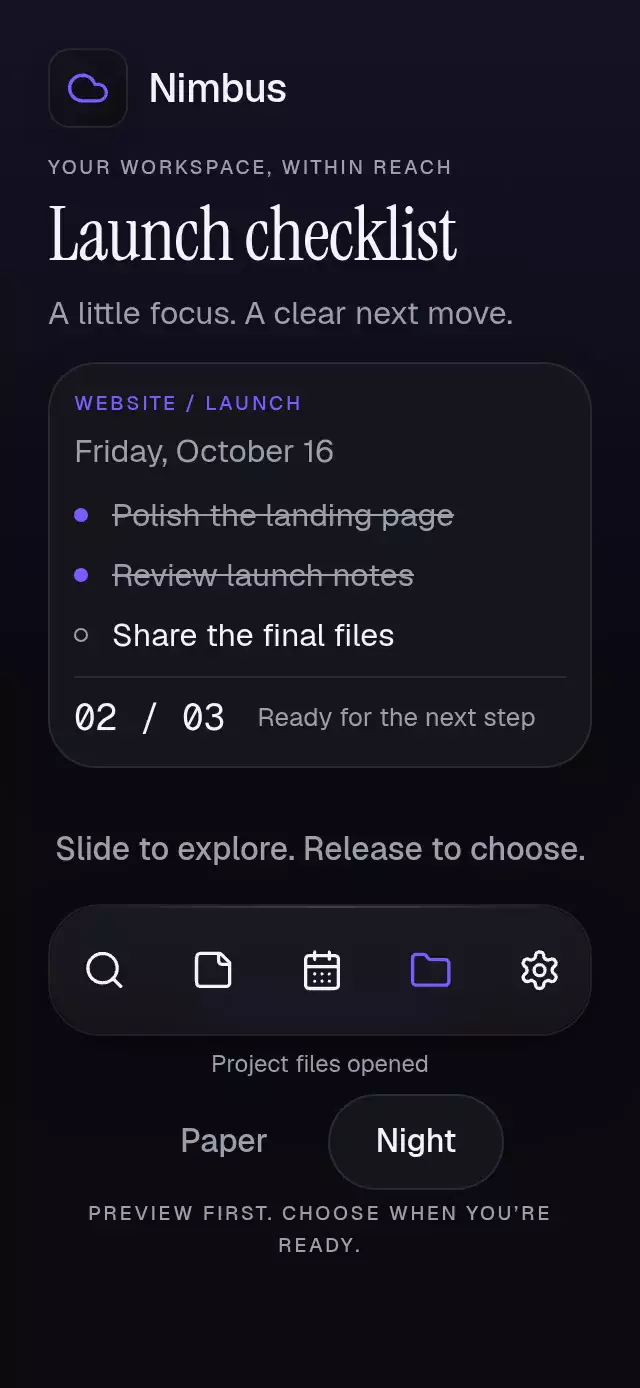
About this animation
A pagination rail with moving dot windows and expanding capsules, with configurable page count, visible count, palette, and fonts.
Why this one
Connect one shared value to any pager, without adopting an onboarding screen. A bounded pool of maxVisible + 2 dots handles 1, 5, 12, 40, or more pages with constant rendering cost. Neighboring capsules stretch toward one another, join, and separate while the window follows the current page. The demo uses twelve static geometric ritual tiles, not a second carousel.
How it works
onLayoutmeasures the component's own container. The odd window fits that width using 48-point slots.- One continuous zero-based position controls capsule width, opacity, color, and the connecting neck. Endpoint dots taper to 4, 6, and 8 points; the active capsule rests at 28 × 8.
- Crossing half a page moves the window by one slot in 220 ms. A fixed pool recycles page identities on the UI thread.
- Gesture Handler composes pan and tap; each slot has its own non-overlapping 48-point region. Previous/Next provide separate 48-point alternatives.
- Requests call
onIndexChangeonce per new destination. Observing host progress never emits callbacks. React updates only when the rounded page changes, not on every frame. - Explicit-mass springs settle gestures. Outside the range, elastic resistance shifts the rail slightly. RTL mirrors slots and gestures while preserving page numbering.
Install
Copy this folder, excluding demo/, into your app. No assets, catalog imports, or font loading are required.
npx expo install react-native-gesture-handler react-native-reanimated react-native-workletsMount your application inside GestureHandlerRootView. Demo-only dependencies are expo-image and expo-linear-gradient. Icons: Lucide (ISC); the Aurora sparkles path is copied from the project's kit.
Usage
import { WindowedDotsPager } from './windowed-dots-pager';

<WindowedDotsPager
  count={12}
  defaultIndex={2}
  accessibilityLabel="Page navigation"
  onIndexChange={(page) => selectPage(page)}
/>
Continuous host integration and personality knobs:
const progress = useSharedValue(2);
const pager = useRef<WindowedDotsPagerRef>(null);

<WindowedDotsPager
  ref={pager}
  count={40}
  progress={progress}
  maxVisible={5}
  colorScheme="dark"
  fontFamily="YourInterfaceFont"
  monoFontFamily="YourNumberFont"
  accessibilityLabel="Journal pages"
  previousLabel="Back"
  nextLabel="Continue"
  formatPage={(index, count) => `${index + 1} / ${count}`}
  onIndexChange={(index) => {
    progress.set(withSpring(index, { damping: 26, stiffness: 300, mass: 1 }));
  }}
/>
Your host can write progress continuously. In progress mode, the rail also writes this shared value during a direct drag and springs it to a page on release. Refs and buttons only request a destination through the callback; your host applies it. Supply index for strictly controlled selection: it takes precedence over progress, and drag requests wait for the host's new index. Do not animate a separate host pager against the same shared value during an active rail gesture. Use onInteractionStart to stop host autoplay.
Props
| Prop | Type | Default | Purpose |
|---|---|---|---|
count | number | required | Number of pages; finite values are floored. |
index | number | uncontrolled | Controlled zero-based destination; highest priority. |
defaultIndex | number | 0 | Initial index and reset destination. |
progress | SharedValue<number> | local | Continuous position; writable during rail gestures unless index is supplied. |
maxVisible | number | 5 | Normalized to odd ≥3, then limited by measured width and count. |
onIndexChange | (index: number) => void | — | Distinct destination request; not a frame callback. |
formatPage | (index, count) => string | 03 / 12 format | Counter and accessibility announcements; zero-based input. |
previousLabel, nextLabel | string | Previous, Next | Visible button text and accessible names. |
statusLabels | { empty, invalid, hint: string } | generic English | Empty count message, invalid count message, and adjustable rail hint. Supply all three keys. |
accessibilityLabel | string | required | Accessible name of the rail. |
colorScheme | 'light' | 'dark' | 'auto' | auto | Complete Night/Paper themes. |
palette | PagerPalette | theme | Full { background, surface, text, muted, border, accent, success, error } override. Accent should be a six-digit hex color for halo alpha. |
fontFamily | string | system | Button font. |
titleFontFamily | string | system | Empty/error status font. |
monoFontFamily | string | system | Counter font. |
onInteractionStart | () => void | — | Real input notification for canceling host timers. |
rtl | boolean | I18nManager.isRTL | Mirror visual and gesture direction. |
style | StyleProp<ViewStyle> | — | Root override; root defaults to flex: 1. |
testID | string | windowed-dots-pager | Root ID; stable -track, -counter, -previous, -next suffixes. |
ref: goTo(index), next(), previous(), reset(). All indices are zero-based. Repeated requests for the same destination do not duplicate callbacks. Uncontrolled successive ref calls follow the last requested destination. Controlled hosts should acknowledge requests through index or progress.
No labels object is needed: button copy is supplied through the two label props; all other component strings live in statusLabels and formatPage. The demo passes its copy explicitly and owns its autoplay timers (5-second loop, 2→5 in 600 ms, then reset in 300 ms). Touch cancels the loop; unmount clears timers.
Edge cases and layout
count=0 hides the rail and disables both actions. Negative/non-finite counts show the supplied accessible invalid message. Non-finite page values resolve to zero; finite indices clamp to the available range. count=1 disables navigation and has no animated halo. There are no item IDs to resolve. Changing count clamps display and requests without emitting a synthetic callback.
The component measures its own width, applies no safe area, and lays out its rail, counter, and actions without an internal scroll view. Allow at least 144 points of height with the default labels and text size; longer labels and larger text can require more space. The demo has a 480-point maximum column. It uses a compact six-column ritual grid on shorter screens, keeps theme and page-count controls in the same composition, and omits secondary copy. At heights below 650 points, one full-screen outer scroll view keeps the composition accessible with both scroll indicators hidden. Hosts apply safe areas once. Targets are at least 48 × 48; individual decorative dots are represented by one adjustable accessible rail.
Accessibility
Buttons have roles, labels, disabled/selected states, and stable IDs. The rail exposes increment/decrement actions, current/minimum/maximum values, and a customizable hint. Requests announce the formatted page. Reduced motion removes travel, neck stretching, glow, and press scaling; capsule emphasis fades over 200 ms. Only one counter and one ritual label are rendered, so old/new labels never overlap.
Compatibility
Built for Expo SDK 58, React Native 0.88.0, Reanimated 4.7.1, Gesture Handler 3.3, and Worklets 0.13.0. No additional native dependency or development build is needed beyond this installed Expo Go stack. The reusable component does not require Skia.
The compact demo uses one full-screen outer scroll view below 650 points with hidden indicators.