About this animation
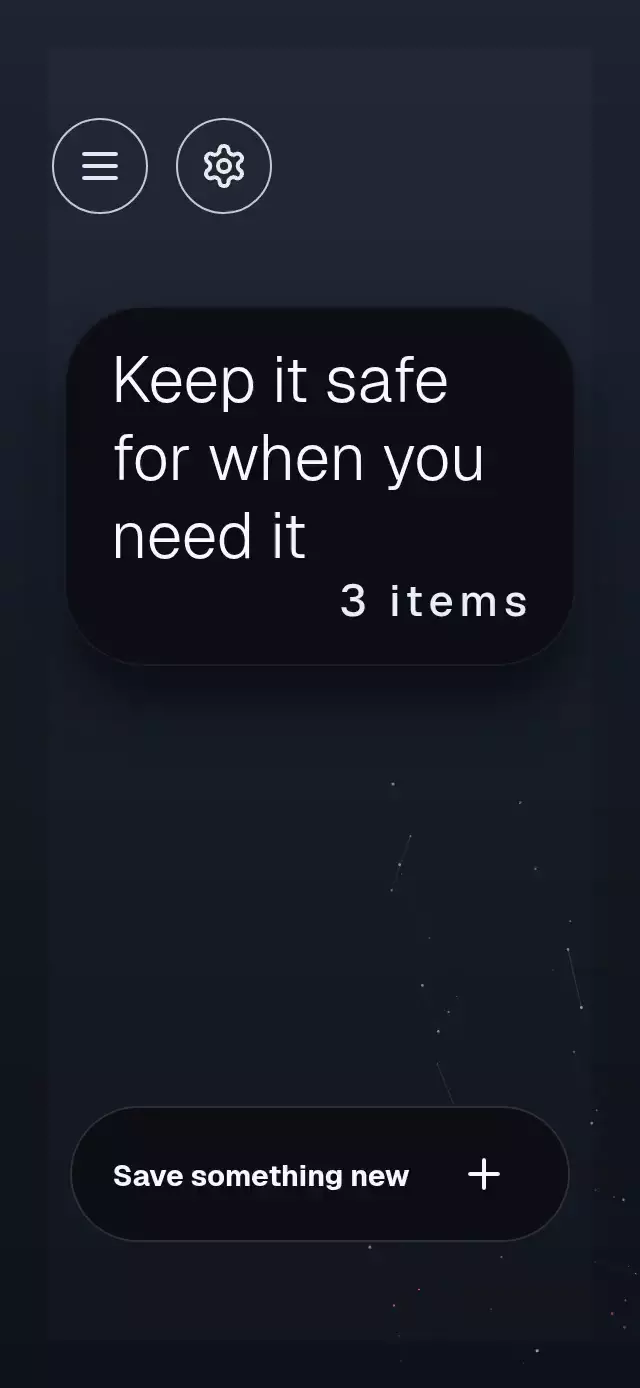
A vault unlock reveal that gathers a starfield into a shield, with configurable welcome copy, vault card text, colors, and fonts.
Why this one
A layered metal emblem and restrained ice-blue light give authentication a cinematic focal point, while warm lower-corner clusters keep the connected starfield from feeling flat. All visual motion runs through shared values without React updates per frame.
How it works
- Render the orb and connected light field with Skia inside the measured host.
- Start the scan from the accessible unlock action and drive its light with a shared progress value.
- Reveal the unlocked content through separate unlock and reveal progress values.
- Spring press and pointer offsets independently so contact can interrupt their motion; reduced motion suppresses decorative travel.
Install
npx expo install @shopify/react-native-skia react-native-gesture-handler react-native-reanimated react-native-workletsCopy this folder without demo/. This is a full-container screen; its parent owns safe-area insets. The parent app must already configure Gesture Handler, Reanimated, and Skia. On web, load CanvasKit before using the component through the application's Skia loader. Icons: Lucide (ISC), copied into icons.ts.
Usage
import PlexusVaultUnlock, { type PlexusVaultUnlockRef } from './plexus-vault-unlock';

const vault = useRef<PlexusVaultUnlockRef>(null);
<PlexusVaultUnlock ref={vault} brandName="Bastion" onSaveNew={openComposer} />;
vault.current?.scan();
vault.current?.reveal();
vault.current?.lock();
Props
| Prop | Type | Default |
|---|---|---|
brandName | string | Vault |
welcome, welcomeBack | string | Welcome, Welcome back |
passcodeLabel | string | Passcode |
cardLines | readonly [string, string, string] | Keep it safe / for when you / need it |
secretMask, secretRevealed | string | * * *, 3 items |
saveLabel | string | Save something new |
colors | Partial<PlexusVaultColors> | Night blue palette |
nodeCount | number | 46 |
onAuthenticate | () => Promise<boolean> | Successful simulated scan |
onSaveNew, onMenu, onSettings | () => void | No-op callbacks |
onInteraction | () => void | No-op; called on direct touches to stop preview playback |
fontFamily | string | System font (regular labels) |
lightFontFamily | string | System font, weight 300 (card copy) |
mediumFontFamily | string | System font, weight 500 (secret mask) |
boldFontFamily | string | System font, weight 700 (save button) |
heavyFontFamily | string | System font, weight 900 (wordmark) |
style, testID | React Native props | — |
Compatibility
Targets Expo SDK 58, React Native 0.88.0, Reanimated 4.7.1, Worklets 0.13.0, Gesture Handler 3.3, and Skia 2.14.0. Supports iOS, Android, and web. No images, network assets, or additional native dependencies.
Accessibility
A 1.6-second entrance lights the background, gathers three plexus layers, assembles the 46%-width shield with a flash, then reveals the embossed wordmark and welcome label. The shield scales down in short containers. An ice-blue breathing halo, nine faint rotating rays, double traveling arc, four-second metallic reflection, and orbiting face-control particles share a single background canvas. Finger movement adds depth-dependent parallax; nearby nodes briefly light their connections. Halos use radial gradients without animated blur filters.
The screen uses one unlock shared value for the plexus gather and crossfade. The face control uses a separate press value, and tapping the card toggles its masked count. Reduced motion holds the background still, removes rays, orbiting particles, parallax, and assembly flash, and uses a 200 ms entrance fade. A rejected authentication shakes the scan brackets red.