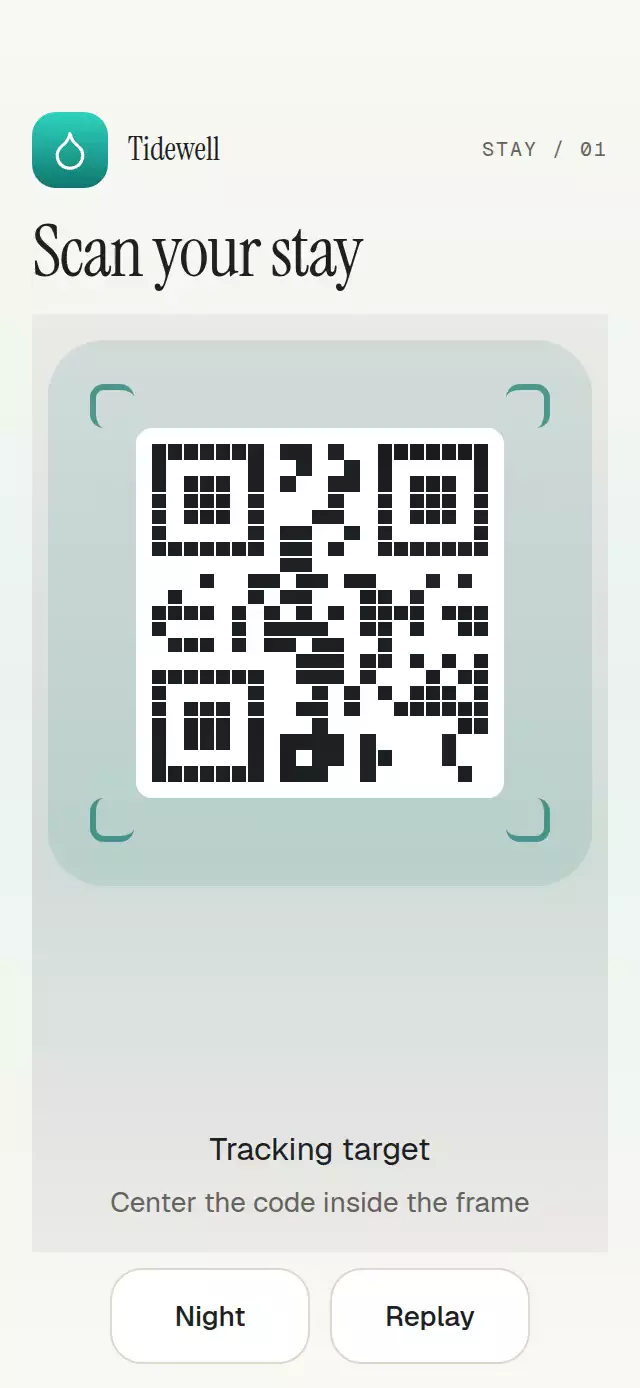
About this animation
Related guides
A QR target-lock reveal with tracked corners and a result card, with configurable preview content, labels, palette, and fonts. Your app supplies detection bounds and decoded results; this component does not open a camera or decode images.
How it works
- The host supplies bounds normalized to the centered square scan viewport and an optional status.
- A single
lockStateshared value drives the frame, target veil, and transfer choreography. lockedtightens the corners and reveals the confirmation state.resultreveals a card in a reserved area below the centered frame;lostanderrorkeep the target context and offer retry.
Install
npx expo install expo-blur expo-linear-gradient react-native-gesture-handler react-native-reanimated react-native-workletsThe component has no camera, barcode, or image-recognition dependency.
Usage
<QrTargetLock
  detectedBounds={{ x: 0.08, y: 0.08, width: 0.84, height: 0.84 }}
  status="tracking"
  labels={{ searching: 'Searching', tracking: 'Tracking', locked: 'Locked', lost: 'Lost', error: 'Error', retry: 'Retry' }}
/>
Use ref.reset() to request searching or ref.presentResult(result) to request a result in uncontrolled mode. For a controlled host, update status after receiving onStatusChange.
Props
| Prop | Type | Default | Description |
|---|---|---|---|
status | QrTargetStatus | — | Controlled state. |
defaultStatus | QrTargetStatus | searching | Initial uncontrolled state. |
detectedBounds | { x; y; width; height } | centered target | Host bounds normalized to the centered square scan viewport. |
result | QrTargetResult | — | Result card content. |
renderPreview | () => ReactNode | — | Content behind the frame. |
cornerLength | number | 22 | Corner stroke length in points. |
colorScheme / palette | theme props | auto / tokens | Complete light/dark semantic palette controls. |
motion | { durationScale; glowOpacity } | 1 / 0.25 | Motion and glow knobs. |
labels | state labels plus optional hints | — | All state, retry, and hint copy. |
onResultPress | (id: string) => void | — | Result action callback. |
The Tidewell demo uses the teal droplet mark from the demo brand kit and a large, centered simulated preview. The preview is sized from the measured component bounds after reserving space for feedback and state copy. Short demo containers omit the editorial heading. Result and retry controls share a reserved area below it, so state changes keep the frame in place. Result text can wrap to two lines beside a 32-point badge and the action.
Compatibility
Expo SDK 58, React Native 0.88, Reanimated 4.7, Worklets 0.13, Gesture Handler 3.3, and expo-blur 58. Web compilation is supported by the implementation. No native camera permission is required. The embeddable component does not apply safe-area insets.
Accessibility
The current state is exposed as a polite live region, the viewport has a state label, QR content is identified as an image, and retry/result actions have 48-point targets. Reduced motion removes the frame flight and uses immediate state changes. All copy is supplied by props so hosts can localize it.
Why this one
It treats scanning as a stateful handoff: host-owned bounds remain authoritative, lost/error are first-class states, and the locked frame becomes the result surface instead of disappearing before the user understands what happened.