About this animation
A reader with touch-driven page curls and configurable pages, labels, paper color, and fonts.
How it works
- All page sources are preloaded on mount. Expo Image previews stay mounted with
transition={0}andcachePolicy="memory"; all decoded Skia textures stay mounted in fixed layers. Animated navigation becomes available once all textures are ready, so the first turn never reveals an empty page. - One shared curl snapshot contains progress, bend position, logical direction, and the displayed page index. The index and progress reset atomically without changing any image source. Two shared worklet meshes derive the front and reverse once per frame, independent of the number of mounted pages. Inactive pages use empty clips. Textures use normal source-over compositing; a color matrix provides lighting without multiplying or clearing the illustration below.
- Gesture Handler owns the outer-edge pan and the accessible tap alternative. Release velocity chooses a commit or a reversible cancel.
- The next or previous image sits below the moving sheet. A narrow contact shadow follows the fold; shadow and paper lighting follow a continuous zero-to-peak-to-zero envelope. Native page numbers, titles, and captions switch together at 70% progress, reversing naturally with a canceled gesture and never overlapping or leaving an empty caption. All caption layers stay mounted and reserve the tallest caption height to prevent layout jumps.
- Discrete page changes are reported after the turn settles; large jumps use a short fade and never sweep through unrelated pages.
Install
Copy this folder into your project, excluding demo/.
npx expo install @shopify/react-native-skia expo-image react-native-gesture-handler react-native-reanimated react-native-workletsKeep the Skia web setup used by your Expo application and mount the component below a GestureHandlerRootView.
Usage
import PageCurlReader from './page-curl-reader';

export function Herbarium() {
  return <PageCurlReader pages={pages} />;
}
With a controlled index, custom theme, and a ref:
const reader = useRef<PageCurlReaderHandle>(null);
return (
  <PageCurlReader
    ref={reader}
    pages={pages}
    colorScheme="dark"
    curlRadiusFraction={0.14}
    onIndexChange={setIndex}
  />
);
Props
| Prop | Type | Default | Description |
|---|---|---|---|
pages | ReadonlyArray<PageCurlReaderPage> | required | Local page artwork, optional inline preview URI, and native title/caption content. |
index | number | uncontrolled | Controlled zero-based page index. |
defaultIndex | number | 0 | Initial uncontrolled index. |
onIndexChange | (index: number) => void | — | Called once after a confirmed turn. |
onReadyChange | (ready: boolean) => void | — | Reports whether all textures are available for animated navigation. |
onPagePress | (id: string) => void | — | Called when the current page is tapped. |
disabled | boolean | false | Disables gestures, buttons, and imperative navigation; reset remains available. |
paperColor | string | theme paper | Color of the unprinted reverse. |
curlRadiusFraction | number | 0.12 | Fold radius, clamped to 0.08–0.18 of page width. |
labels | PageCurlReaderLabels | neutral English labels | Previous, next, page, empty, load-error, and retry copy. |
colorScheme | 'light' | 'dark' | 'auto' | 'auto' | Complete Paper/Night theme selection. |
palette | Partial<Palette> | theme tokens | Override any complete palette token. |
fontFamily / titleFontFamily / monoFontFamily | string | system fonts | Text, title, and counter typefaces. |
motion | { durationScale?: number; glowOpacity?: number } | — | Duration scale defaults to 1 and clamps to 0.5–2; glowOpacity is accepted by the type but currently unused. |
accessibilityLabel | string | undefined | Fallback accessible plate description when no page label is available; otherwise the page label takes precedence. |
ref | React.Ref<PageCurlReaderHandle> | undefined | Public navigation handle described below. |
style | StyleProp<ViewStyle> | — | Root layout override. |
testID | string | 'page-curl-reader' | Root test identifier; controls add -previous, -next, and -retry. |
The handle exposes next(), previous(), goTo(index), and reset(). Empty or duplicate IDs are safely filtered; invalid indices clamp to the available page range. A failed image load shows the supplied retry action.
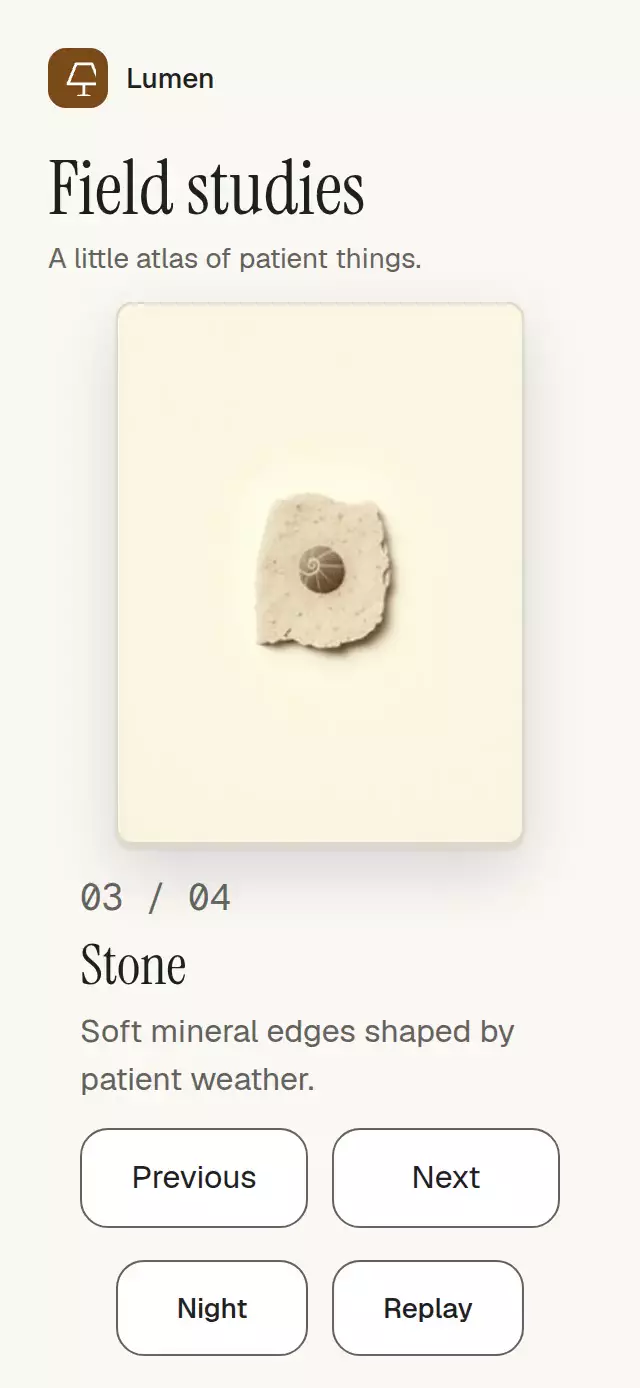
The demo waits for readiness, starts its first curl after 600 ms, and then turns every 2.5 seconds through all four pages and back in a continuous loop. Replay resets the reader and starts a new curl. Paper and Night themes cover the whole demo, including its header and footer. The reader fits its artwork into the remaining height without an internal scroll view.
Compatibility
Built for Expo SDK 58, React Native 0.88.0, Reanimated 4.7.1, Worklets 0.13.0, Gesture Handler 3.3, and Skia 2.14.0. The component owns no safe-area insets.
Accessibility
The page exposes its title, caption, page value, busy state, and increment/decrement actions. Previous and Next buttons are always available as a non-gesture alternative, and page presses have an accessible activation path. Reduced motion removes the deforming gesture and uses a short fade for changes. All visible copy is supplied by props.
Why this one
Page Curl Reader makes the paper itself the interaction surface: the bend, reverse, next plate, and contact shadow all respond to one interruptible gesture while editorial text remains native and adaptable.
Rendering details
Page textures use normal source-over drawing. Inactive pages have empty clips, and a color matrix provides lighting without multiplying the illustration or clearing the destination. The transparent book background keeps the mounted Expo Image preview visible while the first Skia frame initializes.
All image sources and caption layers remain mounted throughout a turn. Only the UI-thread curl snapshot changes during the gesture; React receives the discrete page index after completion. The outgoing front carries its original illustration until it folds out of view, and the revealed page carries the neighboring illustration throughout. The unprinted paper reverse remains intentionally plain.
Dispatch Next without advancing time, then capture ten screenshots at 80 ms intervals (0–720 ms) using page.clock.runFor(80). This samples the resting page, moving front, paper reverse, revealed neighbor, and final settling period. Check both illustration and caption in every screenshot; run the same sequence backward and check the autoplay loop separately. Virtual-clock screenshots verify rendering continuity, not physical-device frame rate.
Screenshots at 390×844 and 320×568 kept the caption, controls, and viewer close button clear. The transparent book background also keeps the mounted Expo Image preview visible while the first Skia frame initializes. No new artwork was needed.