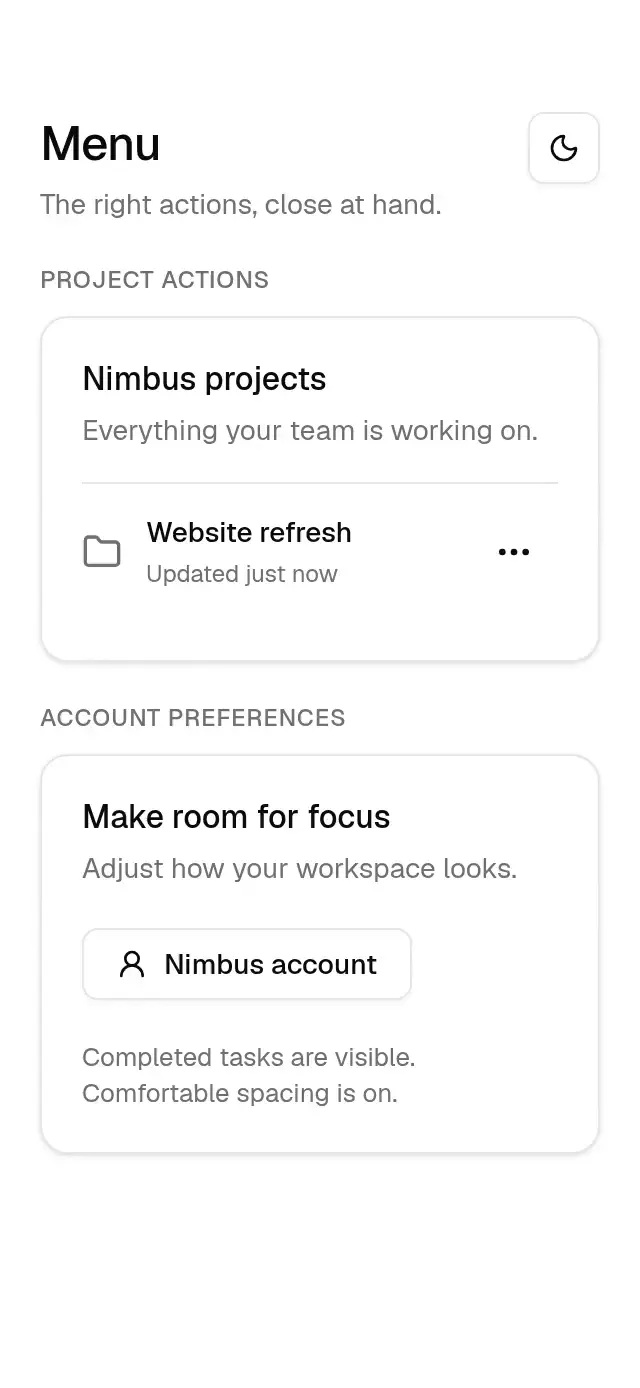
About this component
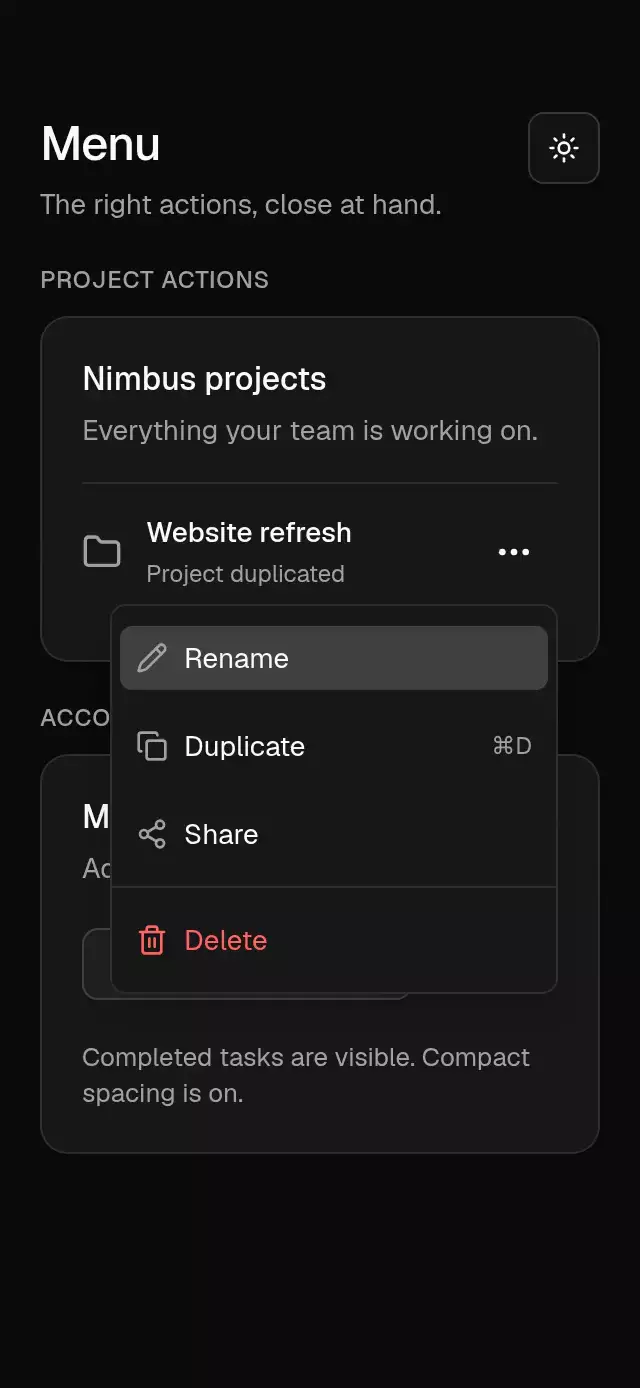
An anchored action menu with configurable items, trigger, alignment, and theme.
How it works
- A native wrapper measures the trigger with measureInWindow.
- A transparent Modal places the panel 4 pt below the trigger, flips it above when needed, and clamps it to an 8 pt screen margin.
- The panel fades and scales from 0.9 to 1 in 220 ms using the soft curve. It remains mounted through exit.
- Items highlight in 100 ms. Selecting an enabled item closes the menu before calling its callback.
Install
npx nativeanimation add base-menuThe CLI also copies base-theme. Dependencies, if you copy by hand:
npx expo install react-native-reanimated react-native-gesture-handler react-native-worklets lucide-react-native react-native-svgWrap the host app in GestureHandlerRootView.
Usage
import { BaseMenu } from './base-menu';
import { BaseButton } from './base-button';

<BaseMenu
  trigger={<BaseButton variant="outline">Project actions</BaseButton>}
  items={[
    { label: 'Rename', onSelect: renameProject },
    { label: 'Duplicate', shortcut: '⌘D', onSelect: duplicateProject },
    { type: 'separator' },
    { label: 'Delete', destructive: true, onSelect: deleteProject },
  ]}
/><BaseMenu
align="end"
trigger={<BaseButton>Preferences</BaseButton>}
items={[
{ type: 'label', label: 'Workspace' },
{ type: 'checkbox', label: 'Compact view', checked: compact, onSelect: toggleCompact },
{ label: 'Admin settings', disabled: true },
]}
/>An item accepts type, label, icon: ReactNode, shortcut, destructive, checked, disabled, and onSelect. Supply 16 pt icons in your chosen theme color. Checkbox state is controlled by the caller. The trigger must call its injected onPress and provide its own accessible name and touch target. Large menus scroll inside the available screen space.
Wrap your app in BaseThemeProvider (from base-theme) to choose light/dark and an accent; without it, pieces use the light neutral theme. The theme prop overrides the provider. Load the font families declared in your theme once in the host app.
Props
| Prop | Type | Default | Description |
|---|---|---|---|
trigger | ReactElement | — | Element accepting onPress and optionally testID. |
items | BaseMenuItem[] | — | Items, checkbox items, separators, and labels. |
align | 'start' | 'end' | 'start' | Aligns the panel to the trigger. |
open / onOpenChange | boolean / (open: boolean) => void | uncontrolled | Optional external open state. |
accessibilityLabel | string | — | Accessible menu name. |
theme | BaseTheme | provider | Overrides the shared family theme. |
style | StyleProp<ViewStyle> | — | Container style. |
testID | string | — | Stable test identifier. |
Compatibility
Expo SDK 58 · React Native 0.88 · Reanimated 4.7 · react-native-worklets 0.13. Runs on iOS, Android and web, in Expo Go and development builds. Part of Native Animation Base, a free family that shares one theme.
Accessibility
Menu items expose checked and disabled states. Outside taps, the Android back button, accessibility escape, and Escape on web close the menu. Web items support Tab navigation and Enter/Space activation. Reduce Motion makes panel transitions and highlights immediate.
Touch targets
Action and checkbox rows are at least 48 dp tall on Android and 44 pt tall on iOS and 44 px tall on web. Longer menus scroll within the screen. The host supplies the trigger: give it at least 48×48 dp on Android or 44×44 pt on iOS and 44×44 px on web.
Part of a shared foundation
Use it in a screen
Compose Base Menu with other Base components and a single shared theme. Ask your agent to read each API, then connect real navigation, state, and callbacks.
Go further.
Base covers the everyday. Choose a more expressive interaction when your app calls for it.
Collapsible Profile Tabs ↗
Profile tabs with a collapsing header and remembered scroll positions, with configurable tabs, header content, palette, and fonts.
Another way to solve this task · $9Routed Shared Element ↗
A cover-to-detail transition with a measured return path, with configurable items, labels, palette, and fonts.
Source code
Loading public source…