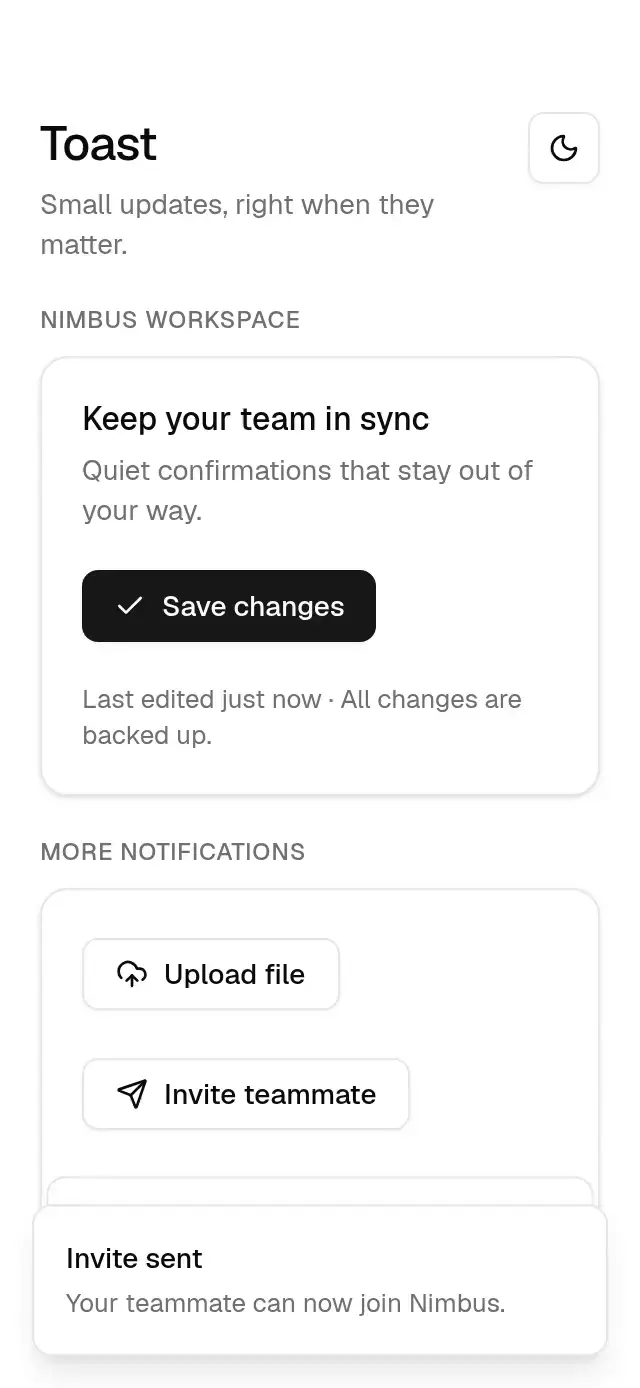
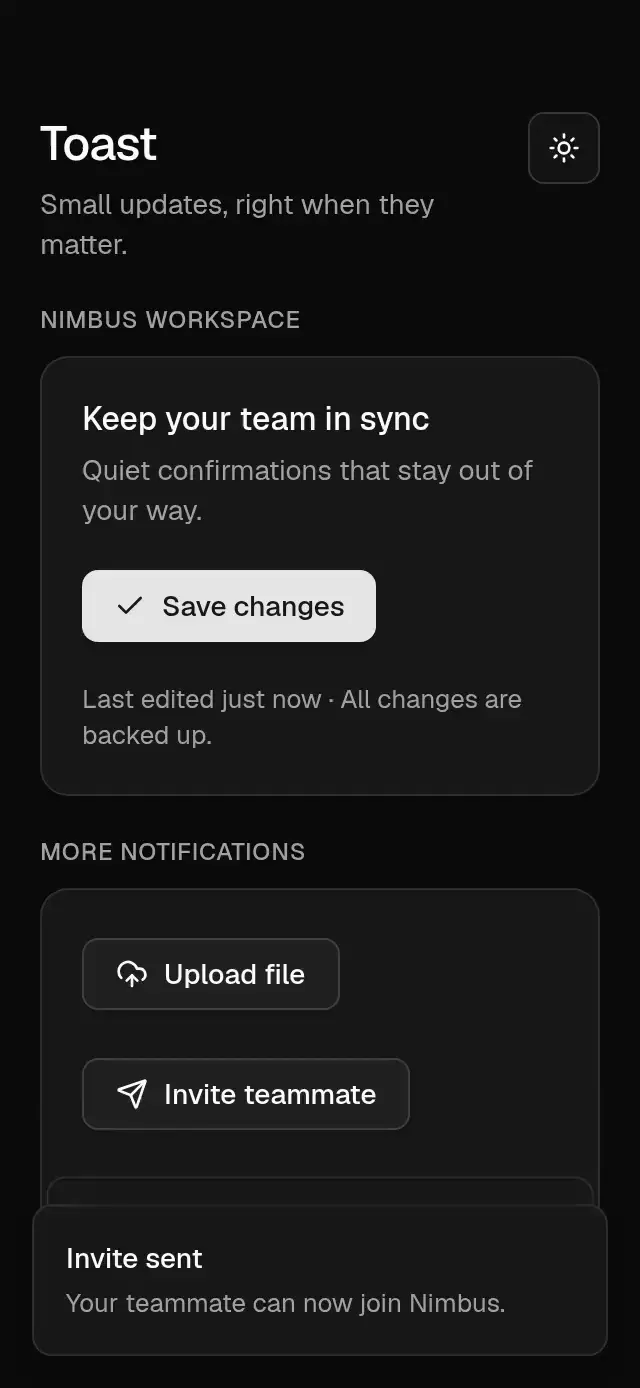
import {
  baseActivationProps,
  useBaseReducedMotion,
  timing,
  useBaseTheme,
  type BaseTheme,
} from '../base-theme';
import Animated, {
  ReduceMotion,
  cancelAnimation,
  useAnimatedStyle,
  useSharedValue,
  withSpring,
  withTiming,
} from 'react-native-reanimated';

import React, {
  createContext,
  useCallback,
  useContext,
  useEffect,
  useMemo,
  useRef,
  useState,
} from 'react';
import {
  Platform,
  StyleSheet,
  Text,
  View,
  type StyleProp,
  type ViewStyle,
} from 'react-native';
import Check from 'lucide-react-native/icons/check';
import CircleX from 'lucide-react-native/icons/circle-x';
import { Gesture, GestureDetector } from 'react-native-gesture-handler';
import { scheduleOnRN } from 'react-native-worklets';
import { BaseButton } from '../base-button';

// Web only: no browser focus outline; the item highlight shows focus instead.
const NO_WEB_OUTLINE =
  Platform.OS === 'web' ? ({ outlineStyle: 'none' } as object) : null;

export type BaseToastOptions = {
  /** Notification title. */
  title: string;
  /** Optional supporting description. */
  description?: string;
  /** Notification icon and tone. */
  variant?: 'default' | 'success' | 'error';
  /** Optional labeled action, also dismisses the notification. */
  action?: { label: string; onPress: () => void };
};
export type BaseToastAPI = {
  /** Adds a notification and returns its ID. */
  show: (options: BaseToastOptions) => string;
  /** Dismisses a notification by its ID. */
  dismiss: (id: string) => void;
};
type Entry = BaseToastOptions & {
  id: string;
  duration: number;
  dismissed: boolean;
};
const ToastContext = createContext<BaseToastAPI | null>(null);
const TOAST_SPRING = { stiffness: 280, damping: 24, mass: 1 };
export type BaseToastProviderProps = {
  /** Content rendered inside the component. */
  children: React.ReactNode;
  /** Screen edge used for the notification stack. */
  position?: 'top' | 'bottom';
  /** Visible lifetime in milliseconds; 0 or Infinity disables automatic dismissal. */
  duration?: number;
  /** Maximum number of active notifications; older entries wait for room. */
  maxVisible?: number;
  /** Safe-area bottom inset supplied by the host. */
  bottomInset?: number;
  /** Safe-area top inset supplied by the host. */
  topInset?: number;
  /** Accessible dismissal action label. */
  dismissLabel?: string;
  /** Accessible expansion action label. */
  expandLabel?: string;
  /** Optionally controls notification stack expansion. */
  expanded?: boolean;
  /** Called when expansion or collapse is requested. */
  onExpandedChange?: (expanded: boolean) => void;
  /** Overrides the nearest BaseThemeProvider. */
  theme?: BaseTheme;
  /** Style applied to the container. */
  style?: StyleProp<ViewStyle>;
  /** Stable identifier for the root or trigger. */
  testID?: string;
};
export function useBaseToast(): BaseToastAPI {
  const context = useContext(ToastContext);
  if (!context)
    throw new Error('useBaseToast must be used inside BaseToastProvider.');
  return context;
}
export function BaseToastProvider({
  children,
  position = 'bottom',
  duration = 5000,
  maxVisible = 3,
  bottomInset = 0,
  topInset = 0,
  dismissLabel = 'Dismiss notification',
  expandLabel = 'Expand notifications',
  theme: override,
  style,
  testID,
  expanded: controlledExpanded,
  onExpandedChange,
}: BaseToastProviderProps) {
  const theme = useBaseTheme(override);
  const [entries, setEntries] = useState<Entry[]>([]);
  const [heights, setHeights] = useState<Record<string, number>>({});
  const [internalExpanded, setInternalExpanded] = useState(false);
  const expanded = controlledExpanded ?? internalExpanded;
  const setExpanded = useCallback(
    (next: boolean) => {
      if (controlledExpanded === undefined) setInternalExpanded(next);
      onExpandedChange?.(next);
    },
    [controlledExpanded, onExpandedChange],
  );
  const [dragging, setDragging] = useState(false);
  const [activity, setActivity] = useState(0);
  const remainingTimes = useRef(new Map<string, number>());
  const [viewport, setViewport] = useState({ width: 0, height: 0 });
  const sequence = useRef(0);
  const providerId = React.useId();
  const show = useCallback(
    (options: BaseToastOptions) => {
      const id = `${providerId}-${++sequence.current}`;
      remainingTimes.current.set(id, duration);
      setEntries((current) => [
        { ...options, id, duration, dismissed: false },
        ...current,
      ]);
      return id;
    },
    [duration, providerId],
  );
  const dismiss = useCallback((id: string) => {
    setEntries((current) =>
      current.map((entry) =>
        entry.id === id ? { ...entry, dismissed: true } : entry,
      ),
    );
  }, []);
  const remove = useCallback((id: string) => {
    remainingTimes.current.delete(id);
    setEntries((current) => current.filter((entry) => entry.id !== id));
    setHeights((current) => {
      const next = { ...current };
      delete next[id];
      return next;
    });
  }, []);
  const measure = useCallback((id: string, height: number) => {
    setHeights((current) =>
      current[id] === height ? current : { ...current, [id]: height },
    );
  }, []);
  const api = useMemo(() => ({ show, dismiss }), [show, dismiss]);
  const visible = entries
    .filter((entry) => !entry.dismissed)
    .slice(0, Math.max(1, Math.floor(maxVisible)));
  // Exiting cards remain mounted even when a new toast arrives during dismissal.
  const rendered = entries.filter(
    (entry) =>
      entry.dismissed || visible.some((shown) => shown.id === entry.id),
  );
  useEffect(() => {
    if (!expanded || dragging) return;
    const timeout = setTimeout(() => setExpanded(false), 3000);
    return () => clearTimeout(timeout);
  }, [expanded, dragging, entries, setExpanded, activity]);
  const outside = Gesture.Tap()
    .enabled(expanded)
    .onEnd((_event, success) => {
      if (success) scheduleOnRN(setExpanded, false);
    });
  const width = Math.max(0, Math.min(viewport.width - 32, 356));
  const sign = position === 'bottom' ? 1 : -1;
  const frontHeight = heights[visible[0]?.id] ?? 72;
  return (
    <ToastContext.Provider value={api}>
      <View
        testID={testID}
        onLayout={(event) => {
          const { width: w, height: h } = event.nativeEvent.layout;
          setViewport({ width: w, height: h });
        }}
        style={[{ flex: 1 }, style]}
      >
        {children}
        {expanded && entries.length ? (
          <GestureDetector gesture={outside}>
            <Animated.View
              accessible={false}
              importantForAccessibility="no"
              style={StyleSheet.absoluteFill}
            />
          </GestureDetector>
        ) : null}
        <View pointerEvents="box-none" style={StyleSheet.absoluteFill}>
          {rendered.map((entry) => {
            const index = Math.max(
              0,
              visible.findIndex((shown) => shown.id === entry.id),
            );
            const stackScale = expanded ? 1 : Math.max(0.9, 1 - index * 0.05);
            const cumulativeHeight = visible
              .slice(0, index)
              .reduce(
                (sum, previous) => sum + (heights[previous.id] ?? 72) + 12,
                0,
              );
            const offset =
              -sign *
              (expanded
                ? cumulativeHeight
                : index * 12 + (1 - stackScale) * frontHeight);
            return (
              <ToastCard
                key={entry.id}
                entry={entry}
                theme={theme}
                width={width}
                availableHeight={Math.max(
                  44,
                  viewport.height - topInset - bottomInset - 32,
                )}
                position={position}
                inset={position === 'bottom' ? bottomInset : topInset}
                index={index}
                stackScale={stackScale}
                offset={offset}
                paused={expanded || dragging}
                expanded={expanded}
                dismissLabel={dismissLabel}
                expandLabel={expandLabel}
                remainingTimes={remainingTimes}
                onExpand={() => {
                  setExpanded(true);
                  setActivity((current) => current + 1);
                }}
                onDrag={setDragging}
                onDismiss={dismiss}
                onRemove={remove}
                onMeasure={measure}
              />
            );
          })}
        </View>
      </View>
    </ToastContext.Provider>
  );
}
function ToastCard({
  entry,
  theme,
  width,
  availableHeight,
  position,
  inset,
  index,
  stackScale,
  offset,
  paused,
  expanded,
  dismissLabel,
  expandLabel,
  onExpand,
  onDrag,
  onDismiss,
  onRemove,
  onMeasure,
  remainingTimes,
}: {
  remainingTimes: React.RefObject<Map<string, number>>;
  entry: Entry;
  theme: BaseTheme;
  width: number;
  availableHeight: number;
  position: 'top' | 'bottom';
  inset: number;
  index: number;
  stackScale: number;
  offset: number;
  paused: boolean;
  expanded: boolean;
  dismissLabel: string;
  expandLabel: string;
  onExpand: () => void;
  onDrag: (dragging: boolean) => void;
  onDismiss: (id: string) => void;
  onRemove: (id: string) => void;
  onMeasure: (id: string, height: number) => void;
}) {
  const reduced = useBaseReducedMotion();
  const height = useSharedValue(72);
  const pose = useSharedValue(0);
  const y = useSharedValue(offset);
  const scale = useSharedValue(stackScale);
  const dragX = useSharedValue(0);
  const dragY = useSharedValue(0);
  const released = useSharedValue(false);
  const sign = position === 'bottom' ? 1 : -1;
  const id = entry.id;
  const dismissed = entry.dismissed;
  useEffect(() => {
    if (dismissed)
      pose.set(
        withTiming(0, timing(theme, 'dismiss', reduced), (finished) => {
          if (finished) scheduleOnRN(onRemove, id);
        }),
      );
    else
      pose.set(
        reduced
          ? 1
          : withSpring(1, {
              ...TOAST_SPRING,
              reduceMotion: ReduceMotion.Never,
            }),
      );
    return () => cancelAnimation(pose);
  }, [dismissed, reduced, theme, pose, onRemove, id]);
  useEffect(() => {
    y.set(
      reduced
        ? offset
        : withSpring(offset, {
            ...TOAST_SPRING,
            reduceMotion: ReduceMotion.Never,
          }),
    );
    scale.set(
      reduced
        ? 1
        : withSpring(stackScale, {
            ...TOAST_SPRING,
            reduceMotion: ReduceMotion.Never,
          }),
    );
  }, [offset, stackScale, reduced, y, scale]);
  useEffect(() => {
    if (
      paused ||
      dismissed ||
      !Number.isFinite(entry.duration) ||
      entry.duration <= 0
    )
      return;
    const remainingMap = remainingTimes.current;
    const started = Date.now();
    const remaining = remainingMap.get(id) ?? entry.duration;
    const timeout = setTimeout(
      () => onDismiss(id),
      Math.max(0, remainingMap.get(id) ?? entry.duration),
    );
    return () => {
      clearTimeout(timeout);
      if (remainingMap.has(id))
        remainingMap.set(id, Math.max(0, remaining - (Date.now() - started)));
    };
  }, [paused, dismissed, entry.duration, id, onDismiss, remainingTimes]);
  const dismiss = () => onDismiss(id);
  const pan = Gesture.Pan()
    .enabled(!dismissed)
    .minDistance(8)
    .onStart(() => {
      released.set(false);
      cancelAnimation(dragX);
      cancelAnimation(dragY);
      scheduleOnRN(onDrag, true);
    })
    .onUpdate((event) => {
      dragX.set(event.translationX);
      dragY.set(
        event.translationY * sign < 0
          ? sign * -Math.min(48, Math.abs(event.translationY) * 0.5)
          : event.translationY,
      );
    })
    .onEnd((event) => {
      const sideways =
        Math.abs(event.translationX) > width * 0.4 ||
        Math.abs(event.velocityX) > 600;
      const outward =
        event.translationY * sign > height.get() * 0.4 ||
        event.velocityY * sign > 600;
      if (sideways || outward) {
        released.set(true);
        if (sideways)
          dragX.set(
            withTiming(
              (event.translationX || event.velocityX) > 0
                ? width + 32
                : -width - 32,
              timing(theme, 'dismiss', reduced),
            ),
          );
        scheduleOnRN(onDismiss, id);
      }
    })
    .onFinalize(() => {
      if (!released.get()) {
        dragX.set(
          reduced
            ? 0
            : withSpring(0, {
                ...TOAST_SPRING,
                reduceMotion: ReduceMotion.Never,
              }),
        );
        dragY.set(
          reduced
            ? 0
            : withSpring(0, {
                ...TOAST_SPRING,
                reduceMotion: ReduceMotion.Never,
              }),
        );
      }
      scheduleOnRN(onDrag, false);
    });
  const tap = Gesture.Tap()
    .enabled(!dismissed)
    .onEnd((_event, success) => {
      if (success) scheduleOnRN(onExpand);
    });
  const animated = useAnimatedStyle(() => ({
    opacity: Math.max(0, Math.min(1, pose.get())),
    transform: [
      { translateX: dragX.get() },
      {
        translateY:
          y.get() +
          dragY.get() +
          (reduced ? 0 : sign * height.get() * (1 - pose.get())),
      },
      { scale: reduced ? 1 : scale.get() * (0.96 + 0.04 * pose.get()) },
    ],
  }));
  const actions = [
    { name: 'dismiss', label: dismissLabel },
    { name: 'activate', label: expandLabel },
  ];
  return (
    <GestureDetector gesture={Gesture.Race(pan, tap)}>
      <Animated.View
        pointerEvents={dismissed ? 'none' : 'auto'}
        onLayout={(event) => {
          const h = event.nativeEvent.layout.height;
          height.set(h);
          onMeasure(id, h);
        }}
        style={[
          {
            position: 'absolute',
            [position]: inset + 16,
            width,
            left: '50%',
            marginLeft: -width / 2,
            maxHeight: availableHeight,
            zIndex: 100 - index,
            backgroundColor: theme.colors.popover,
            borderWidth: 1,
            borderColor: theme.colors.border,
            borderRadius: theme.radius.lg,
            padding: 16,
            flexDirection: 'row',
            alignItems: 'center',
            gap: 12,
            boxShadow: theme.shadow.lg,
            transformOrigin:
              position === 'bottom' ? 'center bottom' : 'center top',
          },
          animated,
        ]}
      >
        <View
          style={{
            flex: 1,
            flexDirection: 'row',
            gap: 8,
            alignItems: 'flex-start',
          }}
          accessible
          accessibilityRole="button"
          accessibilityLiveRegion="polite"
          accessibilityLabel={[entry.title, entry.description]
            .filter(Boolean)
            .join('. ')}
          accessibilityHint={expanded ? undefined : expandLabel}
          accessibilityState={{ expanded }}
          aria-expanded={expanded}
          {
            /* RN Web forwards DOM events rather than native event objects. */
            ...(baseActivationProps(onExpand) as object)
          }
          accessibilityActions={actions}
          onAccessibilityAction={(event) => {
            if (event.nativeEvent.actionName === 'dismiss') dismiss();
            else if (event.nativeEvent.actionName === 'activate') onExpand();
          }}

          {
            /* RN Web forwards DOM events rather than native event objects. */
            ...((Platform.OS === 'web'
              ? {
                  tabIndex: 0,
                  onKeyDown: (event: React.KeyboardEvent) => {
                    if (event.key === 'Escape' || event.key === 'Delete')
                      dismiss();
                    else if (event.key === 'Enter' || event.key === ' ') {
                      event.preventDefault();
                      onExpand();
                    }
                  },
                }
              : {}) as object)
          }
        >
          {entry.variant === 'success' ? (
            <Check size={16} color={theme.colors.foreground} />
          ) : entry.variant === 'error' ? (
            <CircleX size={16} color={theme.colors.destructive} />
          ) : null}
          <View style={[NO_WEB_OUTLINE, { flex: 1, gap: 4 }]}>
            <Text
              style={{
                fontFamily: theme.fonts.medium,
                fontSize: 14,
                lineHeight: 20,
                color: theme.colors.popoverForeground,
              }}
            >
              {entry.title}
            </Text>
            {entry.description ? (
              <Text
                style={{
                  fontFamily: theme.fonts.regular,
                  fontSize: 13,
                  lineHeight: 18,
                  color: theme.colors.mutedForeground,
                }}
              >
                {entry.description}
              </Text>
            ) : null}
          </View>
        </View>
        {entry.action ? (
          <BaseButton
            theme={theme}
            size="sm"
            variant="outline"
            onPress={() => {
              entry.action?.onPress();
              dismiss();
            }}
          >
            {entry.action.label}
          </BaseButton>
        ) : null}
      </Animated.View>
    </GestureDetector>
  );
}
export default BaseToastProvider;