import Animated, {
  ReduceMotion,
  Easing,
  useAnimatedStyle,
  useSharedValue,
  withSpring,
  withTiming,
} from 'react-native-reanimated';
import {
  useBaseReducedMotion,
  useBaseTheme,
  type BaseTheme,
} from '../base-theme';
import React, { useEffect, useMemo, useState } from 'react';
import {
  Image,
  Platform,
  Pressable,
  Text,
  View,
  type ImageSourcePropType,
  type StyleProp,
  type ViewStyle,
} from 'react-native';
import { Gesture, GestureDetector } from 'react-native-gesture-handler';
import { scheduleOnRN } from 'react-native-worklets';

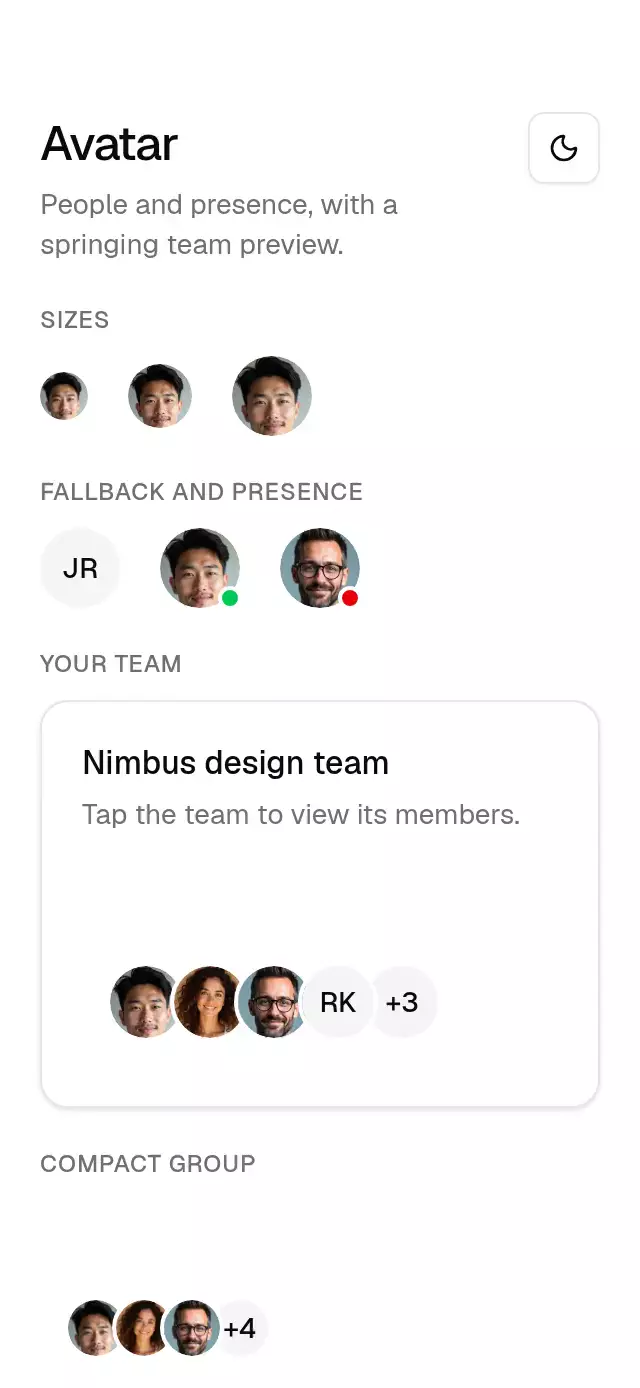
export type AvatarSize = 'sm' | 'default' | 'lg';
export type BaseAvatarProps = {
  source?: ImageSourcePropType;
  fallback: string;
  size?: AvatarSize;
  status?: 'online' | 'busy' | 'none';
  theme?: BaseTheme;
  style?: StyleProp<ViewStyle>;
  testID?: string;
  accessibilityLabel?: string;
};
export type AvatarItem = {
  key: string;
  source?: ImageSourcePropType;
  fallback: string;
  name: string;
};
export type BaseAvatarGroupProps = {
  avatars: AvatarItem[];
  max?: number;
  size?: AvatarSize;
  /** Optional controlled preview, also useful for keyboard navigation and presentations. */
  activeKey?: string | null;
  onActiveChange?: (key: string | null) => void;
  /** Opens the member list through one accessible group target. */
  onPress?: () => void;
  theme?: BaseTheme;
  style?: StyleProp<ViewStyle>;
  testID?: string;
  accessibilityLabel?: string;
};

const SIZES = { sm: 24, default: 32, lg: 40 };
const DOTS = { sm: 8, default: 10, lg: 12 };
const LIFT_SPRING = { stiffness: 300, damping: 17, mass: 1 };
const POP_SPRING = { stiffness: 400, damping: 29, mass: 1 };

export function BaseAvatar({
  source,
  fallback,
  size = 'default',
  status = 'none',
  theme: override,
  style,
  testID,
  accessibilityLabel,
}: BaseAvatarProps) {
  const theme = useBaseTheme(override);
  const diameter = SIZES[size];
  // Key the image state by source: a replacement gets its own load/error lifecycle.
  return (
    <View
      testID={testID}
      accessible
      accessibilityRole="image"
      accessibilityLabel={
        accessibilityLabel ??
        (status === 'none' ? fallback : `${fallback}, ${status}`)
      }
      style={[{ width: diameter, height: diameter, flexShrink: 0 }, style]}
    >
      <AvatarFace
        key={JSON.stringify(source)}
        source={source}
        fallback={fallback}
        size={size}
        theme={theme}
      />
      {status !== 'none' ? (
        <View
          pointerEvents="none"
          style={{
            position: 'absolute',
            bottom: -1,
            right: -1,
            width: DOTS[size],
            height: DOTS[size],
            borderRadius: theme.radius.full,
            borderWidth: 2,
            borderColor: theme.colors.background,
            backgroundColor:
              status === 'online' ? '#00c950' : theme.colors.destructive,
          }}
        />
      ) : null}
    </View>
  );
}

function AvatarFace({
  source,
  fallback,
  size,
  theme,
}: {
  source?: ImageSourcePropType;
  fallback: string;
  size: AvatarSize;
  theme: BaseTheme;
}) {
  const [failed, setFailed] = useState(false);
  return (
    <View
      aria-hidden
      accessibilityElementsHidden
      importantForAccessibility="no-hide-descendants"
      style={{
        width: '100%',
        height: '100%',
        borderRadius: theme.radius.full,
        overflow: 'hidden',
        alignItems: 'center',
        justifyContent: 'center',
        backgroundColor: theme.colors.muted,
      }}
    >
      <Text
        numberOfLines={1}
        style={{
          fontFamily: theme.fonts.medium,
          fontSize: size === 'sm' ? 12 : 14,
          lineHeight: size === 'sm' ? 16 : 20,
          // foreground, not mutedForeground: #737373 on #f5f5f5 is 4.35:1, under AA for small initials.
          color: theme.colors.foreground,
        }}
      >
        {fallback}
      </Text>
      {source && !failed ? (
        <Image
          source={source}
          resizeMode="cover"
          onError={() => setFailed(true)}
          style={{
            position: 'absolute',
            width: '100%',
            height: '100%',
            borderRadius: theme.radius.full,
          }}
        />
      ) : null}
    </View>
  );
}

export function BaseAvatarGroup({
  avatars,
  max = 4,
  size = 'default',
  activeKey: controlled,
  onActiveChange,
  onPress,
  theme: override,
  style,
  testID,
  accessibilityLabel,
}: BaseAvatarGroupProps) {
  const theme = useBaseTheme(override);
  const [internal, setInternal] = useState<string | null>(null);
  const activeKey = controlled === undefined ? internal : controlled;
  const limit = Number.isFinite(max)
    ? Math.max(0, Math.floor(max))
    : avatars.length;
  const shown = avatars.slice(0, limit);
  const remaining = avatars.length - shown.length;
  const setActive = (key: string | null) => {
    if (controlled === undefined) setInternal(key);
    onActiveChange?.(key);
  };
  const members = (
    <>
      {shown.map((avatar, index) => (
        <GroupAvatar
          key={avatar.key}
          avatar={avatar}
          size={size}
          index={index}
          active={activeKey === avatar.key}
          interactive={!onPress}
          setActive={setActive}
          theme={theme}
          testID={testID ? `${testID}-${avatar.key}` : undefined}
        />
      ))}
      {remaining > 0 ? (
        <View
          accessible={!onPress}
          aria-hidden={onPress ? true : undefined}
          importantForAccessibility={
            onPress ? 'no-hide-descendants' : undefined
          }
          accessibilityRole={onPress ? undefined : 'image'}
          accessibilityLabel={
            onPress
              ? undefined
              : `${remaining} more people: ${avatars
                  .slice(shown.length)
                  .map((avatar) => avatar.name)
                  .join(', ')}`
          }
          style={{
            width: SIZES[size],
            height: SIZES[size],
            marginLeft: shown.length ? -8 : 0,
            borderRadius: theme.radius.full,
            borderWidth: 2,
            borderColor: theme.colors.background,
            backgroundColor: theme.colors.muted,
            justifyContent: 'center',
            alignItems: 'center',
          }}
        >
          <Text
            style={{
              fontFamily: theme.fonts.medium,
              fontSize: size === 'sm' ? 12 : 14,
              // foreground, not mutedForeground: #737373 on #f5f5f5 is 4.35:1, under AA for small initials.
              color: theme.colors.foreground,
            }}
          >
            +{remaining}
          </Text>
        </View>
      ) : null}
    </>
  );
  return (
    <View
      testID={testID}
      accessibilityLabel={onPress ? undefined : accessibilityLabel}
      style={[
        {
          flexDirection: 'row',
          alignItems: 'center',
          minHeight: onPress ? 48 : 44,
          minWidth: onPress ? 48 : undefined,
          overflow: 'visible',
        },
        style,
      ]}
    >
      {onPress ? (
        <>
          <View
            collapsable={false}
            accessible={false}
            pointerEvents="none"
            aria-hidden
            accessibilityElementsHidden
            importantForAccessibility="no-hide-descendants"
            style={{ flexDirection: 'row', alignItems: 'center' }}
          >
            {members}
          </View>
          <Pressable
            onPress={onPress}
            accessibilityRole="button"
            accessibilityLabel={
              accessibilityLabel ?? `View ${avatars.length} members`
            }
            style={{ position: 'absolute', inset: 0 }}
          />
        </>
      ) : (
        members
      )}
    </View>
  );
}

function GroupAvatar({
  avatar,
  size,
  index,
  active,
  interactive,
  setActive,
  theme,
  testID,
}: {
  avatar: AvatarItem;
  size: AvatarSize;
  index: number;
  active: boolean;
  interactive: boolean;
  setActive: (key: string | null) => void;
  theme: BaseTheme;
  testID?: string;
}) {
  const reduced = useBaseReducedMotion();
  const diameter = SIZES[size];
  const avatarKey = avatar.key;
  const lift = useSharedValue(0);
  const opacity = useSharedValue(0);
  const pop = useSharedValue(0.7);
  const held = useSharedValue(active ? 1 : 0);
  const exitTiming = useMemo(
    () => ({
      duration: reduced ? 0 : 130,
      easing: Easing.bezier(...theme.motion.curves.leave),
    }),
    [reduced, theme],
  );
  useEffect(() => {
    held.set(active ? 1 : 0);
    lift.set(
      reduced
        ? 0
        : withSpring(active ? -0.3 * diameter : 0, {
            ...LIFT_SPRING,
            reduceMotion: ReduceMotion.Never,
          }),
    );
    opacity.set(
      reduced
        ? active
          ? 1
          : 0
        : active
          ? withSpring(1, { ...POP_SPRING, reduceMotion: ReduceMotion.Never })
          : withTiming(0, { ...exitTiming, reduceMotion: ReduceMotion.Never }),
    );
    pop.set(
      reduced
        ? 1
        : active
          ? withSpring(1, { ...POP_SPRING, reduceMotion: ReduceMotion.Never })
          : withTiming(0.7, {
              ...exitTiming,
              reduceMotion: ReduceMotion.Never,
            }),
    );
  }, [active, diameter, reduced, exitTiming, lift, opacity, pop, held]);
  const tap = Gesture.Tap()
    .enabled(interactive)
    .maxDuration(10000)
    .onBegin(() => {
      held.set(1);
      lift.set(
        reduced
          ? 0
          : withSpring(-0.3 * diameter, {
              ...LIFT_SPRING,
              reduceMotion: ReduceMotion.Never,
            }),
      );
      opacity.set(
        reduced
          ? 1
          : withSpring(1, { ...POP_SPRING, reduceMotion: ReduceMotion.Never }),
      );
      pop.set(
        reduced
          ? 1
          : withSpring(1, { ...POP_SPRING, reduceMotion: ReduceMotion.Never }),
      );
      scheduleOnRN(setActive, avatarKey);
    })
    .onFinalize(() => {
      held.set(0);
      lift.set(
        reduced
          ? 0
          : withSpring(0, { ...LIFT_SPRING, reduceMotion: ReduceMotion.Never }),
      );
      opacity.set(
        reduced
          ? 0
          : withTiming(0, { ...exitTiming, reduceMotion: ReduceMotion.Never }),
      );
      pop.set(
        reduced
          ? 1
          : withTiming(0.7, {
              ...exitTiming,
              reduceMotion: ReduceMotion.Never,
            }),
      );
      scheduleOnRN(setActive, null);
    });
  const position = useAnimatedStyle(() => ({
    zIndex: held.get() ? 200 : opacity.get() > 0.01 ? 100 : index,
  }));
  const lifted = useAnimatedStyle(() => ({
    transform: [{ translateY: lift.get() }],
  }));
  const tooltip = useAnimatedStyle(() => ({
    opacity: Math.max(0, Math.min(1, opacity.get())),
    transform: [{ scale: pop.get() }],
  }));
  const member = (
    <Animated.View
      testID={testID}
      accessible={interactive}
      aria-hidden={interactive ? undefined : true}
      importantForAccessibility={
        interactive ? undefined : 'no-hide-descendants'
      }
      accessibilityRole={interactive ? 'button' : undefined}
      accessibilityLabel={interactive ? avatar.name : undefined}
      accessibilityState={interactive ? { expanded: active } : undefined}
      aria-expanded={interactive ? active : undefined}
      accessibilityHint={
        interactive ? 'Touch and hold to show the name.' : undefined
      }
      onAccessibilityTap={
        interactive ? () => setActive(active ? null : avatar.key) : undefined
      }
      accessibilityActions={
        interactive ? [{ name: 'activate', label: 'Show name' }] : undefined
      }
      onAccessibilityAction={
        interactive
          ? (event) => {
              if (event.nativeEvent.actionName === 'activate')
                setActive(active ? null : avatar.key);
            }
          : undefined
      }
      onFocus={interactive ? () => setActive(avatar.key) : undefined}
      onBlur={interactive ? () => setActive(null) : undefined}
      {
        /* RN Web forwards DOM events rather than native event objects. */
        ...((Platform.OS === 'web' && interactive
          ? {
              tabIndex: 0,
              onClick: (event: React.MouseEvent) => {
                if (event.detail === 0) setActive(active ? null : avatar.key);
              },
              onKeyDown: (event: React.KeyboardEvent) => {
                if (event.key === 'Enter' || event.key === ' ') {
                  event.preventDefault();
                  setActive(avatar.key);
                }
              },
              onKeyUp: (event: React.KeyboardEvent) => {
                if (event.key === 'Enter' || event.key === ' ') setActive(null);
              },
            }
          : {}) as object)
      }
      hitSlop={{
        left: Math.max(0, (44 - diameter) / 2),
        right: Math.max(0, (44 - diameter) / 2),
      }}
      style={[
        {
          width: diameter,
          minHeight: 44,
          marginLeft: index ? -8 : 0,
          alignItems: 'center',
          justifyContent: 'center',
        },
        position,
      ]}
    >
      {/* Keep the gesture target still as the face and label lift together. */}
      <Animated.View
        pointerEvents="none"
        style={[{ width: diameter, height: diameter }, lifted]}
      >
        <View
          style={{
            width: diameter,
            height: diameter,
            borderRadius: theme.radius.full,
            borderWidth: 2,
            borderColor: theme.colors.background,
          }}
        >
          <AvatarFace
            key={JSON.stringify(avatar.source)}
            source={avatar.source}
            fallback={avatar.fallback}
            size={size}
            theme={theme}
          />
        </View>
        <Animated.View
          pointerEvents="none"
          aria-hidden
          accessibilityElementsHidden
          importantForAccessibility="no-hide-descendants"
          style={[
            {
              position: 'absolute',
              bottom: diameter + 8,
              alignSelf: 'center',
              backgroundColor: theme.colors.primary,
              borderRadius: theme.radius.md,
              paddingHorizontal: 12,
              paddingVertical: 6,
              minWidth: 96,
              alignItems: 'center',
            },
            tooltip,
          ]}
        >
          <Text
            numberOfLines={1}
            style={{
              fontFamily: theme.fonts.medium,
              fontSize: 12,
              lineHeight: 16,
              color: theme.colors.primaryForeground,
            }}
          >
            {avatar.name}
          </Text>
        </Animated.View>
      </Animated.View>
    </Animated.View>
  );
  return interactive ? (
    <GestureDetector gesture={tap}>{member}</GestureDetector>
  ) : (
    member
  );
}