About this component
Related guides
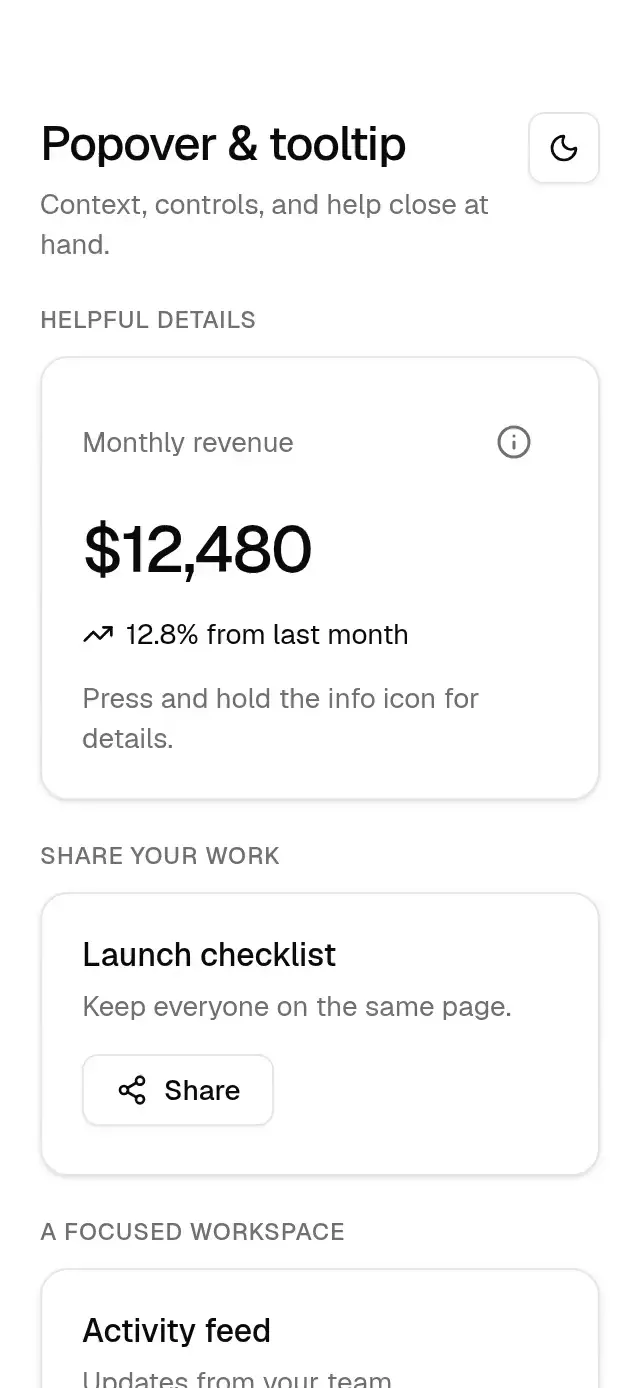
Anchored popovers and long-press tooltips with configurable content, trigger, placement, alignment, width, open state, labels, delay, and theme.
How it works
- A local anchored-panel implementation measures the trigger in window coordinates, chooses the requested side, flips when the other side has more space, and clamps the panel to an 8 pt viewport margin.
- Popovers use a bordered, padded theme surface. They enter at scale 0.8 with the pop spring (400/29, mass 1), grow from the trigger side, and exit in 150 ms.
- Tooltips enter at scale 0.7 with the same spring and exit in 130 ms. Their 12 pt label sits on the foreground surface with a small arrow.
- Tooltips appear after a long press (
delayMs, 500 ms by default), remain for 1.5 seconds after release, and also support hover and keyboard focus on web. A passive web portal keeps hover and focus on the trigger.
Explore anchored-action-popover and touch-help-tooltip for richer anchored actions and contextual help.
Install
npx nativeanimation add base-popoverThe registry dependencies include base-theme, base-button, base-input, and base-switch (the last three are used by the demo). Dependencies, if you copy by hand:
npx expo install react-dom react-native-gesture-handler react-native-reanimated react-native-workletsreact-dom is used only by the web tooltip host and is already included in Expo web projects. Mount a GestureHandlerRootView at the app root. Free forever. MIT.
Usage
import { Text, View } from 'react-native';
import { BasePopover, BaseTooltip } from './base-popover';

<BasePopover
  accessibilityLabel="Share project"
  trigger={<Text>Share</Text>}
  content={<Text>Anyone with the link can view this project.</Text>}
  side="bottom"
  align="start"
/>
<BaseTooltip label="Revenue after refunds, before taxes.">
  <Text>About revenue</Text>
</BaseTooltip><BasePopover
open={open}
onOpenChange={setOpen}
accessibilityLabel="Project filters"
trigger={({ open }) => <Text>{open ? 'Close filters' : 'Filters'}</Text>}
content={<View>{filterControls}</View>}
/>The component owns the trigger's touch, keyboard, focus, and screen-reader behavior. Trigger children are visual content, including when you use the render prop; avoid putting independently interactive controls inside them. The render prop receives { open, onPress } for compatible visual button renderers. Supply the trigger name through accessibilityLabel and caller-owned icons through its children.
Wrap your app in BaseThemeProvider (from base-theme) to choose light/dark and an accent; without it, pieces use the light neutral theme. The theme prop overrides the provider and is passed into popover content across the modal boundary.
Props
| BasePopover prop | Type | Default | Description |
|---|---|---|---|
trigger | ReactNode | (state) => ReactNode | — | Visual trigger or render prop receiving open and onPress. |
content | ReactNode | — | Panel content. |
open | boolean | — | Controlled visibility. |
onOpenChange | (open: boolean) => void | — | Visibility requests; uncontrolled when open is omitted. |
side | 'top' | 'bottom' | 'bottom' | Preferred side; may flip. |
align | 'start' | 'center' | 'end' | 'center' | Horizontal alignment. |
sideOffset | number | 4 | Space between trigger and panel. |
width | number | 288 | Requested width, clamped to the viewport. |
accessibilityLabel | string | 'Open popover' | Trigger and dialog name. |
theme | BaseTheme | provider | Theme override. |
style | StyleProp<ViewStyle> | — | Trigger container style. |
testID | string | — | Trigger ID; panel appends -panel. |
| BaseTooltip prop | Type | Default | Description |
|---|---|---|---|
label | string | — | Tooltip text and trigger hint. |
children | ReactNode | — | Visual trigger. |
side | 'top' | 'bottom' | 'top' | Preferred side; may flip. |
delayMs | number | 500 | Long-press, hover, and focus delay. |
open | boolean | — | Optional controlled visibility. |
onOpenChange | (open: boolean) => void | — | Visibility requests. |
accessibilityLabel | string | label | Accessible trigger name. |
theme | BaseTheme | provider | Theme override. |
style | StyleProp<ViewStyle> | — | Trigger container style. |
testID | string | — | Trigger ID; panel appends -panel. |
Compatibility
Expo SDK 58 · React Native 0.88 · Reanimated 4.7 · react-native-worklets 0.13. Targets iOS, Android, and web, in Expo Go and development builds. Part of Native Animation Base, a free family sharing one theme. Native popovers use transparent modals with a local Gesture Handler root. Native tooltips use a passive overlay to preserve the long press; their ancestors must allow visible overflow. Web tooltips use a platform-specific passive portal. No safe-area padding is applied to the trigger; panels clamp to their available window. Tall popovers scroll internally. Changing window dimensions remeasures the anchor.
Accessibility
Triggers have a minimum 44 pt target on iOS/web and 48 dp on Android, a custom web focus ring, Enter/Space activation, and screen-reader actions. Tooltips add their full label as the trigger's accessibility hint. Popovers expose a modal dialog, move accessibility focus on native, contain Tab focus on web, and close on outside tap, Escape, accessibility escape, or Android Back. Focus returns to the web trigger on close. Reduce Motion uses opacity only, without scale or displacement.
Part of a shared foundation
Use it in a screen
Compose Base Popover with other Base components and a single shared theme. Ask your agent to read each API, then connect real navigation, state, and callbacks.
Go further.
Base covers the everyday. Choose a more expressive interaction when your app calls for it.
Stacked Category Cards ↗
A category stack whose tabs unfold into detail cards, with configurable categories, title, colors, and fonts.
Another way to solve this task · $9Review Approval Card ↗
A moderation queue with swipe-to-approve or decline feedback, with configurable reviews, labels, colors, and fonts.
Source code
Loading public source…