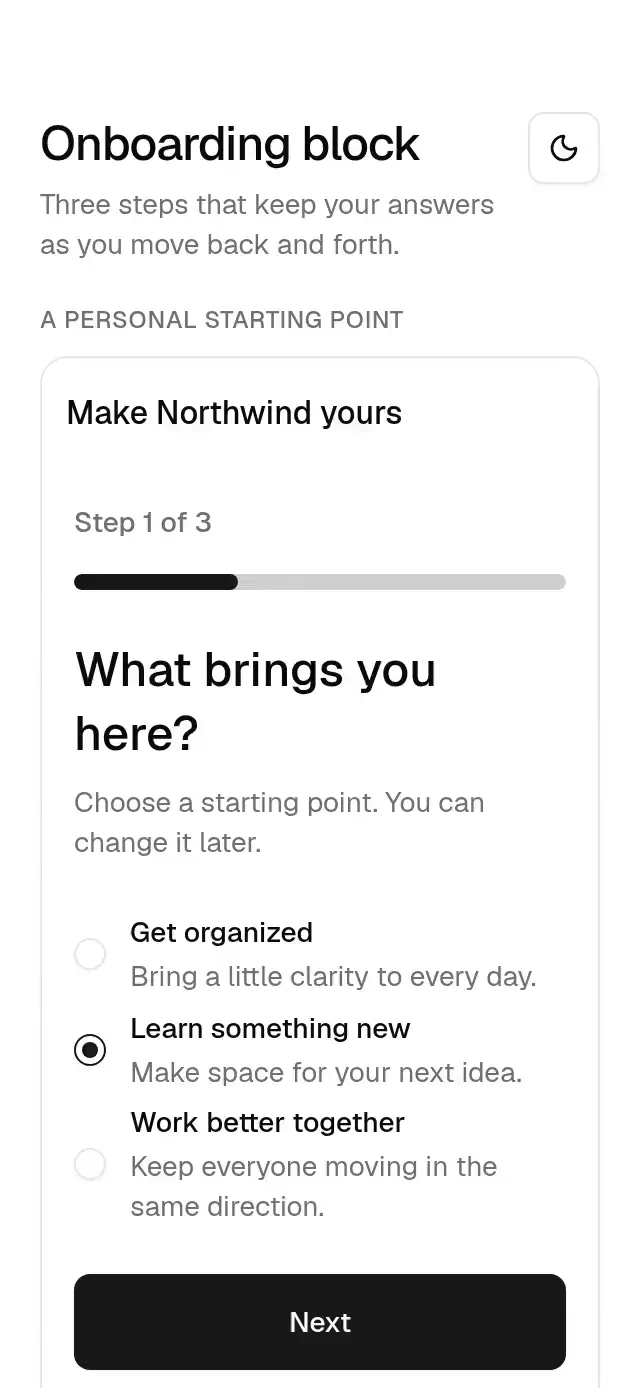
About this component
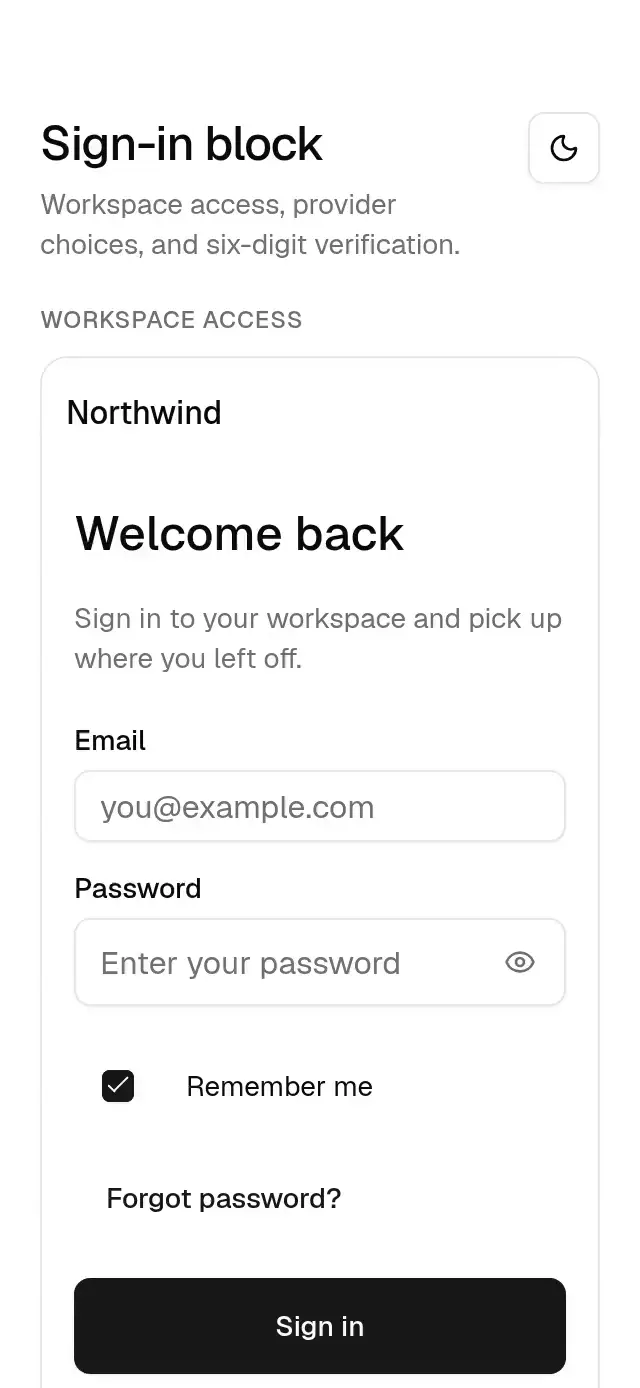
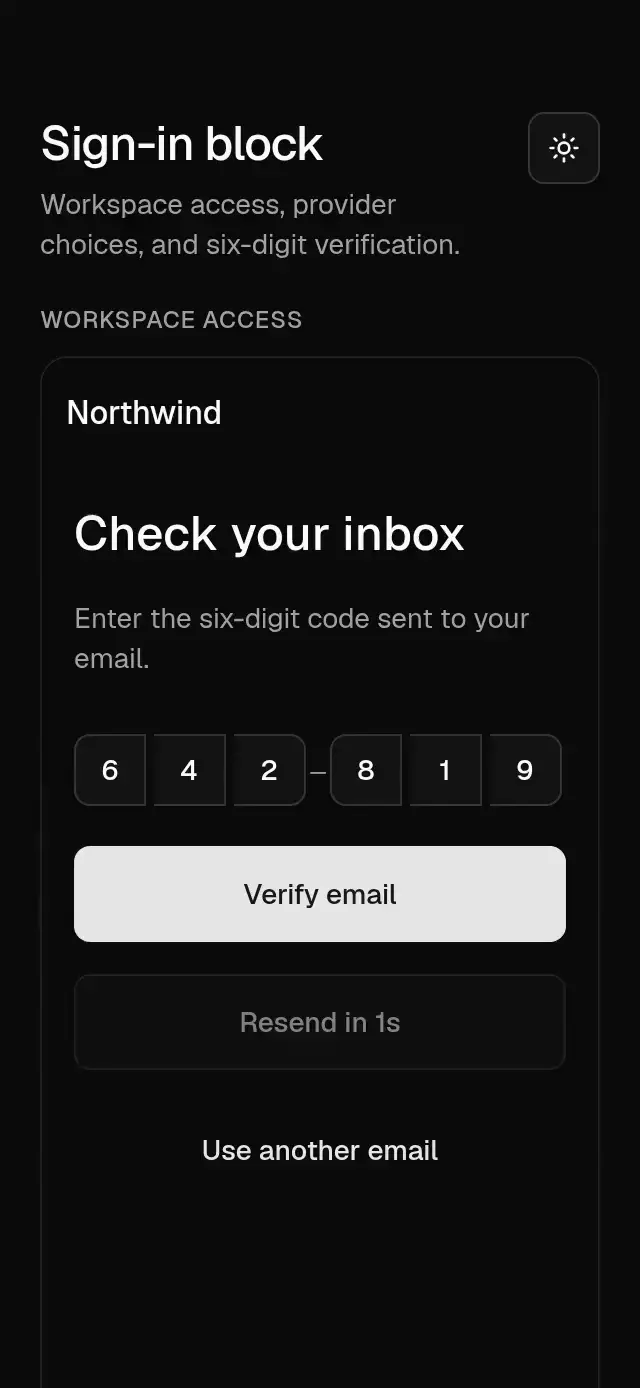
A sign-in screen with a verification step and configurable credential validation, provider buttons, copy, callbacks, loading, errors, insets, and theme.
How it works
- Composes email/password inputs, a remember checkbox, provider buttons, a labeled separator, and a six-digit OTP input. The OTP component supplies its error shake.
- Sections reveal over 300 ms on the theme out curve, staggered by 30 ms, from opacity 0 and a 6 pt vertical offset.
- Submit validates trimmed email and password length before calling the host.
validatereplaces the default policy. Field errors appear after the first submit and update while editing. - The host chooses
step="verification"after authenticating. Code submission is explicit through the primary button; a complete code does not submit automatically. - Entering verification and resending start a wall-clock cooldown. Backgrounding does not extend the countdown. The component clears its interval on exit/unmount. It never stores credentials.
Install
npx nativeanimation add base-sign-in-blockThe CLI copies the exact family modules listed in registryDependencies, including their transitive dependencies. To copy by hand, copy those modules too and install their native packages with:
npx expo install react-native-gesture-handler react-native-reanimated react-native-worklets lucide-react-native react-native-svgMount GestureHandlerRootView at the app root. Load the Geist regular and medium fonts once, or supply your own font names through the theme. Free forever. MIT.
Usage
import { BaseSignInBlock } from './base-sign-in-block';

<BaseSignInBlock
  onSubmit={(values) => authenticate(values)}
  step={needsVerification ? 'verification' : 'credentials'}
  onStepChange={() => setNeedsVerification(false)}
  onVerify={verifyCode}
  onForgotPassword={openRecovery}
  onRegister={openRegistration}
  providers={[
    { id: 'work', label: 'Continue with work account', icon: workIcon },
    { id: 'personal', label: 'Continue with personal account', icon: personalIcon },
  ]}
  onProvider={openProvider}
  loading={pending}
  error={error}
  insets={insets}
/>
Wrap your app in BaseThemeProvider from base-theme to choose light/dark and neutral, blue, green, or violet accents. A theme prop overrides the provider and is inherited by nested controls, sheets, and dialogs. Place the block inside a bounded container with flex: 1; screens scroll vertically when space is limited. Supply safe-area insets from the host.
SignInValues contains email, password, and remember. The host authenticates, sets step, and supplies loading/error. Returning to credentials requests onStepChange; update the controlled step in response. Provider icons belong to the host. The default provider buttons use generic text only.
Use with an agent
Use Native Animation MCP to add base-sign-in-block with email/password, two account providers, and six-digit email verification.
Props
| Prop | Type | Default | Description |
|---|---|---|---|
copy | Partial<copy> | Northwind copy | All headings, labels, templates, accessible names, and validation messages. |
values / defaultValues | SignInValues / Partial<SignInValues> | empty credentials, remember=false | Controlled or initial email, password, and remember values. |
onValuesChange | (values: SignInValues) => void | — | Receives every form edit. |
onSubmit | (values: SignInValues) => void | — | Receives validated values with trimmed email. |
step | credentials or verification | credentials | Host-controlled authentication step. |
onStepChange | (step: SignInStep) => void | — | Requests credentials when Use another email is pressed. |
code / onCodeChange | string / (code: string) => void | empty / — | Controlled OTP, or local text when code is omitted. |
onVerify / onResend | (code: string) => void / () => void | — | Explicit code submit and resend callbacks. |
resendSeconds | number | 30 | Seconds to wait after entering verification or resending. |
minimumPasswordLength | number | 8 | Default password-length policy. |
validate | (values) => { email?: string; password?: string } | default email/length policy | Return localized field errors; empty object means valid. |
providers | SignInProvider[] | work and personal accounts | Each has id, label, optional ReactNode icon. [] hides the separator and providers. |
onProvider | (id: string) => void | — | Host starts the chosen provider flow. |
onForgotPassword / onRegister | () => void | — | Host handles recovery and registration. |
insets | { top?: number; bottom?: number } | 0 / 0 | Host safe-area insets; no internal SafeAreaView. |
theme | BaseTheme | nearest provider | Full shared theme override inherited by every nested control. |
onBack / backLabel | () => void / string | — / Back | Optional host back action and its accessible name. |
loading / error | boolean / string | false / — | Host pending state and failure message. |
testID | string | piece ID | Stable identifier on the screen primary action. |
style | StyleProp<ViewStyle> | flex: 1 | Container override. |
copy supports these keys: title, heading, description, email, emailPlaceholder, password, passwordPlaceholder, remember, forgot, submit, separator, registerHint, register, verifyHeading, verifyDescription, code, verify, resend, resendCountdown, changeEmail, errorTitle, invalidEmail, invalidPassword, invalidCode, showPassword, hidePassword, back. Unspecified keys keep the generic English defaults. Icons and content remain caller-owned.
Compatibility
Expo SDK 58 · React Native 0.88 · Reanimated 4.7 · react-native-worklets 0.13. Targets iOS, Android, and web, in Expo Go and development builds. Native bundle compilation does not replace device interaction testing. Part of Native Animation Base. Free forever. MIT. No router, network, or storage dependency.
Go further
- conditional-field-morph for conditional forms.
- password-strength-meter for password feedback.
Accessibility
Inputs include email/password autofill hints; password reveal labels are configurable. OTP uses one numeric input with one-time-code autofill and configurable naming. Busy states block submission and input; destructive alerts expose failures. Keyboard avoidance uses padding on iOS and height on Android. Screen sections appear immediately without translation under Reduce Motion.
Part of a shared foundation
Use it in a screen
Compose Base Sign In Block with other Base components and a single shared theme. Ask your agent to read each API, then connect real navigation, state, and callbacks.
Go further.
Base covers the everyday. Choose a more expressive interaction when your app calls for it.
Stacked Category Cards ↗
A category stack whose tabs unfold into detail cards, with configurable categories, title, colors, and fonts.
Another way to solve this task · $9Review Approval Card ↗
A moderation queue with swipe-to-approve or decline feedback, with configurable reviews, labels, colors, and fonts.
Source code
Loading public source…