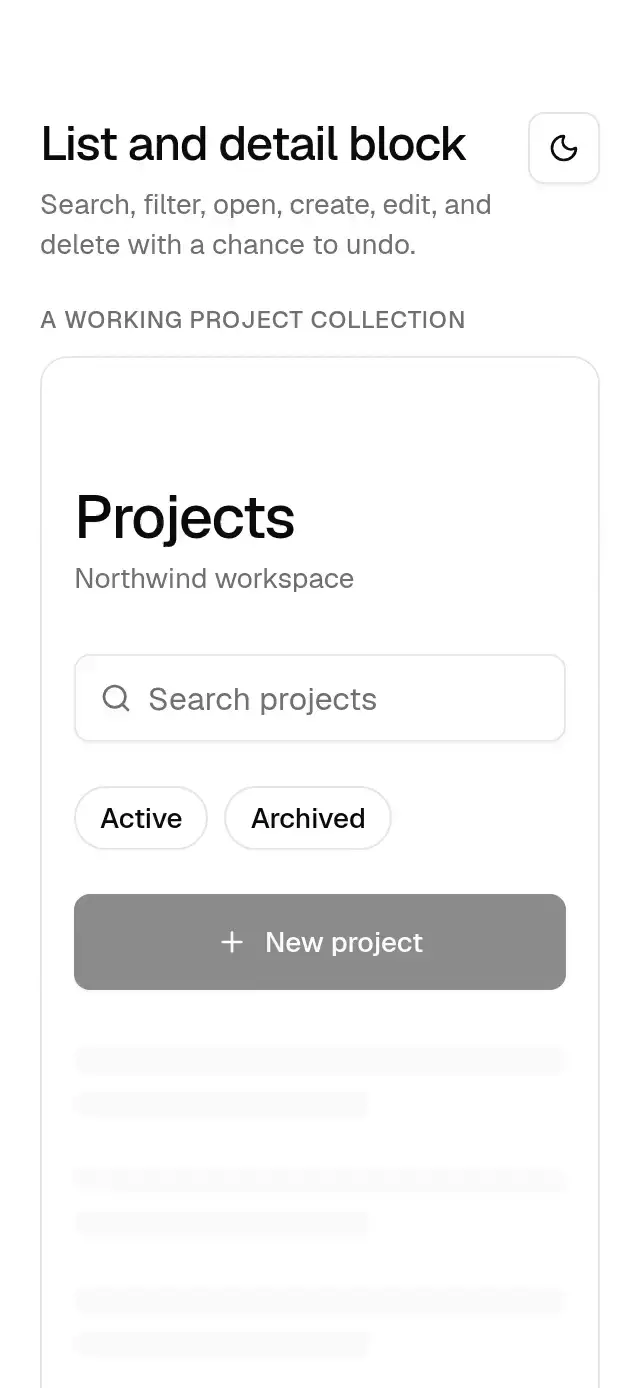
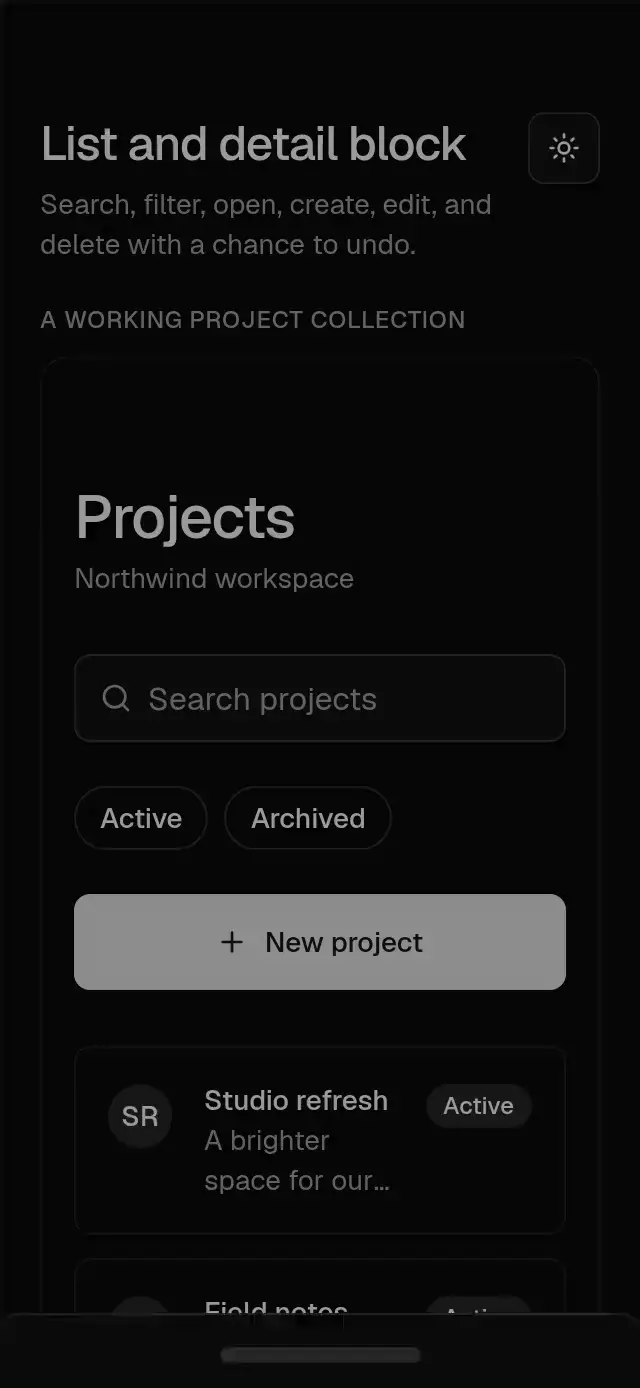
import React, { useEffect, useRef, useState } from 'react';
import {
FlatList,
KeyboardAvoidingView,
Platform,
ScrollView,
View,
useWindowDimensions,
type ImageSourcePropType,
} from 'react-native';
import { BaseAlert } from '../base-alert';
import { BaseAvatar } from '../base-avatar';
import { BaseBadge } from '../base-badge';
import { BaseButton } from '../base-button';
import { BaseDialog } from '../base-dialog';
import { BaseEmptyState } from '../base-empty-state';
import { BaseInput } from '../base-input';
import { BaseListRow } from '../base-list-row';
import { BaseSheet } from '../base-sheet';
import { BaseSkeletonText } from '../base-skeleton';
import { BaseToastProvider, useBaseToast } from '../base-toast';
import { BaseToggleGroup, type BaseToggleItem } from '../base-toggle-group';
import { BaseThemeProvider, useBaseTheme } from '../base-theme';
import {
BlockFrame,
BlockSection,
BlockText,
type BlockProps,
} from './BlockLayout';
const defaultCopy = {
title: 'Projects',
subtitle: 'Northwind workspace',
search: 'Search projects',
clearSearch: 'Clear search',
filters: 'Project filters',
create: 'New project',
edit: 'Edit project',
save: 'Save project',
cancel: 'Cancel',
close: 'Close project',
emptyTitle: 'Your next idea starts here',
emptyDescription: 'Create a project to keep your team and ideas together.',
noResults: 'No projects found',
noResultsDescription: 'Try another search or clear your filters.',
reset: 'Reset search and filters',
loading: 'Loading projects',
errorTitle: 'Could not update projects',
retry: 'Try again',
name: 'Project name',
namePlaceholder: 'Give your project a name',
description: 'Description',
descriptionPlaceholder: 'What are you working on?',
requiredName: 'Enter a project name.',
delete: 'Delete project',
deleteTitle: 'Delete this project?',
deleteDescription:
'The project will be removed from this workspace. You can undo this action from the notification.',
deleted: 'Project deleted',
undo: 'Undo',
back: 'Back',
dismissToast: 'Dismiss notification',
expandToast: 'Expand notifications',
};
export type ListDetailItem = {
id: string;
title: string;
description: string;
initials: string;
category: string;
badge?: string;
avatar?: ImageSourcePropType;
};
export type ListDetailDraft = Pick<ListDetailItem, 'title' | 'description'>;
export type ListDetailPanel =
| { kind: 'detail'; id: string }
| { kind: 'edit'; id: string }
| { kind: 'create' };
export type BaseListDetailBlockProps = BlockProps & {
/** All labels, empty/error messages, and accessible names. */
copy?: Partial<typeof defaultCopy>;
/** Controlled collection. The host must apply onItemsChange updates. */
items?: ListDetailItem[];
/** Initial collection when uncontrolled. */
defaultItems?: ListDetailItem[];
/** Reports immutable collection updates. No network or storage is used. */
onItemsChange?: (items: ListDetailItem[]) => void;
/** Available category filters; an empty selection shows all categories. */
filters?: BaseToggleItem[];
/** Controlled search string. */
query?: string;
/** Reports search edits. */
onQueryChange?: (query: string) => void;
/** Controlled filter identifiers. */
selectedFilters?: string[];
/** Reports filter edits. */
onFiltersChange?: (filters: string[]) => void;
/** Controlled detail/editor sheet state. */
panel?: ListDetailPanel | null;
/** Reports sheet navigation. */
onPanelChange?: (panel: ListDetailPanel | null) => void;
/** Called on opening an item. */
onSelect?: (item: ListDetailItem) => void;
/** Called with a newly created local item; the host can replace its ID. */
onCreate?: (item: ListDetailItem) => void;
/** Called with an edited item. */
onUpdate?: (item: ListDetailItem) => void;
/** Called after delete confirmation. */
onDelete?: (item: ListDetailItem) => void;
/** Called with the deleted item after Undo. */
onUndo?: (item: ListDetailItem) => void;
/** Retry callback for load failures. */
onRetry?: () => void;
/** Host-controlled editor pending state. */
saving?: boolean;
/** Error displayed inside the editor sheet. */
saveError?: string;
/** Category assigned to newly created local items. */
newItemCategory?: string;
/** Caller-owned decorative slots. */
icons?: {
search?: React.ReactNode;
empty?: React.ReactNode;
create?: React.ReactNode;
};
};
const sampleItems: ListDetailItem[] = [
{
id: '1',
title: 'Website refresh',
description: 'A fresh home for our next chapter.',
initials: 'WR',
category: 'active',
badge: 'Active',
},
{
id: '2',
title: 'Customer interviews',
description: 'Listen, learn, and share what matters.',
initials: 'CI',
category: 'active',
badge: 'Active',
},
{
id: '3',
title: 'Autumn launch',
description: 'Everything we need for launch day.',
initials: 'AL',
category: 'archived',
badge: 'Archived',
},
];
const defaultFilters = [
{ value: 'active', label: 'Active' },
{ value: 'archived', label: 'Archived' },
];
export function BaseListDetailBlock(props: BaseListDetailBlockProps) {
const theme = useBaseTheme(props.theme);
const t = { ...defaultCopy, ...props.copy };
return (
<BaseThemeProvider theme={theme}>
<BaseToastProvider
theme={theme}
bottomInset={props.insets?.bottom}
topInset={props.insets?.top}
dismissLabel={t.dismissToast}
expandLabel={t.expandToast}
>
<ListScreen {...props} theme={theme} />
</BaseToastProvider>
</BaseThemeProvider>
);
}
function ListScreen({
copy,
items: controlled,
defaultItems = sampleItems,
onItemsChange,
filters = defaultFilters,
query: controlledQuery,
onQueryChange,
selectedFilters: controlledFilters,
onFiltersChange,
panel: controlledPanel,
onPanelChange,
onSelect,
onCreate,
onUpdate,
onDelete,
onUndo,
onRetry,
saving = false,
saveError,
newItemCategory = 'active',
icons,
loading = false,
error,
...props
}: BaseListDetailBlockProps) {
const theme = useBaseTheme(props.theme);
const t = { ...defaultCopy, ...copy };
const { height } = useWindowDimensions();
const toast = useBaseToast();
const sequence = useRef(0);
const [internal, setInternal] = useState(defaultItems);
const items = controlled ?? internal;
const latestItems = useRef(items);
useEffect(() => {
latestItems.current = items;
}, [items]);
const [localQuery, setLocalQuery] = useState('');
const query = controlledQuery ?? localQuery;
const [localFilters, setLocalFilters] = useState<string[]>([]);
const selectedFilters = controlledFilters ?? localFilters;
const [localPanel, setLocalPanel] = useState<ListDetailPanel | null>(null);
const panel = controlledPanel === undefined ? localPanel : controlledPanel;
const item =
panel && panel.kind !== 'create'
? items.find((entry) => entry.id === panel.id)
: undefined;
const [draft, setDraft] = useState<ListDetailDraft>({
title: '',
description: '',
});
const [attempted, setAttempted] = useState(false);
const [pendingDelete, setPendingDelete] = useState<ListDetailItem | null>(
null,
);
const [confirmDelete, setConfirmDelete] = useState<ListDetailItem | null>(
null,
);
const panelKey = panel
? `${panel.kind}:${panel.kind === 'create' ? '' : panel.id}`
: '';
const [previousPanelKey, setPreviousPanelKey] = useState(panelKey);
if (panelKey !== previousPanelKey) {
setPreviousPanelKey(panelKey);
setDraft({
title: item?.title ?? '',
description: item?.description ?? '',
});
setAttempted(false);
}
useEffect(() => {
if (!pendingDelete || panel) return;
// Let the native sheet finish closing before presenting another native Modal.
const timer = setTimeout(() => {
setConfirmDelete(pendingDelete);
setPendingDelete(null);
}, theme.motion.transitions.drawerOut.duration + 16);
return () => clearTimeout(timer);
}, [pendingDelete, panel, theme]);
const changeItems = (next: ListDetailItem[]) => {
latestItems.current = next;
if (controlled === undefined) setInternal(next);
onItemsChange?.(next);
};
const navigate = (next: ListDetailPanel | null) => {
if (saving) return;
if (controlledPanel === undefined) setLocalPanel(next);
onPanelChange?.(next);
};
const search = (next: string) => {
if (controlledQuery === undefined) setLocalQuery(next);
onQueryChange?.(next);
};
const filter = (next: string[]) => {
if (controlledFilters === undefined) setLocalFilters(next);
onFiltersChange?.(next);
};
const visibleItems = items.filter(
(entry) =>
(!selectedFilters.length || selectedFilters.includes(entry.category)) &&
`${entry.title} ${entry.description}`
.toLowerCase()
.includes(query.trim().toLowerCase()),
);
const reset = () => {
search('');
filter([]);
};
const save = () => {
if (saving) return;
setAttempted(true);
if (!draft.title.trim()) return;
if (panel?.kind === 'edit' && item) {
const next = { ...item, ...draft, title: draft.title.trim() };
changeItems(items.map((entry) => (entry.id === next.id ? next : entry)));
onUpdate?.(next);
} else if (panel?.kind === 'create') {
const title = draft.title.trim();
const next: ListDetailItem = {
...draft,
title,
id: `local-${Date.now()}-${++sequence.current}`,
initials: title.slice(0, 2).toUpperCase(),
category: newItemCategory,
};
changeItems([...items, next]);
onCreate?.(next);
}
// The host closes a controlled editor after its save succeeds.
if (controlledPanel === undefined) navigate(null);
};
const remove = () => {
if (!confirmDelete) return;
const removed = confirmDelete;
const index = items.findIndex((entry) => entry.id === removed.id);
changeItems(items.filter((entry) => entry.id !== removed.id));
setConfirmDelete(null);
onDelete?.(removed);
toast.show({
title: t.deleted,
action: {
label: t.undo,
onPress: () => {
const next = [...latestItems.current];
if (!next.some((entry) => entry.id === removed.id)) {
next.splice(Math.max(0, Math.min(index, next.length)), 0, removed);
changeItems(next);
onUndo?.(removed);
}
},
},
});
};
const editor = panel?.kind === 'create' || panel?.kind === 'edit';
return (
<BlockFrame
{...props}
theme={theme}
title={t.title}
subtitle={t.subtitle}
largeTitle
scroll={false}
backLabel={props.backLabel ?? t.back}
>
<FlatList
data={loading || error ? [] : visibleItems}
keyExtractor={(entry) => entry.id}
style={{ flex: 1 }}
keyboardShouldPersistTaps="handled"
keyboardDismissMode="on-drag"
showsVerticalScrollIndicator={false}
contentContainerStyle={{
paddingTop: theme.space[4],
paddingBottom: theme.space[6],
gap: theme.space[3],
flexGrow: 1,
}}
ListHeaderComponent={
<View style={{ gap: theme.space[4], paddingBottom: theme.space[4] }}>
<BlockSection>
<BaseInput
value={query}
onChangeText={search}
clearable
placeholder={t.search}
accessibilityLabel={t.search}
clearLabel={t.clearSearch}
leading={icons?.search}
/>
<BaseToggleGroup
type="multiple"
variant="chip"
items={filters}
value={selectedFilters}
onValueChange={filter}
accessibilityLabel={t.filters}
/>
<BaseButton
fullWidth
disabled={loading}
leading={icons?.create}
onPress={() => navigate({ kind: 'create' })}
testID={props.testID ?? 'base-list-detail-block'}
style={{ minHeight: 48 }}
>
{t.create}
</BaseButton>
</BlockSection>
{error ? (
<BaseAlert
variant="destructive"
title={t.errorTitle}
description={error}
action={
<BaseButton
variant="outline"
onPress={onRetry}
style={{ minHeight: 48 }}
>
{t.retry}
</BaseButton>
}
/>
) : null}
</View>
}
ListEmptyComponent={
(loading ? (
<View
accessible
accessibilityLabel={t.loading}
accessibilityState={{ busy: true }}
aria-busy={true}
style={{ gap: theme.space[6] }}
>
{[0, 1, 2].map((key) => (
<BaseSkeletonText key={key} lines={2} />
))}
</View>
) : error ? null : (
<BaseEmptyState
icon={icons?.empty}
title={items.length ? t.noResults : t.emptyTitle}
description={
items.length ? t.noResultsDescription : t.emptyDescription
}
actions={
items.length ? (
<BaseButton
variant="outline"
onPress={reset}
style={{ minHeight: 48 }}
>
{t.reset}
</BaseButton>
) : undefined
}
/>
)) as React.ComponentProps<typeof FlatList>['ListEmptyComponent']
}
renderItem={({ item: entry, index }) => (
<BlockSection index={Math.min(index + 1, 5)}>
<BaseListRow
title={entry.title}
description={entry.description}
variant="outline"
leading={
<BaseAvatar
fallback={entry.initials}
source={entry.avatar}
accessibilityLabel={entry.title}
/>
}
trailing={
entry.badge ? (
<BaseBadge variant="secondary">{entry.badge}</BaseBadge>
) : undefined
}
onPress={() => {
navigate({ kind: 'detail', id: entry.id });
onSelect?.(entry);
}}
testID={`project-${entry.id}`}
/>
</BlockSection>
)}
/>
<BaseSheet
visible={!!panel && (panel.kind === 'create' || !!item)}
onVisibleChange={(open) => {
if (!open) navigate(null);
}}
title={
editor ? (panel?.kind === 'create' ? t.create : t.edit) : item?.title
}
closeLabel={t.close}
bottomInset={props.insets?.bottom}
theme={theme}
>
<BaseThemeProvider theme={theme}>
<KeyboardAvoidingView
behavior={
Platform.OS === 'ios'
? 'padding'
: Platform.OS === 'android'
? 'height'
: undefined
}
>
<ScrollView
keyboardShouldPersistTaps="handled"
showsVerticalScrollIndicator={false}
style={{ maxHeight: height * 0.55 }}
contentContainerStyle={{
gap: theme.space[4],
paddingBottom: theme.space[4],
}}
>
{editor ? (
<>
{saveError ? (
<BaseAlert
variant="destructive"
title={t.errorTitle}
description={saveError}
/>
) : null}
<BaseInput
label={t.name}
placeholder={t.namePlaceholder}
value={draft.title}
onChangeText={(title) =>
setDraft((previous) => ({ ...previous, title }))
}
disabled={saving}
error={
attempted && !draft.title.trim()
? t.requiredName
: undefined
}
testID="project-name"
/>
<BaseInput
label={t.description}
placeholder={t.descriptionPlaceholder}
value={draft.description}
onChangeText={(description) =>
setDraft((previous) => ({ ...previous, description }))
}
multiline
maxHeight={120}
disabled={saving}
/>
<BaseButton
fullWidth
loading={saving}
onPress={save}
style={{ minHeight: 48 }}
testID="project-save"
>
{t.save}
</BaseButton>
<BaseButton
fullWidth
variant="outline"
disabled={saving}
onPress={() => navigate(null)}
style={{ minHeight: 48 }}
>
{t.cancel}
</BaseButton>
</>
) : item ? (
<>
<BlockText>{item.description}</BlockText>
{item.badge ? (
<BaseBadge variant="secondary">{item.badge}</BaseBadge>
) : null}
<BaseButton
fullWidth
onPress={() => navigate({ kind: 'edit', id: item.id })}
style={{ minHeight: 48 }}
>
{t.edit}
</BaseButton>
<BaseButton
fullWidth
variant="outline"
onPress={() => {
setPendingDelete(item);
navigate(null);
}}
style={{ minHeight: 48 }}
>
{t.delete}
</BaseButton>
<BaseButton
fullWidth
variant="ghost"
onPress={() => navigate(null)}
style={{ minHeight: 48 }}
>
{t.close}
</BaseButton>
</>
) : null}
</ScrollView>
</KeyboardAvoidingView>
</BaseThemeProvider>
</BaseSheet>
<BaseDialog
visible={!!confirmDelete}
onVisibleChange={(open) => {
if (!open) setConfirmDelete(null);
}}
role="alertdialog"
title={t.deleteTitle}
description={t.deleteDescription}
closeLabel={t.cancel}
theme={theme}
footer={
<>
<BaseButton
variant="outline"
onPress={() => setConfirmDelete(null)}
style={{ minHeight: 48 }}
>
{t.cancel}
</BaseButton>
<BaseButton
variant="destructive"
onPress={remove}
style={{ minHeight: 48 }}
testID="project-delete-confirm"
>
{t.delete}
</BaseButton>
</>
}
/>
</BlockFrame>
);
}
export default BaseListDetailBlock;