About this component
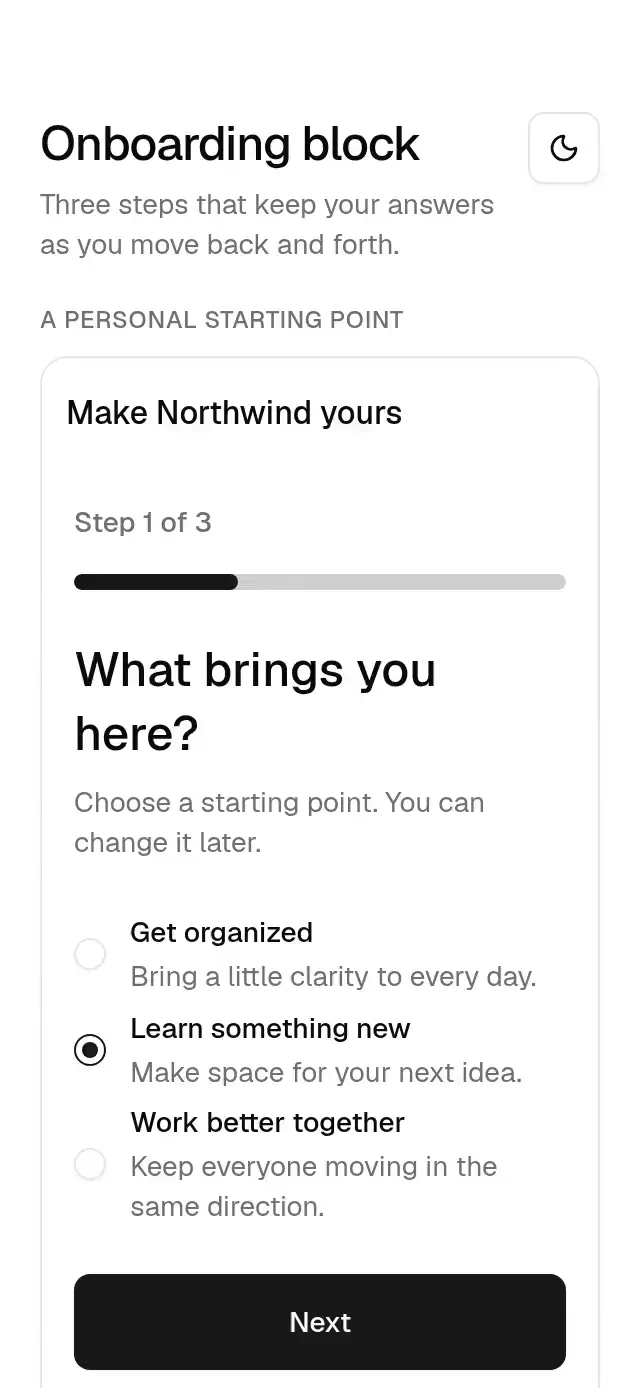
A three-step onboarding screen with configurable goals, interests, daily preferences, copy, answers, step control, callbacks, insets, and theme.
How it works
- Composes a progress bar, radio goals, multiple interest chips, a daily-goal slider, a reminder switch, and navigation buttons.
- Sections reveal in 300 ms with 30 ms staggering and a 6 pt offset. Step content exits in 150 ms with
panelOutand enters in 300 ms withpanelIn, traveling 24 pt horizontally in the direction of navigation. - An exit generation token and canceled animations prevent stale callbacks from replacing a newer requested step. Content and the incoming pose commit together.
- Answers live outside the step panel, so Back and Next preserve all values. Skip and completion receive the complete current answers.
- The host owns navigation after skip/completion and applies or persists the received preferences. Loading replaces the step content with skeletons and blocks navigation.
Install
npx nativeanimation add base-onboarding-blockThe CLI copies the exact family modules listed in registryDependencies, including their transitive dependencies. To copy by hand, copy those modules too and install their native packages with:
npx expo install react-native-gesture-handler react-native-reanimated react-native-worklets lucide-react-native react-native-svgMount GestureHandlerRootView at the app root. Load the Geist regular and medium fonts once, or supply your own font names through the theme. Free forever. MIT.
Usage
import { BaseOnboardingBlock } from './base-onboarding-block';

<BaseOnboardingBlock
  values={answers}
  onValuesChange={setAnswers}
  onComplete={createWorkspace}
  onSkip={continueWithDefaults}
  insets={insets}
/>
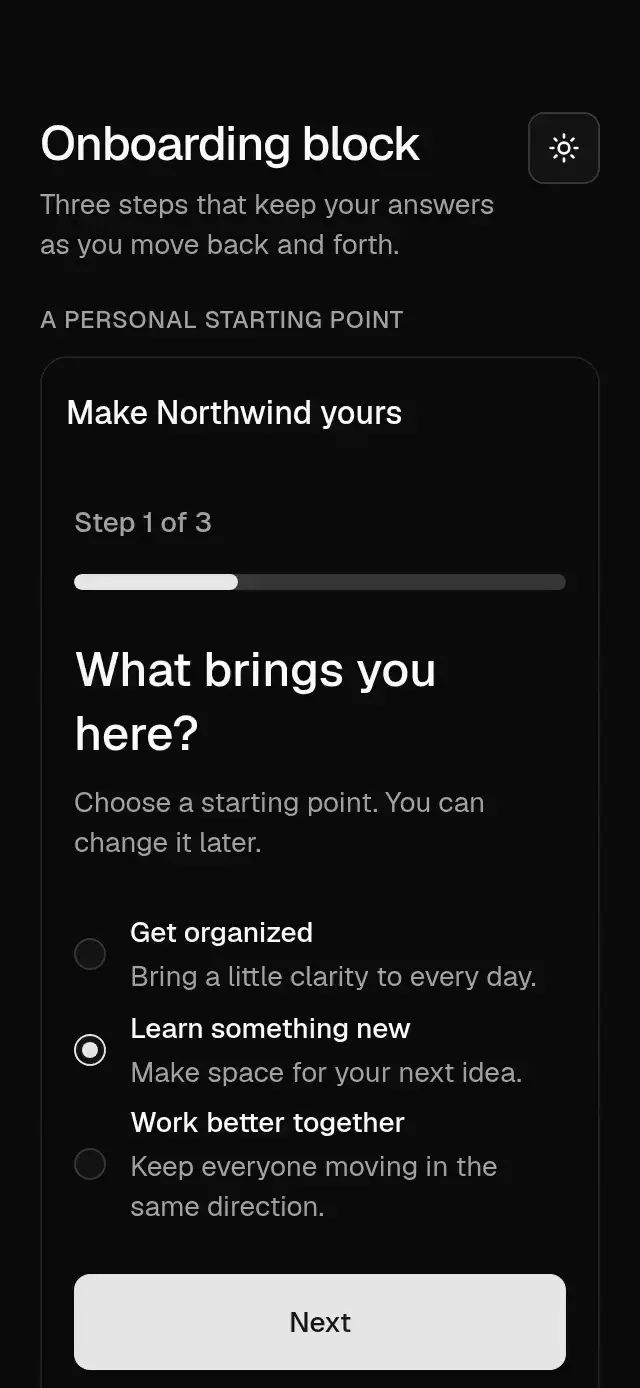
Wrap your app in BaseThemeProvider from base-theme to choose light/dark and neutral, blue, green, or violet accents. A theme prop overrides the provider and is inherited by nested controls, sheets, and dialogs. Place the block inside a bounded container with flex: 1; screens scroll vertically when space is limited. Supply safe-area insets from the host.
OnboardingValues contains goal, interests, minutes, and reminders. Supply values with onValuesChange for controlled answers, or defaultValues for local state. step and onStepChange are independently controllable. Copy templates use {current}, {total}, and {minutes}.
Use with an agent
Use Native Animation MCP to add base-onboarding-block with three steps for a goal, multiple interests, and daily preferences.
Props
| Prop | Type | Default | Description |
|---|---|---|---|
copy | Partial<copy> | Northwind copy | All titles, descriptions, labels, and templates. |
goals | BaseRadioOption[] | organize, learn, team | Goal value, label, optional description/disabled. |
interests | BaseToggleItem[] | six interest chips | Interest value, label, optional icon/disabled. |
values / defaultValues | OnboardingValues / Partial<OnboardingValues> | first goal, [], 15 minutes, reminders=true | Controlled or initial answers. |
onValuesChange | (values: OnboardingValues) => void | — | Receives goal, interests, minutes, and reminders. |
step / defaultStep | number | 0 | Controlled or initial zero-based step, clamped to 0–2. |
onStepChange | (step: number) => void | — | Receives requested step navigation. |
onComplete / onSkip | (values: OnboardingValues) => void | — | Receives all answers without clearing them. |
minuteRange | { min: number; max: number; step: number } | 5 / 60 / 5 | Slider bounds and increment. |
insets | { top?: number; bottom?: number } | 0 / 0 | Host safe-area insets; no internal SafeAreaView. |
theme | BaseTheme | nearest provider | Full shared theme override inherited by every nested control. |
onBack / backLabel | () => void / string | — / Back | Optional host back action and its accessible name. |
loading / error | boolean / string | false / — | Host pending state and failure message. |
testID | string | piece ID | Stable identifier on the screen primary action. |
style | StyleProp<ViewStyle> | flex: 1 | Container override. |
copy supports these keys: title, progress, step, goalTitle, goalDescription, interestsTitle, interestsDescription, interestsLabel, preferencesTitle, preferencesDescription, minutes, slider, notifications, reminderDescription, back, next, finish, skip, errorTitle. Unspecified keys keep the generic English defaults. Icons and content remain caller-owned.
Compatibility
Expo SDK 58 · React Native 0.88 · Reanimated 4.7 · react-native-worklets 0.13. Targets iOS, Android, and web, in Expo Go and development builds. Native bundle compilation does not replace device interaction testing. Part of Native Animation Base. Free forever. MIT. No router, network, or storage dependency.
Go further
- cinematic-welcome for a cinematic introduction.
- goal-picker-quiz for a richer goal-selection flow.
Accessibility
The progress bar exposes its current value; radios, chips, slider, and switch keep their native accessibility semantics. Next requires a goal on step one. The loading region announces busy state and errors use an alert. Reduced motion removes both reveal displacement and horizontal step transitions.
Part of a shared foundation
Use it in a screen
Compose Base Onboarding Block with other Base components and a single shared theme. Ask your agent to read each API, then connect real navigation, state, and callbacks.
Go further.
Base covers the everyday. Choose a more expressive interaction when your app calls for it.
Book Vortex Welcome ↗
A book-cover vortex that settles into a library dashboard, with configurable books, labels, colors, and fonts.
Another way to solve this task · $9Split Sheet Library ↗
A reading home that unfolds into a sheet-based library with shared cards, with configurable shelves, library data, colors, and fonts.
Source code
Loading public source…